How to Generate TikTok Product Video Ads with AI
A practical workflow for turning product links, images, and focused briefs into TikTok-style product video drafts that can be reviewed and refined.
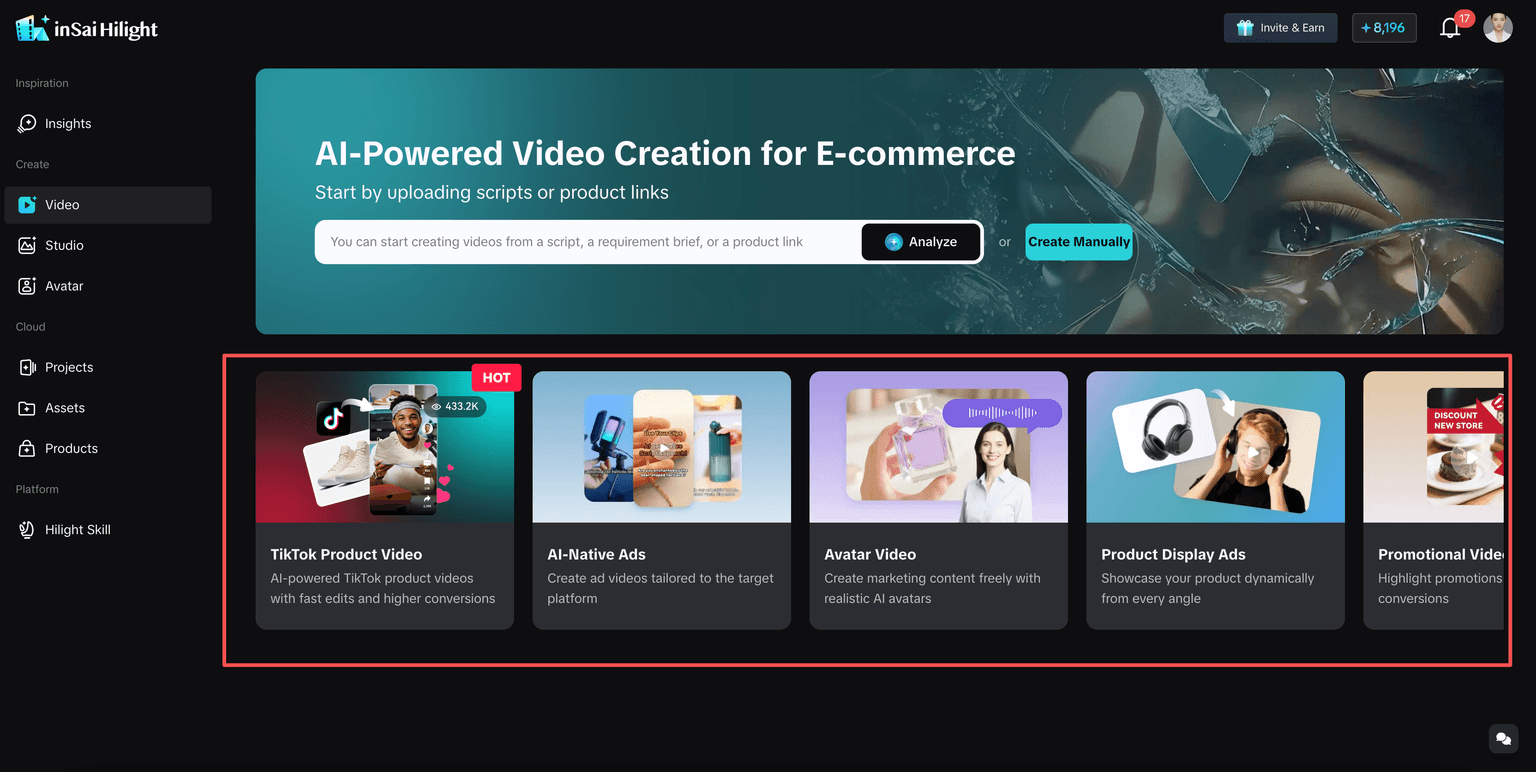
Choose TikTok Product Video when the goal is creator-style, product-led content that feels closer to a short-form social feed.
TikTok Shop sellers rarely need just one product video. A new listing needs an introduction, an active product needs fresh creative angles, and an ad that has already been running may need a different opening or selling point. The difficult part is keeping up when the available inputs are often limited to a product link, a few images, and basic product information.
AI can shorten the path from product material to a complete video draft. But asking an AI TikTok ad generator to “make a viral video” is not a production plan. The system still needs to know what the product is, who the video is for, which benefit matters most, and what kind of content should communicate it.
HiLight Smart Video supports this workflow with dedicated creation scenarios, including TikTok Product Video. AI can help produce the draft, but it does not replace product judgment, creative testing, or TikTok’s current advertising and AI-content requirements.
Key Takeaways
- TikTok-native content is product-led and designed for feed viewing, not simply fast editing.
- A focused brief is more useful than asking AI to make a generic viral ad.
- TikTok Product Video and AI Native Ad support different creative intentions.
- The first generated version should be reviewed before publishing or campaign use.
Why TikTok Product Videos Are Difficult to Produce Consistently
TikTok content moves quickly. Sellers and performance teams may need to test different hooks, audiences, product benefits, and offers instead of relying on one finished brand video. Smaller sellers may not have a filming or editing team, while agencies may be handling several stores or clients at once.
AI helps most when it turns repeated production tasks into a clear workflow rather than producing random variations.
A useful workflow should help you:
- use existing product information instead of starting from a blank page
- test a new hook without planning another full shoot
- turn one product angle into a complete draft that can be reviewed before detailed editing
What Makes a Product Video Feel Native to TikTok?
TikTok-native does not simply mean faster cuts, loud music, or vertical export. It means the video is designed for how people consume content in the feed.
A useful starting structure is hook, body, close: introduce the problem or outcome, show the product around one main benefit, then give the viewer a clear next step. This structure does not guarantee performance; actual results still depend on the product, offer, audience, placement, account, and testing.
| Element | What it should do |
|---|---|
| Hook | Give viewers an immediate reason to keep watching |
| Early product visibility | Make it clear what the video is about |
| One main angle | Keep the message focused and memorable |
| Demonstration or context | Show the product benefit instead of only describing it |
| Clear captions | Keep the message understandable on a small screen |
| Natural next step | Connect the content to a product page, offer, or action |
TikTok Product Video or AI Native Ad?
HiLight Smart Video includes several creation scenarios. Choosing the right one is more useful than forcing every product into the same style.
Choose TikTok Product Video for direct, product-led creator content that feels closer to a social feed. Choose AI Native Ad when the goal is a more pronounced advertising concept, stronger visual impact, or paid creative testing.
| Your goal | Recommended scenario |
|---|---|
| Creator-style product recommendation or platform-native product content | TikTok Product Video |
| Stronger advertising feel and visually driven paid creative | AI Native Ad |
| An on-screen presenter explaining the product | Digital Avatar Talking Video |
| A clear demonstration of how the product works | Product Demo Ad |
| Discounts, limited-time offers, or campaign urgency | Promotional Video Ad |
What to Prepare Before Generation
You do not need a finished script, but you need enough information to prevent a generic first draft.
Use one product detail page, clear images, existing clips, a product document, or a reference script.
Choose the benefit that best matches the audience and use case instead of listing every feature.
Use a concrete group such as office commuters or pet owners dealing with shedding.
Choose problem-solution, demonstration, creator recommendation, feature highlight, comparison, or promotion.
Confirm language, duration, aspect ratio, and whether text stays visible within TikTok interface safe areas.
Step-by-step: Generate a TikTok Product Video with HiLight
A stable input formula is: product input + target audience + video direction + one or two selling points. The brief does not need to be long; it needs to make the creative decision clear.
Choose TikTok Product Video
Use this scenario for creator-style product-selling content. Choose AI Native Ad when the priority is a stronger ad concept.
Add the product link or assets
Paste a supported product detail page or upload clear images, clips, documents, or a reference script.
Write a narrow brief
Define the audience, use case, creative direction, and one or two core benefits.
Review the creative requirements
Check product information, main image, selling points, audience, language, duration, and format.
Generate the first complete draft
Use One-Click Video Creation to judge the full hook, message, visual rhythm, and format.
Choose the next action
Fine-tune local issues, revise an inaccurate brief, or improve weak source assets.
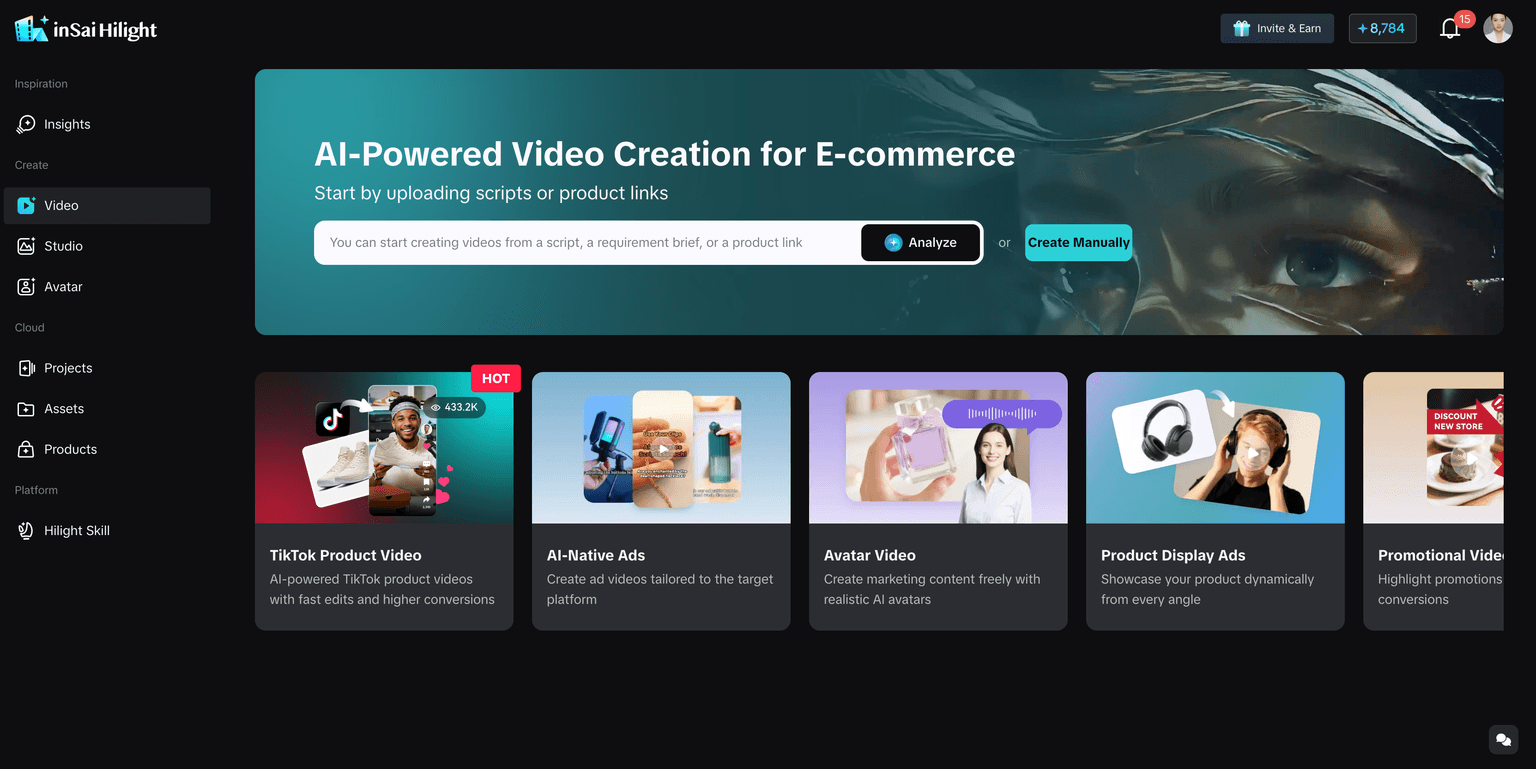
How to Write a Better TikTok Video Brief
The brief should make a creative choice. Avoid broad requests such as “make it viral,” “make it engaging,” or “include every feature.”
A useful brief answers four questions: Who is the viewer? What situation are they in? What should they remember? What kind of video should communicate it?
| Product | Weak brief | Better brief |
|---|---|---|
| Portable blender | Make a viral TikTok ad | Create a TikTok-style demo for office commuters. Show portability, quick drink preparation, and easy cleaning. |
| Men’s sunscreen | Make a skincare video | Create a short recommendation for daily commuters. Focus on lightweight texture and a non-greasy feel. |
| Pet brush | Make a cute product video | Create a problem-solution video for pet owners dealing with shedding. Show the brushing process and a product close-up. |
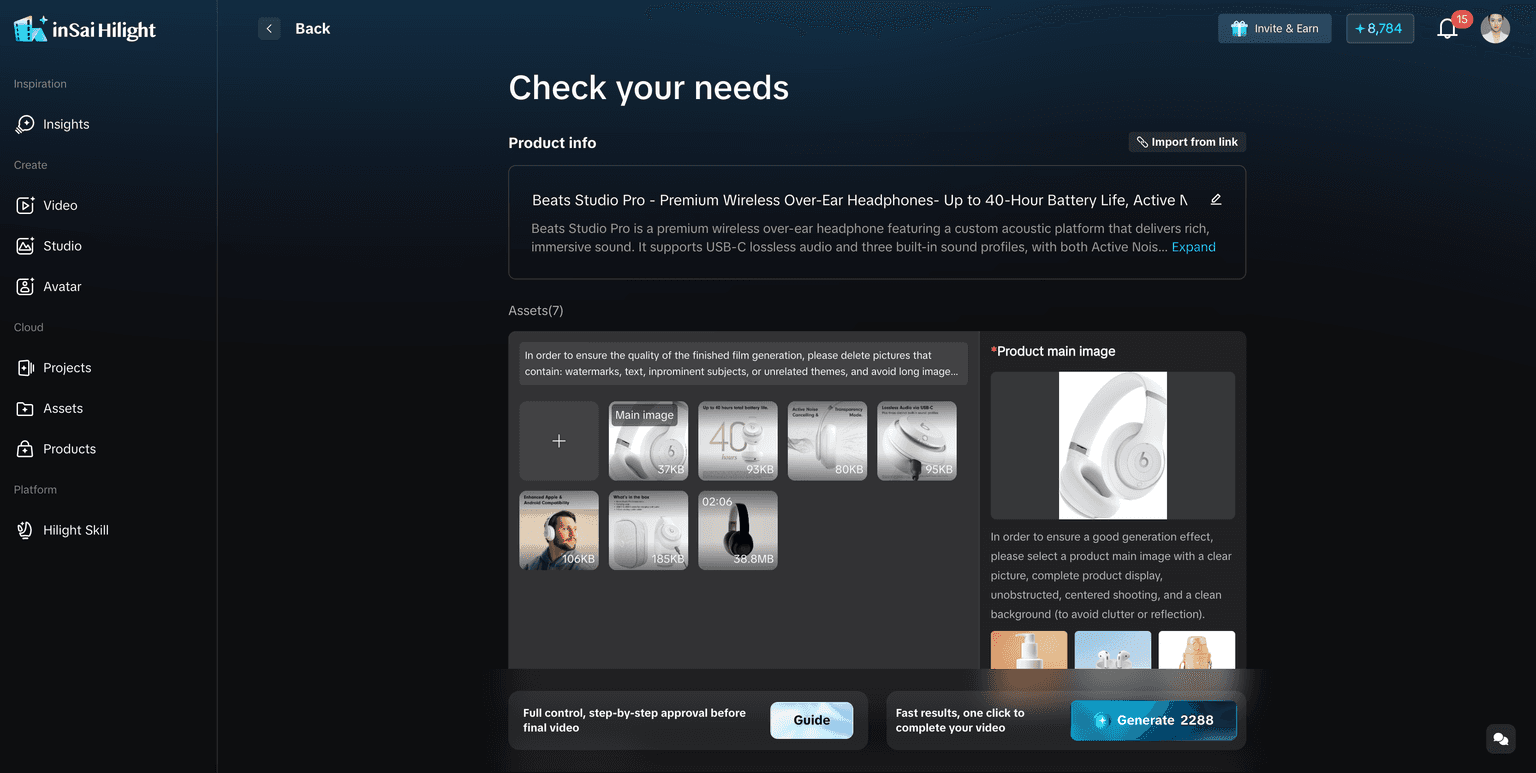
Review the First Draft Before Use
Do not judge the first version only by asking whether it looks good. Review it as a TikTok product video.
Establish the problem, product value, or reason to watch without delaying the product.
Check appearance, packaging, function, usage context, and claims.
Keep the pace intentional and every scene connected to the main angle.
Keep text readable without covering the product or conflicting with interface elements.
Check music, voice, claims, permissions, brand requirements, and current TikTok policies.
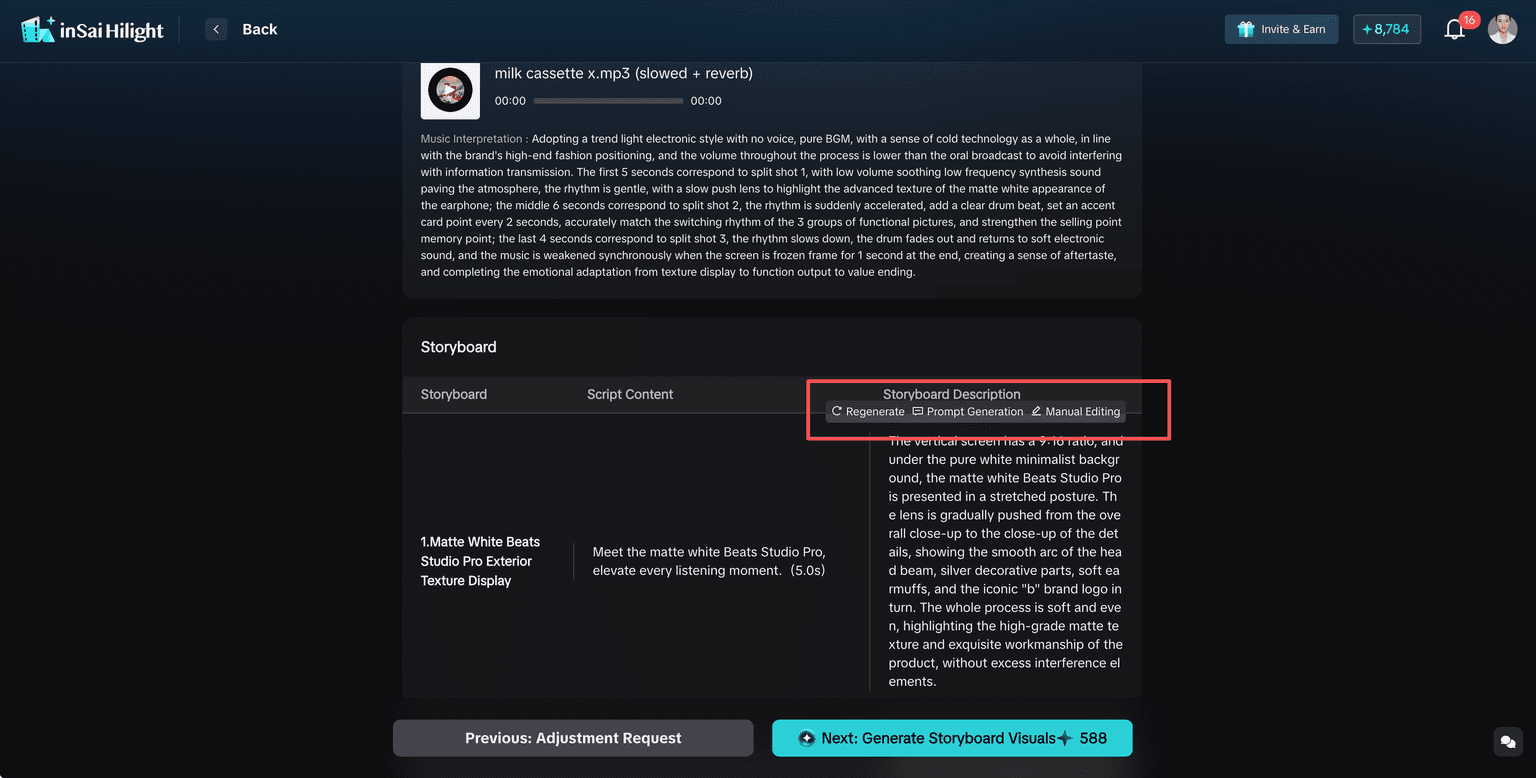
Common Mistakes
- Asking for a viral video without defining the audience or product angle.
- Trying to include every selling point in one short video.
- Choosing TikTok Product Video when the real goal is a promotional or highly visual ad.
- Using unclear product images and expecting generation to recover missing detail.
- Making every scene fast without checking whether the story remains understandable.
- Publishing the first draft without checking claims, captions, permissions, and platform requirements.
FAQ
Yes, when the link is a supported product detail page. If parsing is incomplete, add product images and enter the information manually.
Not always. You can start with product links, images, documents, and existing clips.
TikTok Product Video is better for creator-style product content. AI Native Ad is better for stronger advertising impact.
No. Performance also depends on the product, offer, audience, placement, campaign setup, and testing.
Yes. Use Fine-tune Mode when the overall direction is right but scripts, visuals, captions, or individual scenes need work.
Conclusion
AI makes TikTok product video production more accessible, but the quality of the result still starts with clear creative decisions. Choose the scenario that matches the goal, provide accurate product material, focus the brief on one audience and one main angle, and treat the first generation as a draft to review.
The practical benefit is not a promise of instant virality. It is a faster way to turn existing product information into complete creative directions that can be reviewed, refined, and tested.

