Quick Answer
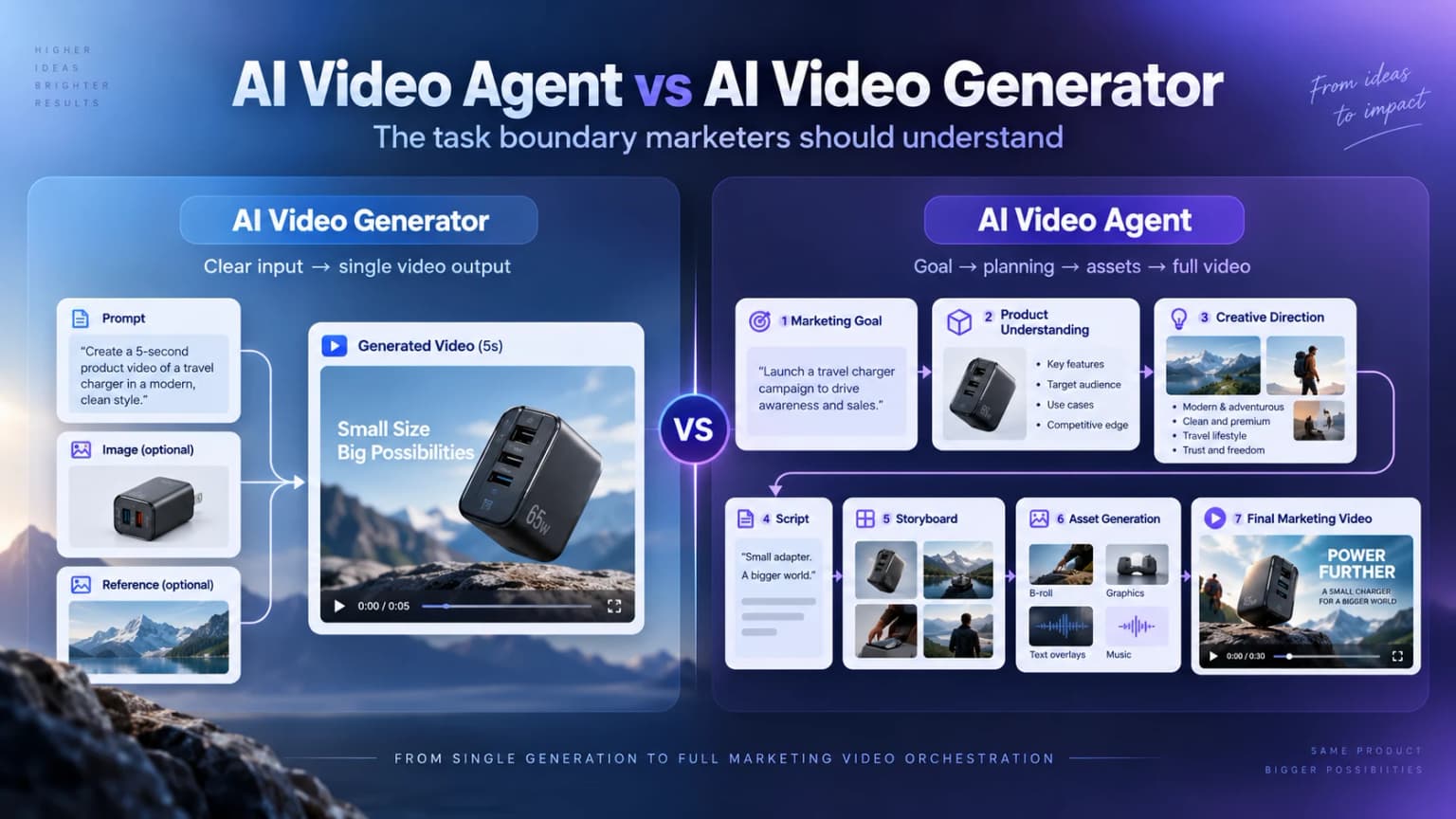
An AI video generator creates video from a defined input. An AI video agent takes on more of the decisions between a brief and a finished video: planning the message, organizing scenes, using production tools, and carrying the task forward. Choose by the work you want help with, then check the product's actual capabilities.
You have a product photo and need a video. If the missing piece is one close-up, you need a different kind of help than if the missing pieces are the idea, script, shot plan, and edit.
That is the useful starting point for this comparison. Both approaches can use video-generation models. The practical question is how much of the production work you will still need to plan and connect yourself.
AI Video Agent vs AI Video Generator: Compare the Work
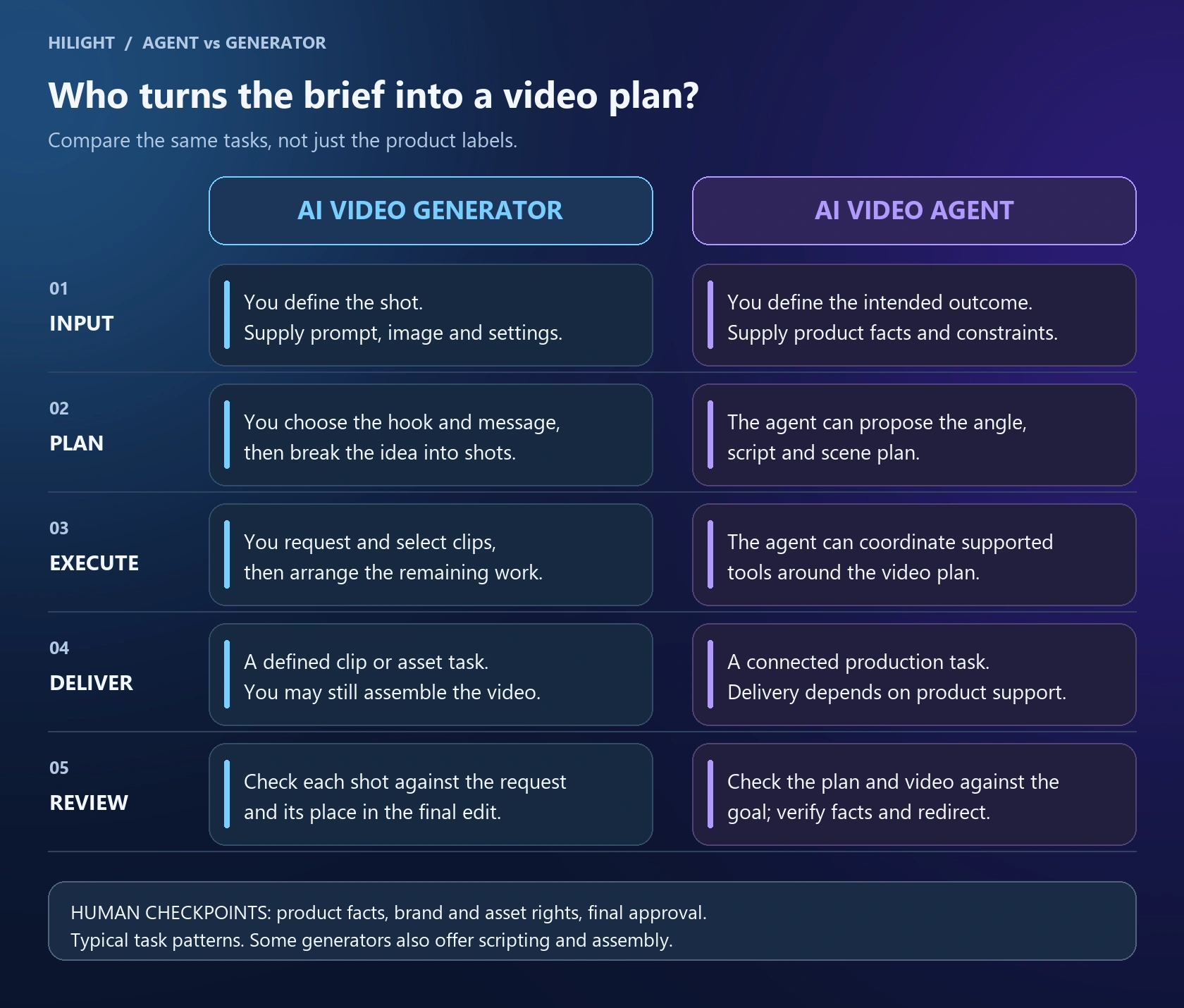
A generator-led workflow starts with a defined creation request: a prompt, image, reference, and output settings. You decide what the shot should show, generate a result, then select or revise it. This works well when you already know the scene you need.
AI video agents can start with a broader assignment. The system can propose the message and production steps, work with available assets, and use the tools supported by that product. You review its decisions and correct the direction where needed.
These are workflow patterns, not universal specifications. Some generators include script and editing tools; some products called agents still need substantial manual work. A chat box or several automated steps alone do not tell you how much responsibility a product actually takes on.
Anthropic's Building effective agents distinguishes fixed workflows from systems that dynamically direct their processes and tool use. That is a useful check on the label: ask what the system can decide and execute, rather than judging it by the word “agent.”
One Product Brief, Two Production Workflows
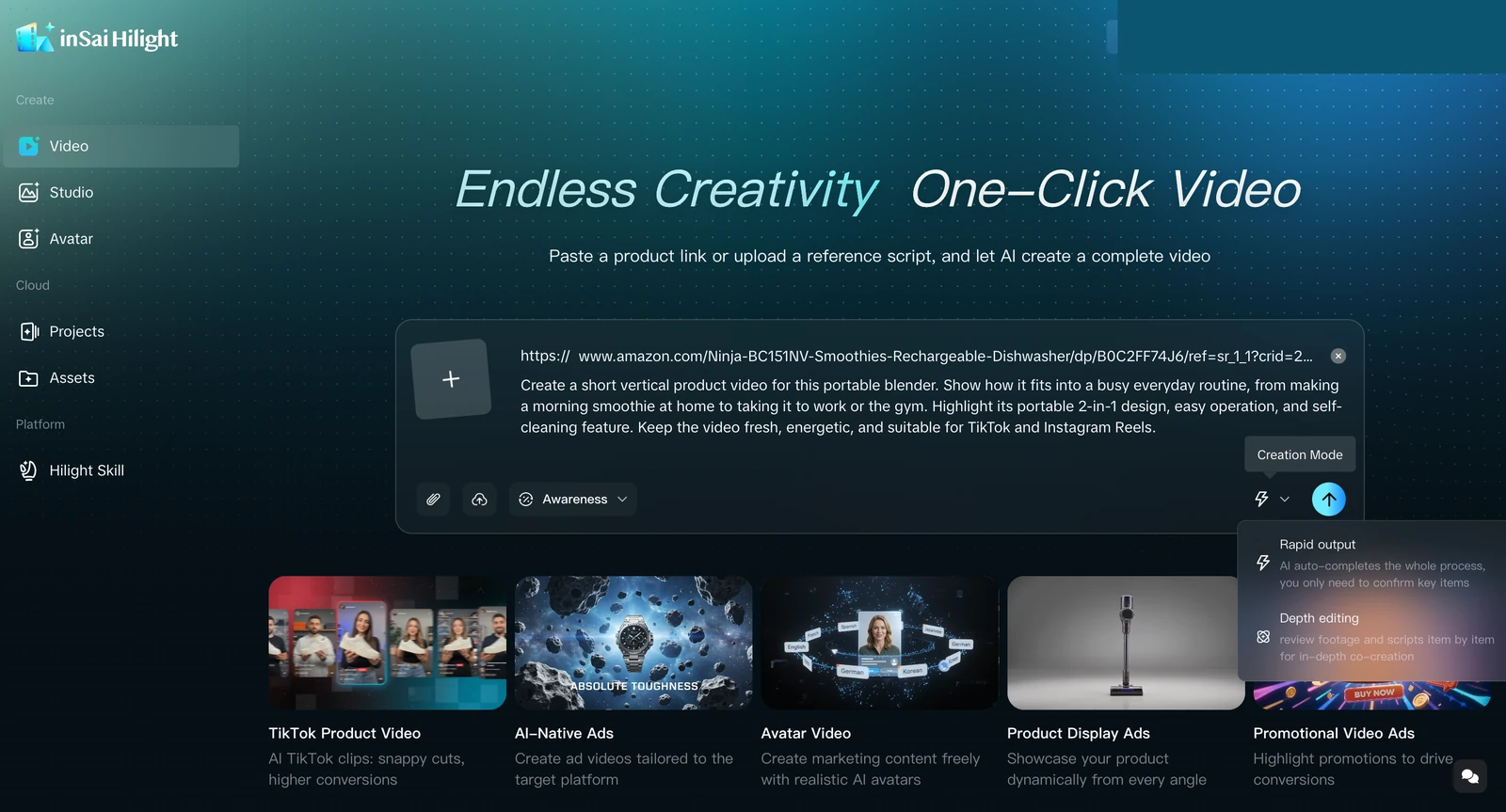
Consider this portable-blender brief: create a short vertical video for TikTok and Instagram Reels, showing a morning-drink routine and taking the blender to work or the gym. The goal is product awareness.
What has the marketer already decided?
The brief already specifies the product, use context, vertical format, and channels. It gives the video a direction, but leaves the opening, shot order, and ending to be developed.
What still needs to become a creative decision?
A useful video plan needs more than a list of features. For this brief, someone still has to answer these questions:
Where the two workflows divide the work
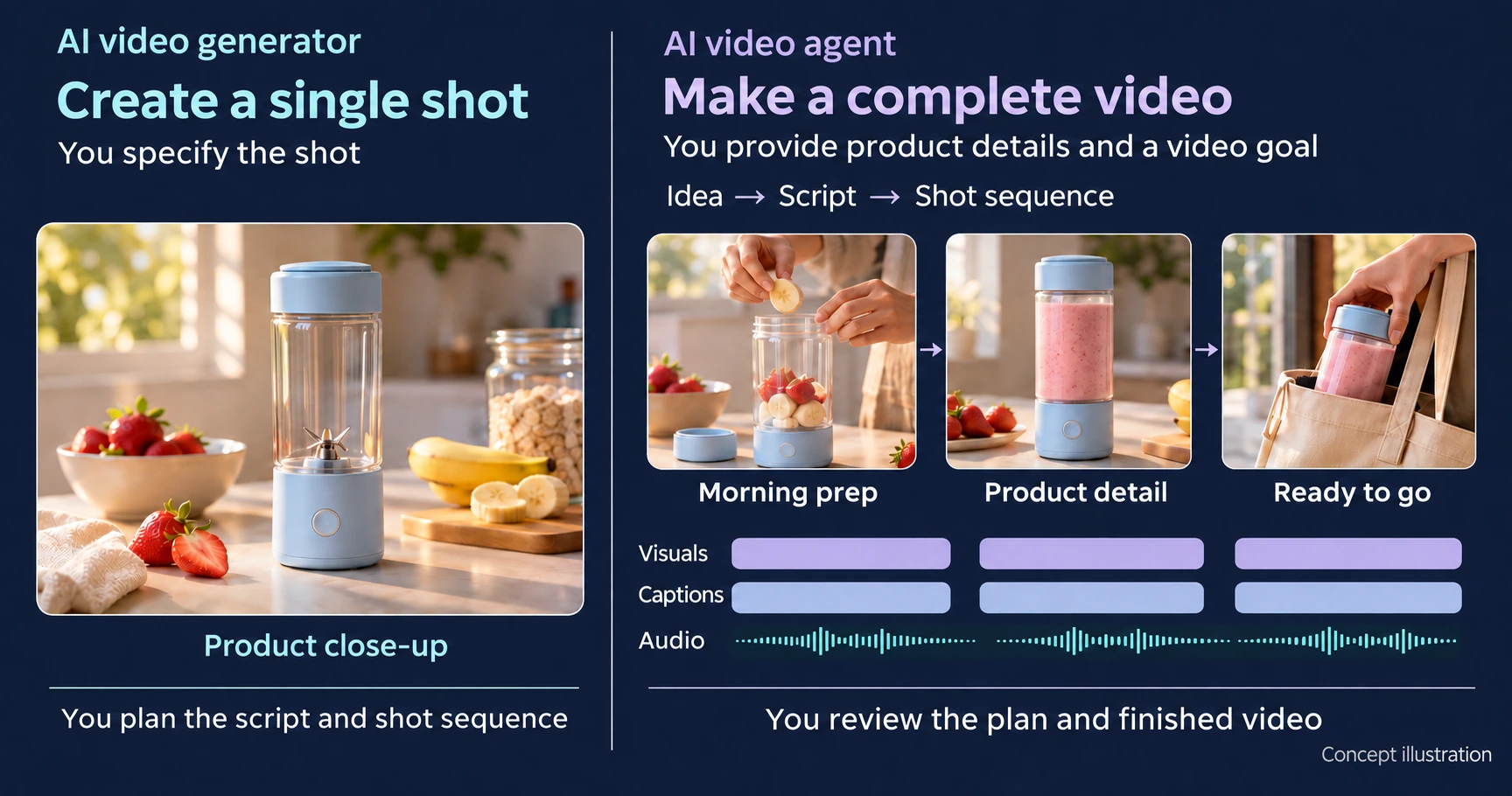
In a generator-led workflow, the marketer resolves those questions, turns each planned scene into a shot request, checks the generated clips, and arranges the chosen material. If the plan is complete and only a close-up of the blender is missing, that is a focused generation task.
In an agent-led workflow, the marketer can provide the product facts, available assets, goal, and constraints, then ask the system to develop the message, script, and scene plan and continue through its supported production steps. The marketer reviews the proposed direction rather than needing to invent every shot first.
The key difference is who develops the production plan. With a focused generator, you turn the brief into shot requests. With an agent that supports planning and production, you can ask for a proposed video plan and review the decisions it makes.
Which Workflow Fits Your Next Video?
Start with what is already decided. If the script, storyboard, and edit are settled, use a focused generator for the missing shot. It is also a useful route for exploring a camera move, motion style, transition, or B-roll asset.
If you have a product and an intended outcome but no finished creative plan, an agent-led workflow may be the better starting point. Judge it by whether it can develop a useful direction and carry that direction through the supported production steps.
You can use both. Plan the larger video with an agent, then create a specific asset with a focused tool when more shot-level control is useful. Check how files move between the tools before choosing this approach.
When evaluating a service, ask to see three things: the plan before generation, the actual deliverable, and the changes you can make after review. Check those against your task instead of assuming that every “generator” stops at one clip or every “agent” produces a complete campaign.
What You Still Need to Review
Delegating production does not delegate accountability. Before using the video, check four things:
- Goal and audience: The message fits the campaign and intended viewer.
- Product accuracy: Appearance, features, compatibility, prices, and demonstrations match approved information.
- Brand and asset rights: The wording, visual style, and source materials are appropriate for the brand and their intended use.
- Final output: Captions, audio, product detail, and the closing action work in the intended placement.
OpenAI's practical guide to building agents describes agents as systems that manage task execution using models and tools within defined guardrails. In video production, the practical implication is that useful autonomy still needs clear constraints and human review; it does not guarantee accurate claims or publication-ready output.
How This Choice Works in Hilight
For a defined asset task, Hilight AI Studio provides focused image and video creation workflows. A product close-up or supporting clip can be useful on its own or as material for a larger video.
For a broader marketing assignment, Hilight Smart Video starts from product context and a marketing goal, then develops creative direction, script, scenes, and production toward a complete marketing video. Bring the useful material you already have; a finished script or storyboard is not a prerequisite. Review product facts and redirect the creative decisions as the task develops.
For example, a product-awareness video and a conversion video may need different openings and scene emphasis. The guide to product awareness versus conversion explains that choice. If you want the underlying product context, Inside Hilight's Multi-Agent Workflow covers the approach in more detail.
Frequently Asked Questions
Not necessarily. AI video agents may use generation models or tools to carry out the video plan. A generator can supply the footage within that larger task.

