
Quick Answer
You can start an Amazon product marketing video with a product link, images, or a reference script. Hilight Smart Video turns product information into creative concepts, hooks, assets, and a complete video, reducing the need for a specialist team or filming and editing it yourself. You stay focused on product accuracy and content choices, then submit the finished video under Amazon’s requirements.
Your Amazon listing is live. The photos, description, and selling points are ready. The video is still missing—not because there is nothing to say about the product, but because making one seems to require a scriptwriter, a shoot, and someone who can edit it all together.
For a seller running their own store, or a marketer managing several products, ecommerce product videos can become another job they do not have the capacity to take on.
Hilight Smart Video lets you start with a product link, images, or a reference script. It carries the work through product understanding, creative development, asset production, and post-production. Turning product information into an Amazon product marketing video no longer has to begin with hiring a team or filming it yourself.
A ready product should not have to wait for a production team
Photos show what a product looks like. Copy describes its specifications and advantages. A video can connect those details, helping shoppers understand what the product is for and which features deserve their attention. Amazon’s product video guide includes demonstrations and use cases among the ways sellers can present their products.
Knowing a product well, however, is not the same as knowing how to market it on video. You may know exactly why customers like it without knowing how to open the video. You may have written the copy but have no footage, filming setup, or editing experience.
The obstacle is the chain of production work. If a seller still has to develop the concept, design the hook, film the scenes, and assemble the assets, a faster editing tool only removes part of the burden.
For sellers adding video to an Amazon product detail page, a more useful starting point is the material they already have—not a finished shooting plan they must create first.
A link, images, or a script can be enough to start
You do not need all three before beginning, and you do not need to plan every shot. Smart Video supports different starting points depending on what is already available.
A product page already brings together descriptions, selling points, and imagery. A supported product link gives the system information to work from. For an existing Amazon listing, that means you do not first have to rewrite the page as a complete video script.
Product and detail images establish what the item looks like. Add a short description and the intended use of the video to explain the task. Missing footage does not have to delay production until you can arrange a shoot; missing essential product information can be supplied as needed.
A reference script can carry an idea you have already developed into visual production and a complete video. It does not have to remain a document waiting for a separate crew to bring it to life.
The creative work is part of product-to-video, too
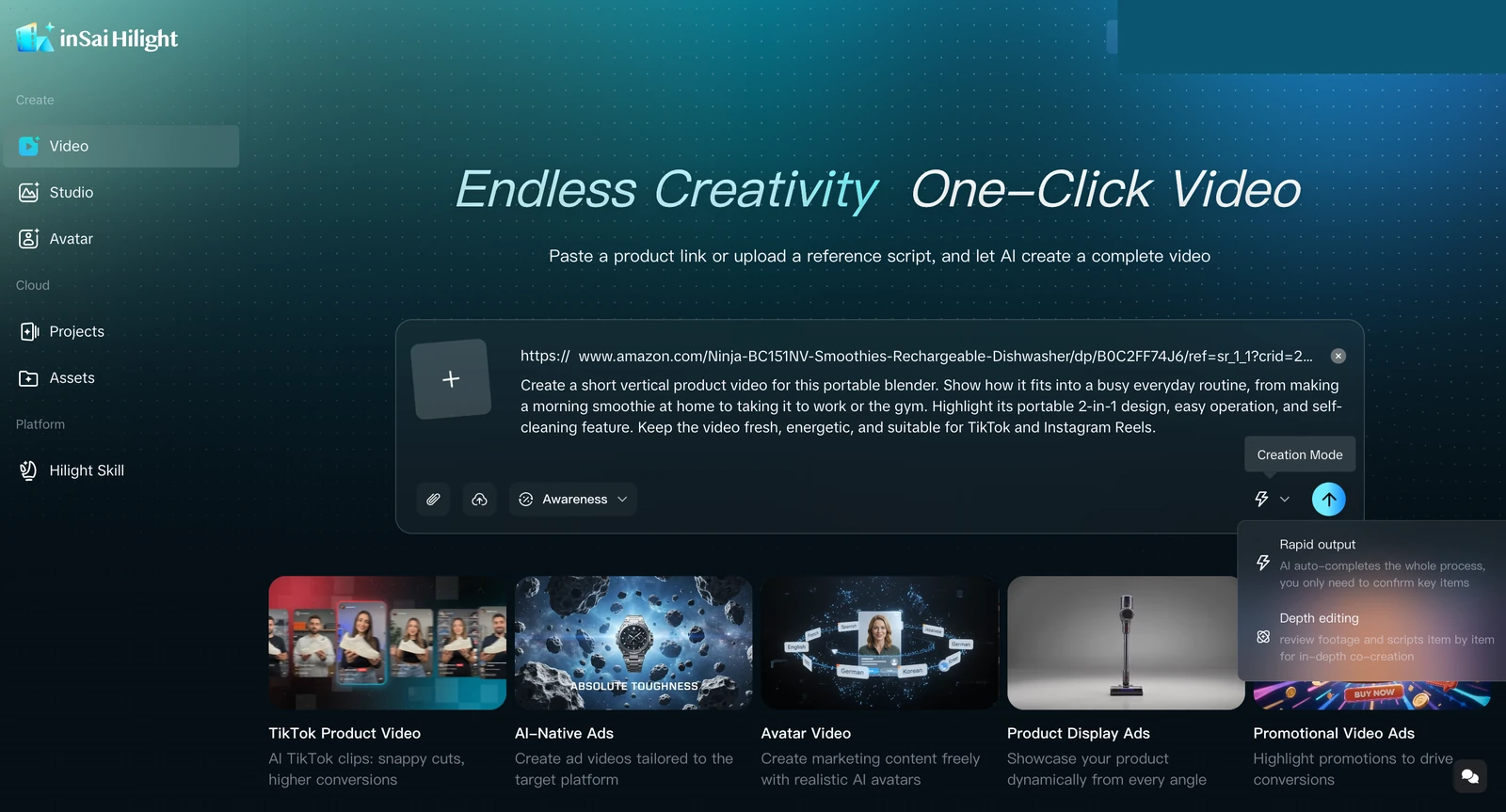
Product information alone is not a marketing video. Specifications need a clear explanation, selling points need an order, and the opening needs to give shoppers a reason to keep watching. Those decisions account for much of the work involved in making product videos for ecommerce.
Hilight Smart Video does more than animate a still image. It works from product understanding through creative and script development, including the opening hook, then produces advertising assets and combines them into a complete video. Sellers do not have to finish all the creative work before the tool can take over.
Consider a desk organizer described as “compartmentalized storage that saves space.” That information gives the system a basis for developing an opening around desk organization and introducing the product. The seller supplies the product facts and intended use, rather than having to specify what happens in every second.
The request can begin with a purpose: “Create an English introduction video for this product’s Amazon detail page.” Add specific priorities or brand restrictions if you have them. It does not need to read like a professional production brief. If your material is already on a product page, the product-link-to-video guide explores that starting point in more detail.
Spend your attention on the content, not every production task
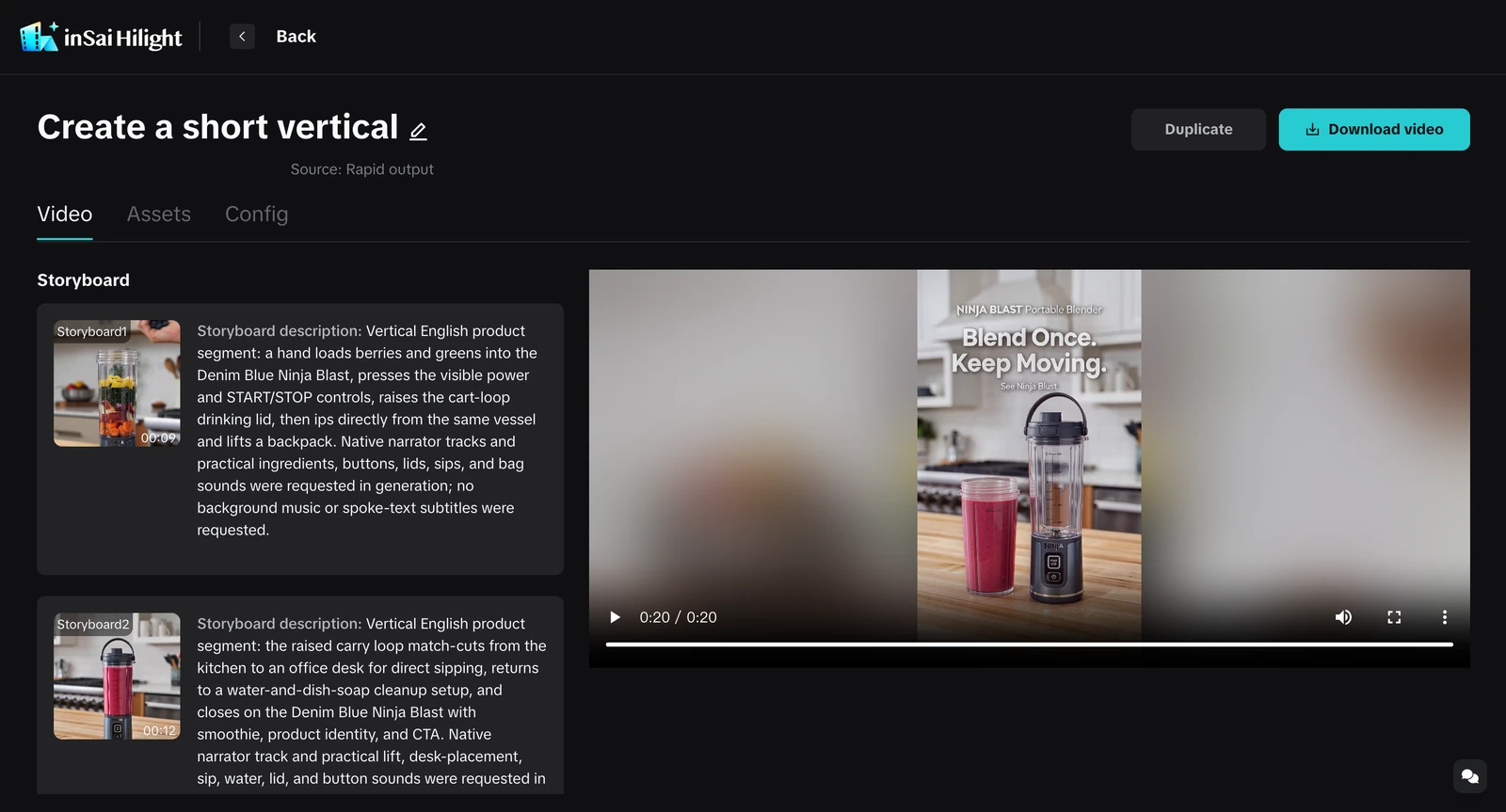
A complete video gives you something concrete to judge. Does it explain the product clearly? Does the opening fit? Does the style feel right for your store? These questions are easier to address when the idea is visible, rather than waiting to be produced.
The marketing role remains important. What changes is the need to act as writer, director, camera operator, and editor as well. When a selling point or marketing priority changes, there is a way to try another expression without organizing a new shoot each time.
Lowering the barrier to winning creative starts with making promising ideas easier to produce. Which video performs best still depends on real results; generation cannot guarantee a winner. What it can reduce is the production burden that comes before those results—so a lack of a specialist team does not keep an Amazon listing at the photos-and-copy stage indefinitely.
Frequently Asked Questions
Can generated footage replace real product-performance demonstrations?
Generated footage is not evidence of performance. Claims about load capacity, waterproofing, or actual results need factual support. Where the video must show a test, use real demonstration or test footage. Easier production does not justify inventing product capabilities.
Does Hilight automatically publish the finished video to Amazon?
This workflow covers video generation and download. Sellers still submit the downloaded video through their Amazon account under the requirements of the intended placement. A generated video is not an approved Amazon submission.

