A milk-frother ad needs a creative idea, but it also needs a demonstration viewers can follow. “Make morning coffee feel special” sets the direction. Which cup holds the milk, where frothing happens, and where the foam goes next determine how that idea appears on screen. To shape these details, choose Deep Co-Creation in Smart Video’s product-conversion scene.
Start with a product link and a short request. Hilight’s AI marketing agent develops the plan; you refine the details that matter. A morning-coffee ad shows how this works across two generations.
Start with the product and the ad goal
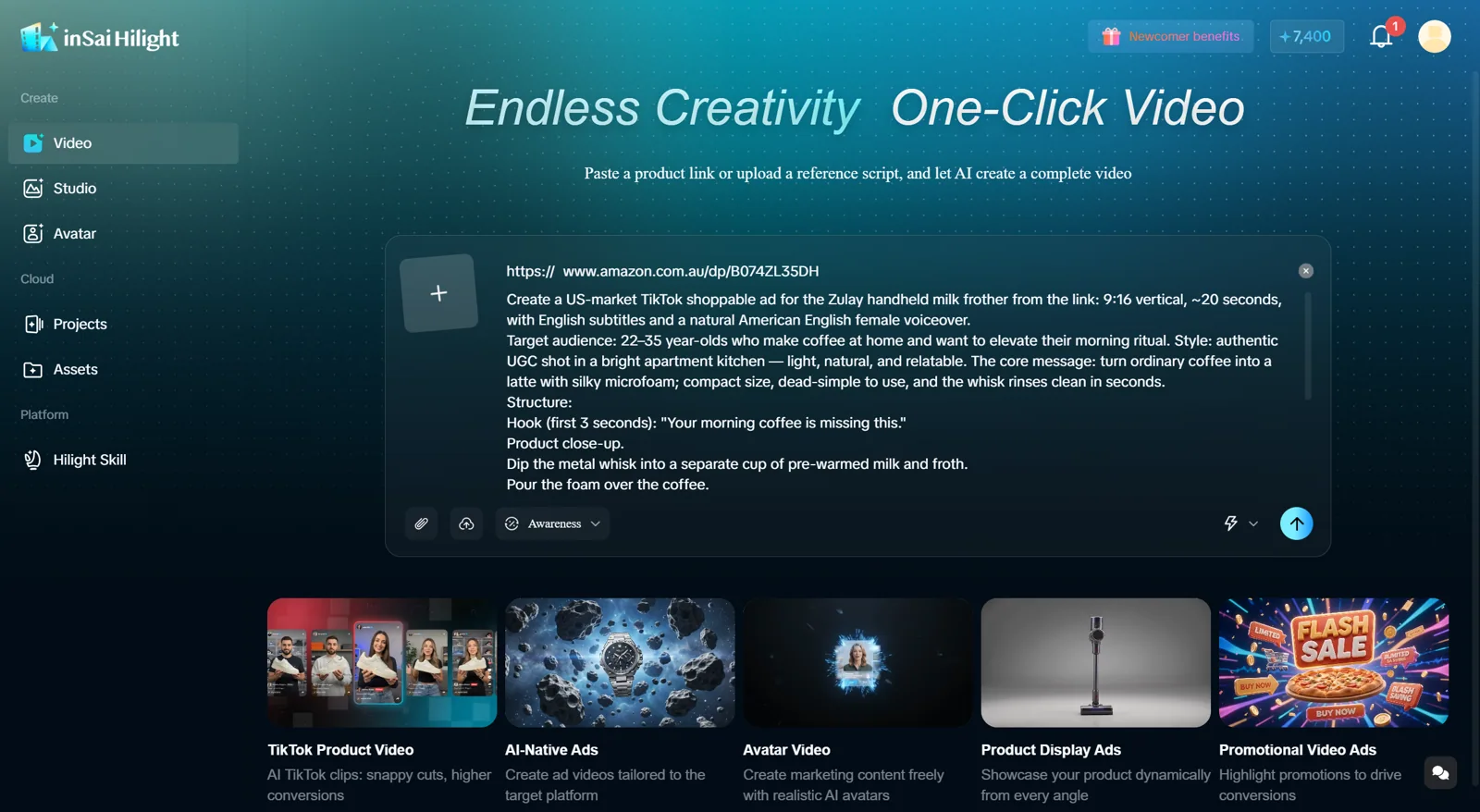
Open Smart Video, add a product link or existing materials and describe the ad you need. Choose Deep Co-Creation to review and refine the plan before generation. This example uses a black Zulay handheld milk frother for a vertical ad aimed at US home-coffee enthusiasts.
A creative brief for video can be short. For example:
Example brief: Create a vertical, English-language product ad for this black handheld milk frother in a natural morning-coffee setting. Focus on frothing preheated milk and adding the foam to black coffee. Match the selected product’s reference image and avoid unsupported features or promotional claims.
Use your video creative brief to state the product, ad goal and essential requirements. Hilight can develop the hook, selling-point structure and script. Add specific creative preferences when you already have them; a finished script is not a prerequisite.
If you prefer fewer decisions along the way and want a complete first version, use the Smart Video Quick Creation tutorial . Use Deep Co-Creation when you want to review the plan and adjust details as you go.
Confirm the product visual and creative direction
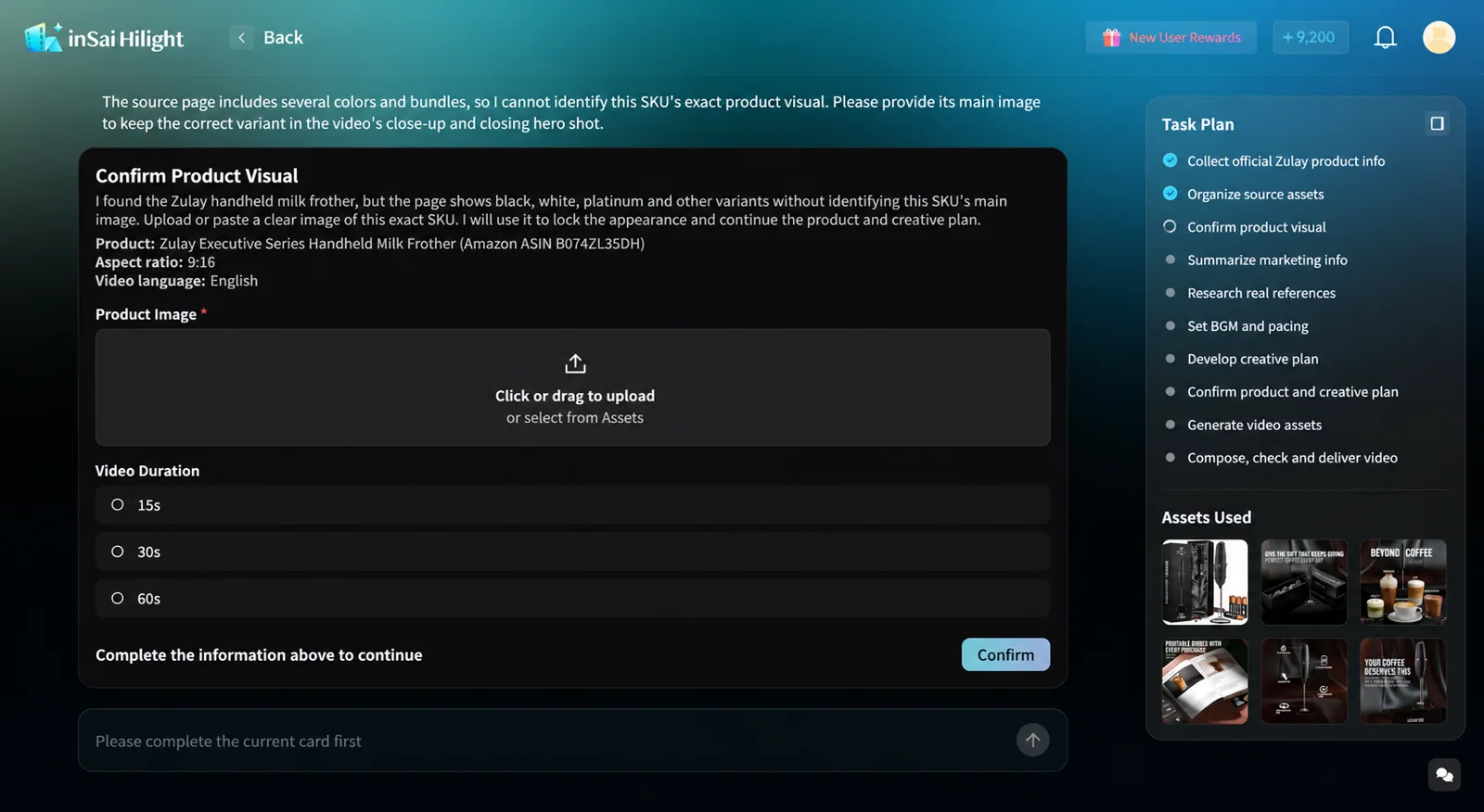
A product page may contain several colors, accessories or bundles. When Hilight cannot identify the intended product visual, it can request a reference image. Upload the matching image in the product-visual confirmation card, or select it from Assets, then confirm your choice.
Choose the image that represents the product you are promoting. In this example, a different color would change the product being advertised even if the picture looked more attractive.
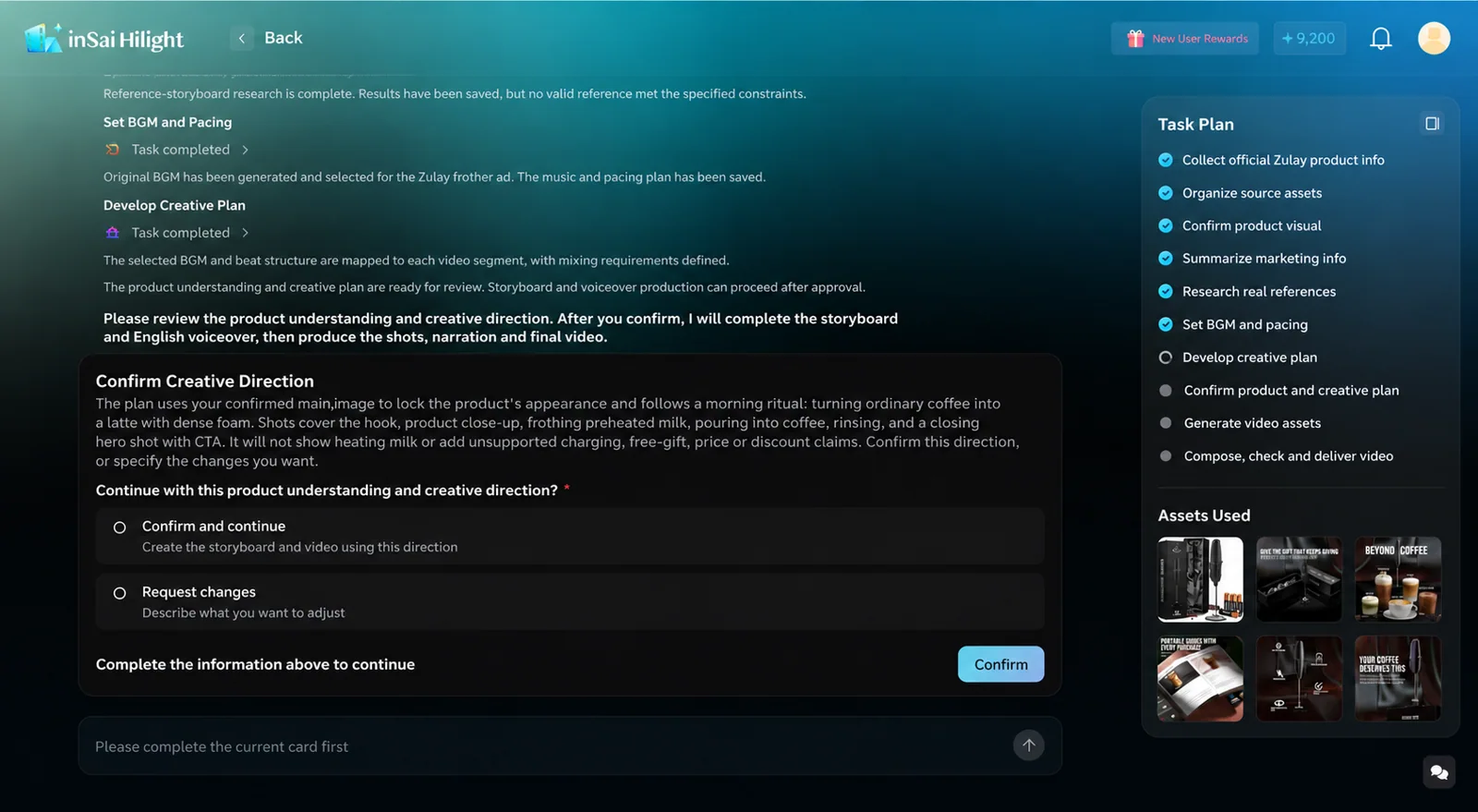
The creative-direction card brings the product understanding and advertising idea together: the morning setting, the intended transformation, the shot sequence, and claims to avoid. It offers choices to continue or request changes.
Make feedback specific. “Keep the morning-coffee setting, but make the usage sequence the main demonstration” gives a clearer direction than “make it more premium.” You may see these cards when Hilight needs your input; the task list also includes steps the agent completes automatically.
Make the product demonstration explicit in the storyboard and script
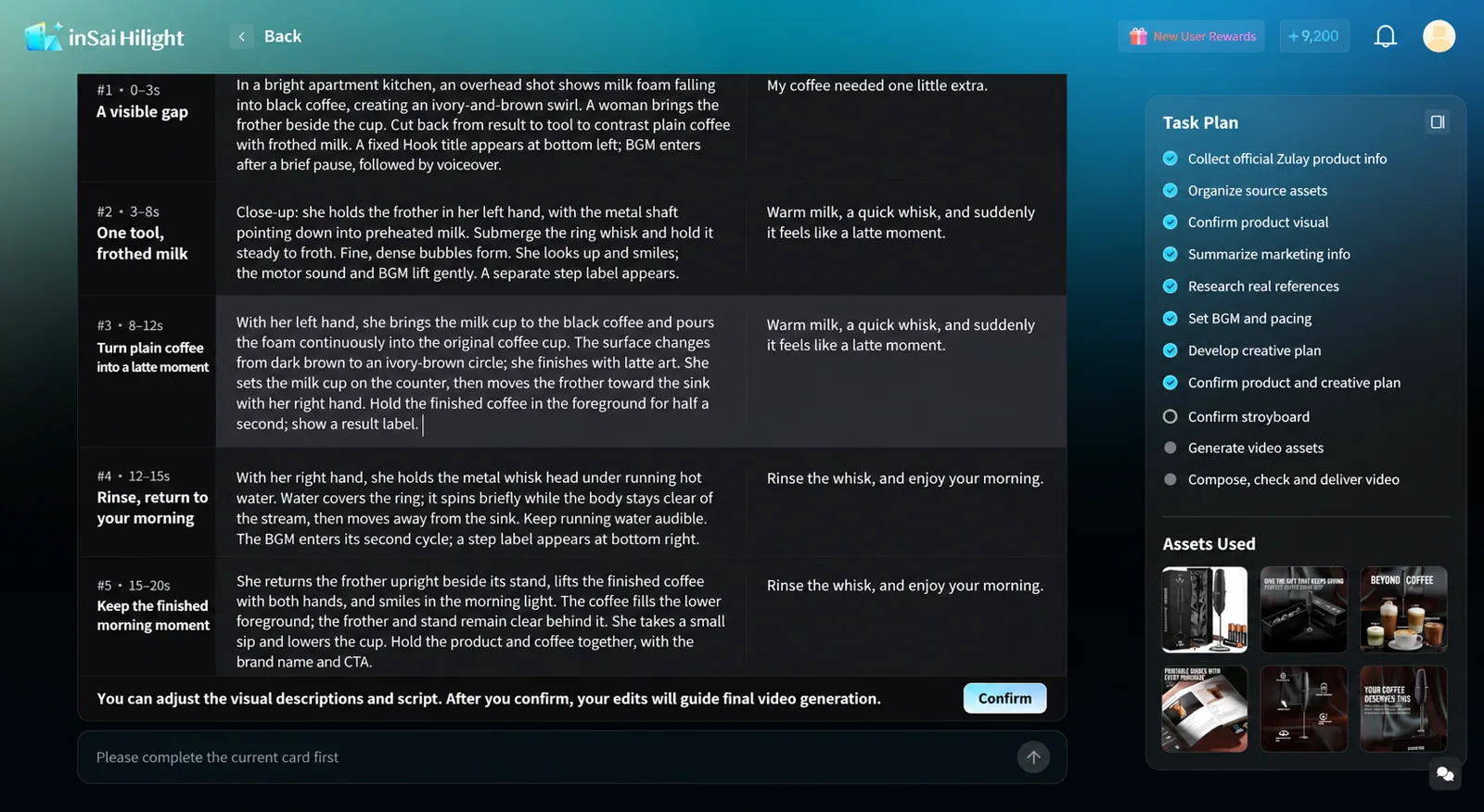
Read the visual descriptions alongside the spoken lines. A product video script has to work with the product’s appearance, action, and visible result, not just sound persuasive.
The storyboard pairs each shot’s timing with its visual description and script. Before confirming, you can refine the descriptions and script to put an important detail into the relevant shot.
For the milk frother, three questions help:
Use the suggested descriptions to make the object, action, and destination explicit. For another product, ask the same practical questions: who acts on what, where does the action begin, and where does the result appear?
The first milk-frother video shows milk being frothed, then cuts directly to stirring coffee without showing the pour. The second shows the foam being poured into black coffee after frothing. Compare what follows the frothing shot in the two excerpts below.
Narration can also leave room for the action. During the first creation, one line changed from “Just a few seconds of frothing, and the milk turns silky and thick.” to “Turn warm milk into creamy foam.” The shorter line focuses on the visible action and removes a claim about how long frothing takes.
Review the full sequence before confirming generation
After editing a shot, read the product video storyboard from start to finish to check how the change connects with the surrounding shots.
- Product: the color, structure, and accessories in the demonstration match the intended variant.
- Sequence: the plan identifies the cup used for frothing and the coffee cup that receives the foam.
- Narration: the spoken line describes what that shot is supposed to show.
Once you confirm the written plan, Hilight’s agent generates the assets and assembles the video.
Review how the revised sequence appears in the video
Start with the segment affected by your edit. If you changed the transition from frothing to pouring, watch that sequence together. If you changed a spoken line, listen for the new wording at the corresponding moment.
Each video was generated separately, so the script edit may not be the only reason the sequence changed. Before publishing, review the full video’s product appearance, on-screen text and audio for your intended use.
When you create video ads with AI, turn what you see into a precise change to the video ad script. For example: “Show the pour between frothing and stirring coffee.”

