Quick Answer
To make an AI UGC video, choose one product and one audience, open with one specific hook, show one verifiable benefit, support it with visible product proof, and end with one clear CTA. Then adapt the script, presenter, product footage, captions, and pacing to the channel.
Use this formula for the first version:
1 Product → 1 Audience → 1 Hook → 1 Benefit → 1 Proof → 1 CTA
The goal is not to imitate a customer review. It is to turn accurate product information into a direct, creator-style product video that is easy to understand and practical to test.
What Is AI UGC and Why Do Ecommerce Teams Use It?
AI UGC is AI-assisted or AI-generated product content that uses the visual language of creator videos: a direct opening, presenter-led explanation, product demonstration, captions, quick scene changes, and a clear next action. It can support AI UGC ads, product-page explainers, and short social videos without requiring a new shoot for every message.
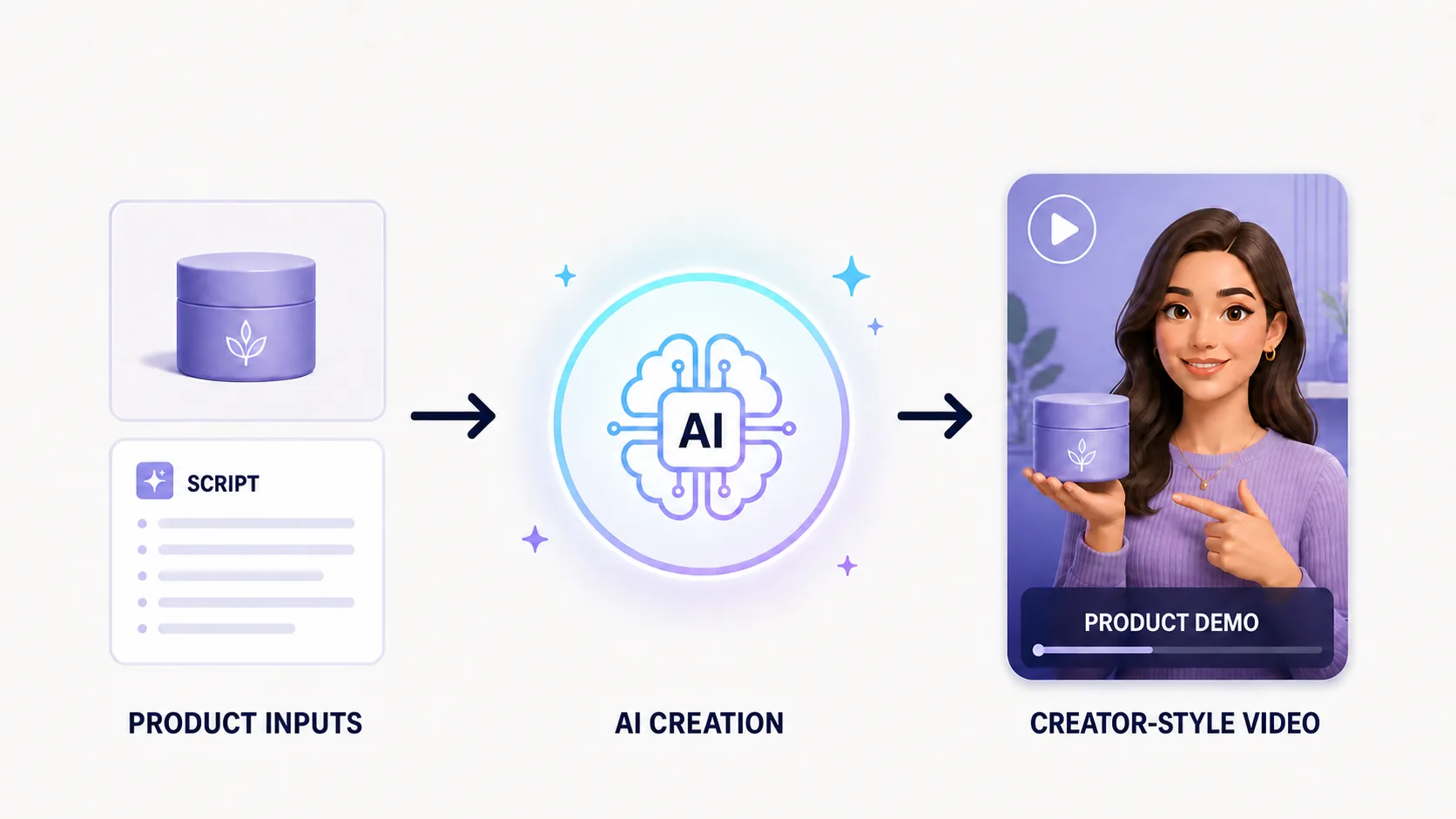
For ecommerce teams, the main advantages are workflow advantages:
- Test several hooks or selling-point directions from the same product materials.
- Adapt one product story for different personas, languages, and markets.
- Create platform-specific versions for TikTok, Reels, Shorts, or product pages.
- Combine presenter-led explanation with product images, existing clips, captions, and CTA scenes.
How Do You Make an AI UGC Video?
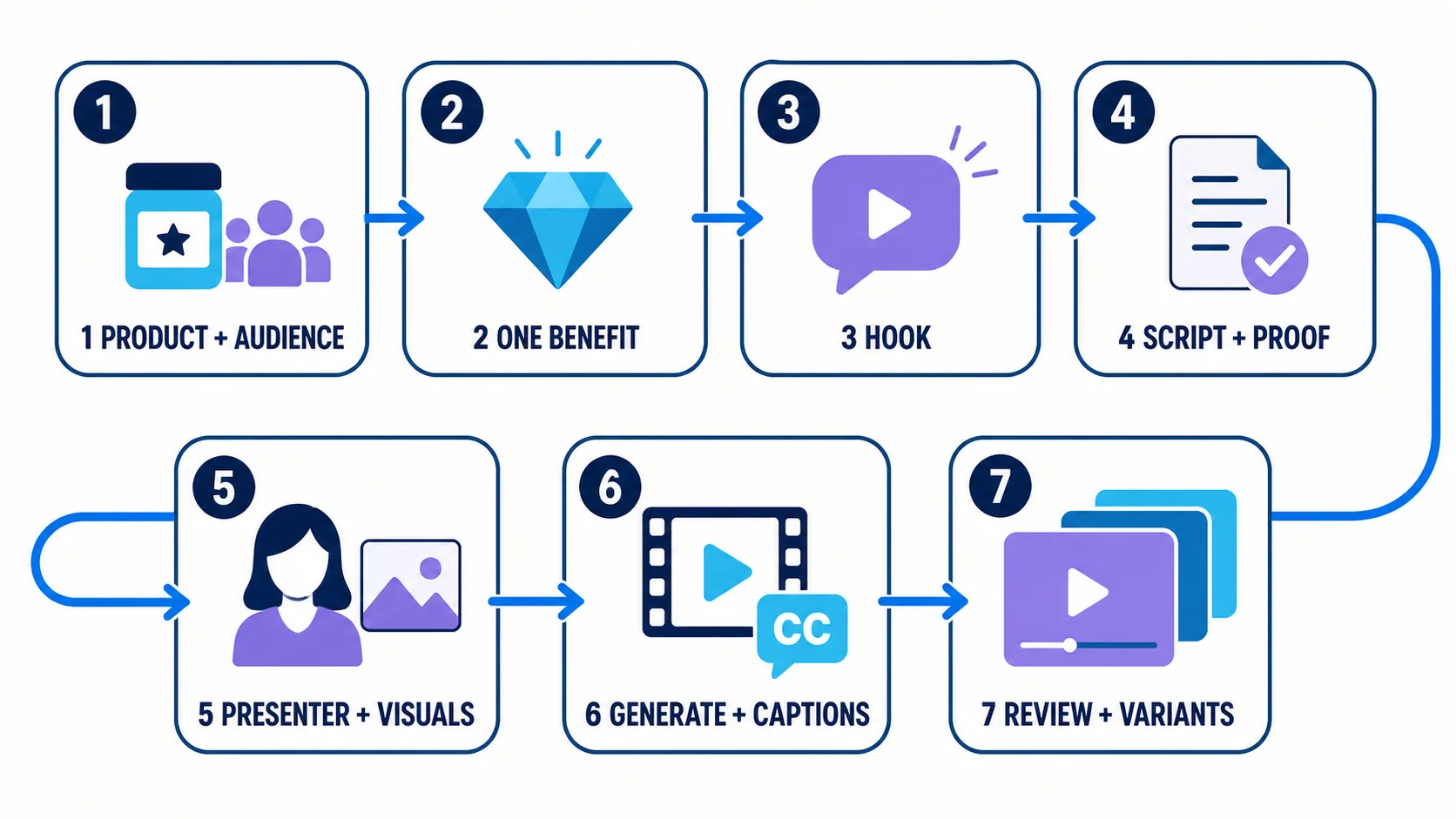
Step 1: Choose the product, audience and goal
Start with one product or SKU. Decide whether the video should introduce the product, explain one feature, support a promotion, or test a new ad angle. Then define the priority audience and destination platform.
Write down the aspect ratio, language, market, target duration, and CTA before production. These choices affect the script and scene plan, not just export settings.
Step 2: Select one benefit the product can support
Choose a selling point that appears in reliable product materials. Avoid starting with words such as “amazing,” “life-changing,” or “the best.” A specific feature or use moment gives the script and visuals something concrete to build around.
Step 3: Write a hook that leads to the product
Use a problem, a use moment, or a benefit:
- Problem: “Still struggling with ___?”
- Use moment: “Need a simpler way to ___ when ___?”
- Benefit: “Here is one way to get ___ without ___.”
The next scene should answer the hook. If the opening promises speed, convenience, or a visible result, the product shot needs to make that connection clear.
Step 4: Build a short script around visible proof
Use the order Hook → Problem or context → Product → Proof → Benefit → CTA. Keep spoken lines short enough for captions and natural delivery. Replace broad adjectives with a product action, specification, or detail viewers can see.
Step 5: Prepare the presenter and product visuals
Collect a clean product hero image, close-up details, use-scene images, or existing clips. If the format needs a presenter, choose a suitable digital presenter or a properly licensed custom image. Plan where the product appears instead of leaving the presenter on screen for the entire video.
Step 6: Generate the video and add captions
Create a first version with the intended voice, language, pacing, music, and caption style. Check the crop on the target screen. Product details and subtitles should remain readable in the selected aspect ratio.
Step 7: Make controlled variants
Change one major variable at a time: the hook, audience, proof scene, presenter, language, or CTA. Controlled variants make it easier to understand which creative direction deserves further testing.
What Does a Good AI UGC Video Look Like? A 30-Second Example
Audience: commuters who want a quick breakfast option Hook: “Still skipping breakfast when the morning gets busy?” Benefit: prepare a drink with fewer steps Proof: show ingredients added, the button pressed, and the blended result CTA: “See whether it fits your morning routine.”
How Can You Build This Workflow in Hilight?
Once the formula, script, and scene plan are clear, choose the Hilight route that matches the output.
Use Smart Video for a Complete AI UGC Marketing Video
Use Smart Video when the final result needs more than a talking presenter. Start with a supported product link, product images, existing clips, a reference script, or a focused creative brief. Include the audience, platform, aspect ratio, language, duration, selling point, and visual direction when they matter.
Choose Quick Creation for a complete first direction with fewer decisions. Choose Deep Co-Creation when the brand expression, creative route, or scene details need closer control. This route is suited to organizing the script, product story, supporting assets, captions, and final edit as one marketing video.
Use AI Avatar Product Video for Presenter-Led Product Content
Use AI Avatar Product Video when the main deliverable is a presenter explaining the product alongside a product image.
1. Upload a suitable presenter image or choose a platform avatar.
2. Add the product image.
3. Enter a concise script or use a local recording.
4. Set the voice, language, volume, speed, music, and captions.
5. Generate, preview, and download the video.
FAQ
What is the difference between AI UGC and real UGC?
Real UGC comes from an actual user. AI UGC is AI-assisted or generated content that uses a creator-style format. A digital presenter can explain verified product information, but should not be presented as a real customer with an invented experience.
What materials do I need for an AI UGC video generator?
Start with one product or SKU, reliable product information, clear images or clips, one audience, one selling point, one proof point, and one CTA. Add the platform, format, language, market, and target duration.
How long should an AI UGC video be?
Choose the length around the platform and message rather than a universal rule. A focused 15–30 second structure is a practical starting point for one hook, one proof point, and one CTA; a more complex explanation may need a longer format.

