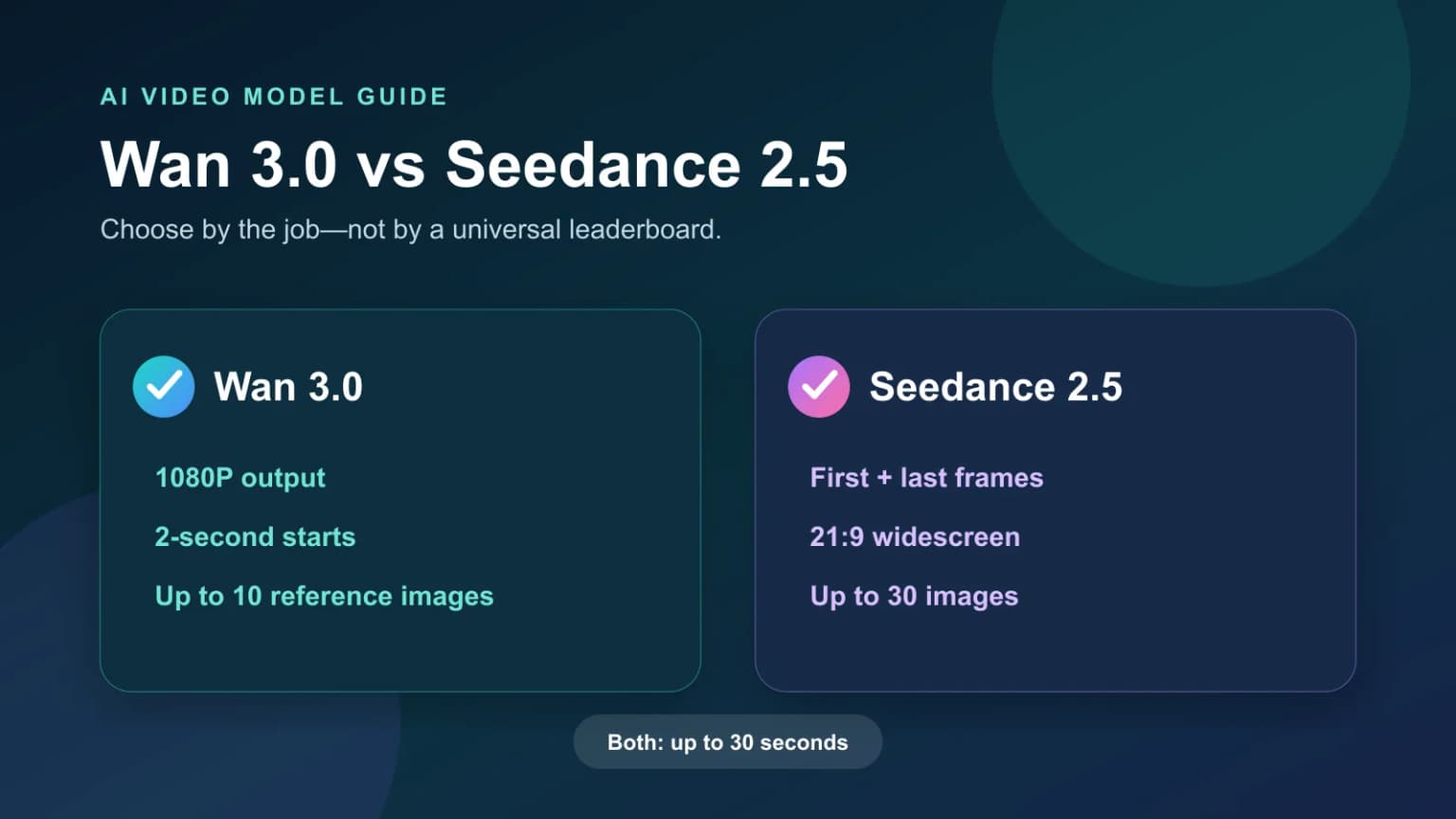
Two AI video models can support the same marketing goal while requiring very different inputs and delivery choices. Start with the constraints of the shot, then compare the output.
Key Takeaways
- Test Wan 3.0 first for a 1080P product close-up or a two-to-three-second ad hook.
- Test Seedance 2.5 first when the opening and closing frames must be fixed or the delivery requires 21:9.
- Both models can create videos up to 30 seconds with generated audio. The better choice is the model that gives your shot the right kind of control.
Wan 3.0 vs Seedance 2.5 at a Glance
The meaningful difference is not that both models generate video. It is how they let you control the shot. Wan 3.0 is a stronger starting point when output specifications and short clips lead the decision. Seedance 2.5 is a stronger starting point when the shot needs fixed endpoints or a larger reference set.
For individual model context, see the Wan 3.0 guide and Seedance 2.5 guide.
Choosing a Model Means Choosing How to Control the Shot
1. Choose Wan 3.0 when output specifications lead
Resolution becomes a hard requirement when footage is headed for a product page, client presentation, or larger edit. Wan 3.0 offers 1080P and can start at two seconds, making it useful for a focused marketing shot such as:
- a fast push-in toward a product logo;
- a two-to-three-second unboxing or reveal;
- a macro movement across metal, glass, or fabric;
- high-resolution footage for a larger product video edit.
These tasks have a clear deliverable and one clear job. If the shot is already defined and you mainly need usable footage, Wan 3.0 is often the more direct starting point.
2. Choose Seedance 2.5 when the ending composition matters
Some marketing shots must arrive at a specific frame. A package reveal may need to end in a use case. A fashion shot may need to settle into a branded composition. A product detail may need to transition into a promotional end frame.
Seedance 2.5 supports first-and-last-frame input, making it a practical choice when both ends of the shot are already designed. Its 21:9 option also suits widescreen launch teasers and brand films.
3. Use the reference allowance when the scene has more constraints
A hero product image defines the product. A shot involving talent, location, wardrobe, and brand mood needs additional references with distinct roles.
Wan 3.0 supports up to 10 reference images, enough for many single-product scenes. Seedance 2.5 supports up to 30 images, leaving more room for complex setups. More references do not automatically improve product consistency. Conflicting packaging versions, proportions, lighting, and styles can make the direction less clear.
Start with the hero product image. Add detail, talent, setting, and style references only when each image has a specific job.
Which Model Fits Each Marketing Shot?
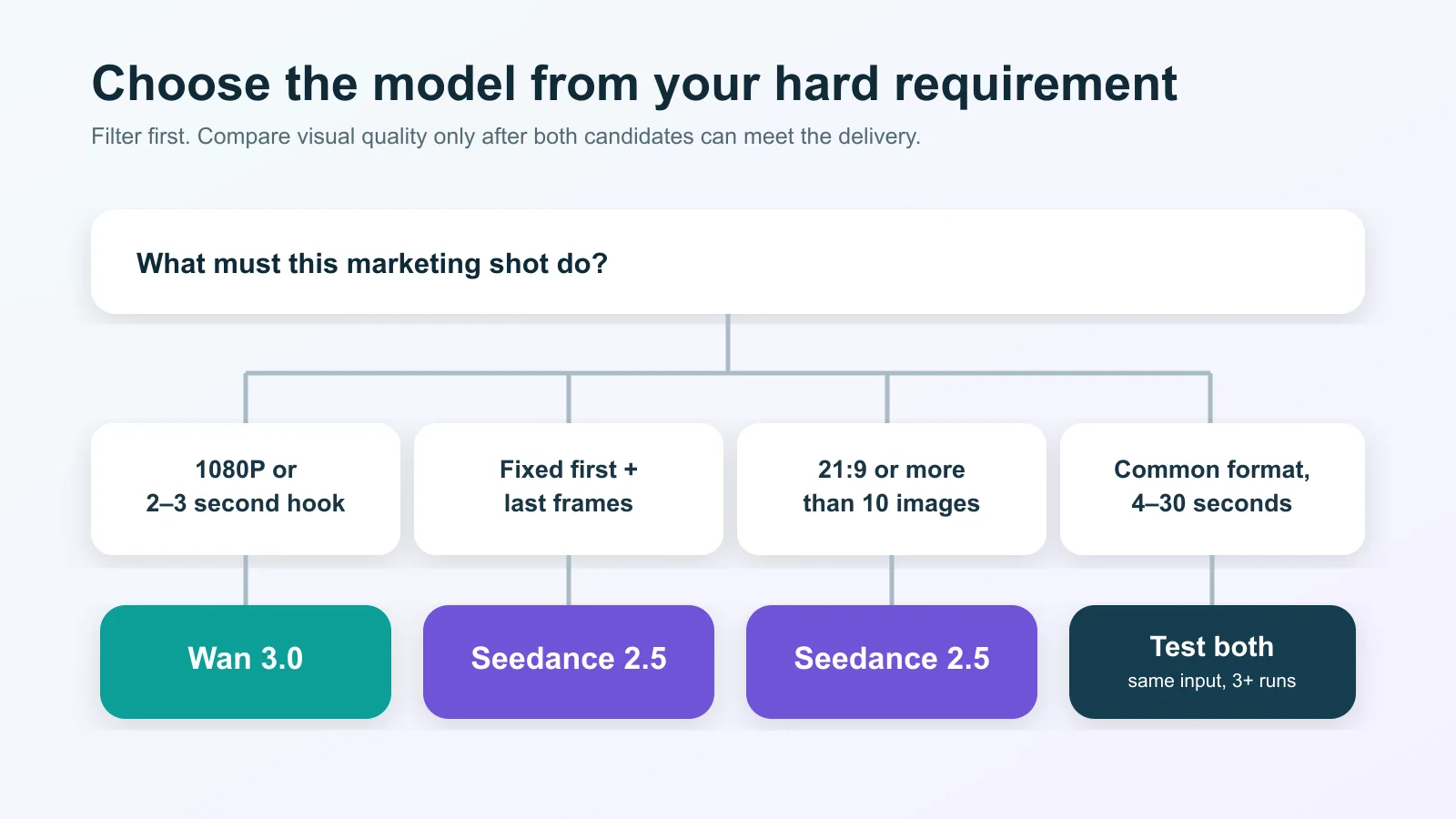
If the brief is only “make a product ad,” define the job of the shot before choosing a model. Is it meant to stop the scroll, show material quality, explain use, or deliver the brand ending? A clearer shot purpose produces a clearer model decision.
Compare Both Models With the Same Product
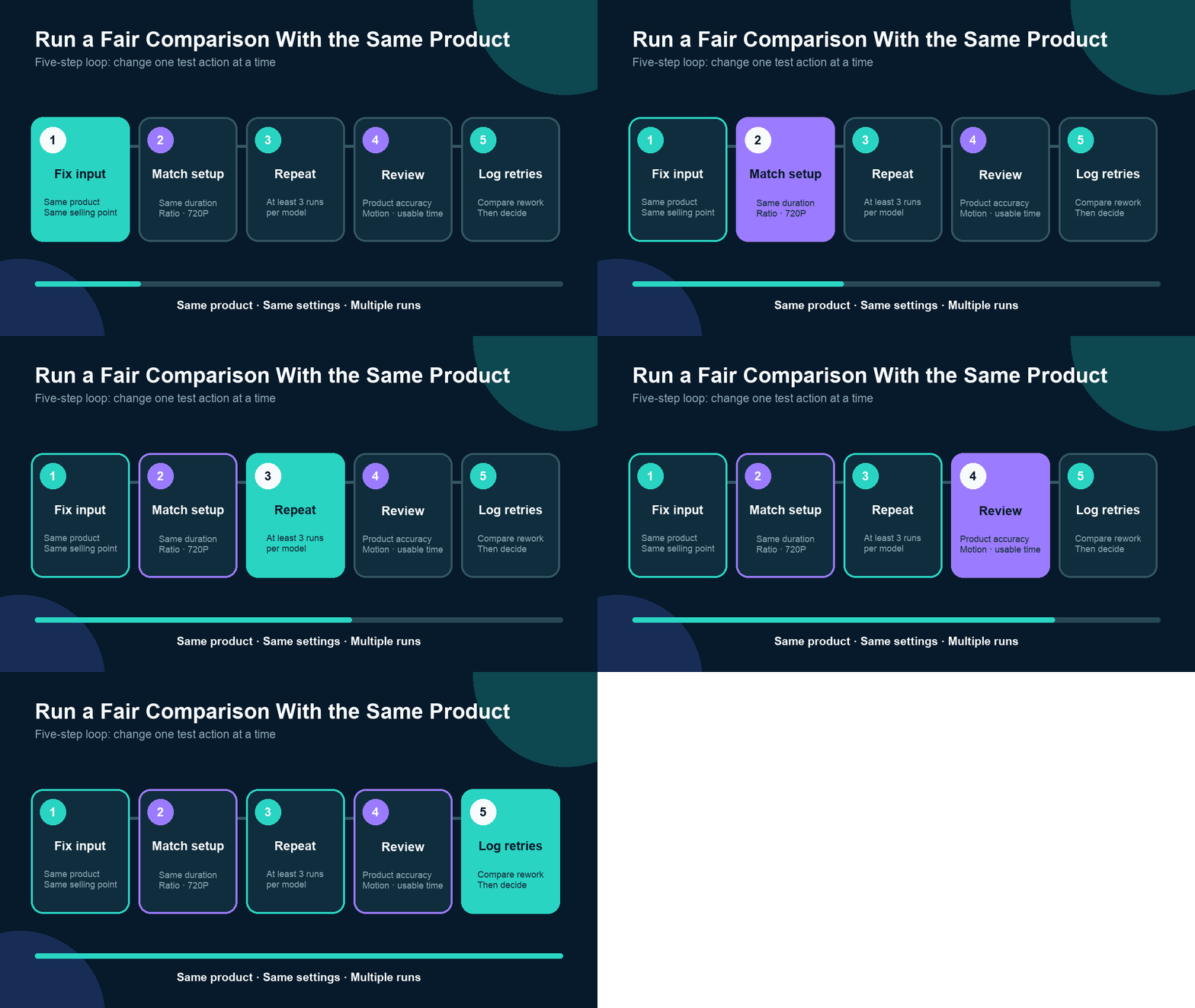
When both models can complete the task, follow the five-step loop in the animation. Change the model—not the product, selling point, or comparable settings—and retain every generation.
A useful conclusion is task-specific: “Wan 3.0 fit this metallic product's 1080P close-up,” or “Seedance 2.5 fit this transition because the end frame had to be fixed.” That kind of answer improves the next video production decision.
The Final Decision
Ask two questions:
1. Does the shot have a non-negotiable requirement—1080P, a two-second start, first and last frames, or 21:9? 2. If both models satisfy the specification, which one produced more usable footage across repeated runs with the same product?
The first question filters the choice. The second makes the final decision. Once the product image and shot requirement are ready, open Hilight AI Studio and test the model that meets the constraint. If the hook, selling-point order, and scenes are not defined yet, use Hilight Smart Video to shape the complete video direction first.
Frequently Asked Questions
Which model is better for ecommerce product videos?
Start with Wan 3.0 for a 1080P close-up or a very short ad hook. Start with Seedance 2.5 for first-and-last-frame control, 21:9, or a larger reference set. For other ecommerce video marketing tasks, compare repeated outputs with the real product.
Can both models generate a 30-second video?
Yes. Both support videos up to 30 seconds. Wan 3.0 can start at two seconds, while Seedance 2.5 starts at four seconds, which affects short-hook production.
Do more reference images guarantee better product consistency?
No. References should agree with one another and have clear roles for the product, detail, talent, setting, or style. Conflicting product versions and visual directions can increase uncertainty.
Can one generation prove which model is better?
No. Keep the input and comparable settings fixed, run each model at least three times, and compare product accuracy, motion completion, and usable footage.

