Choosing between Seedance 2.0 and 2.5 is not only about length: start with 2.0 when you want the model to fill creative gaps, and test 2.5 when you have a defined shot plan for the model to execute.
Do not compare only a selected frame. Review expression changes, completed motion, camera stability, multi-subject consistency, and the full sequence.
With Seedance 2.5 now in Hilight, both versions can be compared inside the same workflow. One project does not have to use only one version: explore shot directions quickly with 2.0, then test a clearly planned connected scene with 2.5.
Since Seedance 2.5 arrived in Hilight, creator reactions have split in two directions. Some see a higher ceiling when the shot, action, and pacing are clearly defined. Others find it less effortless than 2.0 because a loose one-line prompt may not automatically turn into extra camera ideas or dramatic beats.
Those reactions are not contradictory. Seedance 2.0 can feel like a creative partner that is willing to fill in the gaps, which makes it useful for fast exploration. Seedance 2.5 is more compelling when you already have a director's plan and want that structure to carry through a longer, more connected video.
So choosing between 2.0 and 2.5 is not only about the version number or duration. It also depends on how clearly you can define the creative direction—and whether you want the model to improvise or execute the person, action, camera movement, and pacing you specify.
Seedance 2.0 vs Seedance 2.5 at a glance
Before generating, explore the Seedance 2.5 AI Video Generator page for its Hilight use cases, then check the duration, input, and output options shown in the current creation workflow.
How the three Seedance 2.5 changes affect you
Public FORCE coverage and Hilight's Seedance 2.5 launch overview highlighted three directions: a longer generation timeline, more multimodal references, and more detailed control over connected content and later adjustments. These changes address three common production problems—too many short clips to stitch, a creative idea that is difficult to express in one prompt, and longer scenes that lose coherence.
They explain what 2.5 is intended to improve, but they cannot guarantee a better result for every project. The most useful test is still your product, motion, and creative brief in both versions.
1. Fit more of the story into one generation
With Seedance 2.0, you can create a product reveal, camera orbit, unboxing action, or transition as a separate clip, then assemble the selected assets in an editor.
With 2.5, the hook, product demonstration, use case, and closing frame can be planned as parts of one video. The value is not simply additional length. It is the opportunity to develop the pacing, camera movement, and subject behavior within one connected structure.
A longer timeline will not replace the brief. Define what happens at the opening, what the middle needs to show, and where the video should end before generating.
2. The clearer the shot plan, the more useful the control
The more interesting part of 2.5 is not simply the ability to add more references. It is the opportunity to carry a fuller directing plan: what the character does, how the camera moves, what each segment needs to accomplish, and how the pacing develops.
This also helps explain why some creators find 2.5 harder to use. With a prompt as broad as “make a premium ad,” it may not invent the composition, performance, and rhythm you had in mind. Its control becomes easier to see when the action, framing, camera movement, and goal of each segment are explicit.
References still need clear roles: a product image defines appearance, a character image establishes identity, video guides motion or camera behavior, audio sets rhythm, and a storyboard organizes shot order. Adding more material will not help when those inputs contradict one another.
3. Keep a longer scene coherent
A short clip may need to complete only one action. In a longer video, the same character, product, setting, and lighting need to remain recognizable as the scene develops.
If you are creating a product story or multi-stage social video, 2.5's focus on connected scenes is worth testing. As the video gets longer and more subjects enter the frame, pay closer attention to occlusion, crossing paths, and identity drift. You should still review hands, faces, labels, object placement, audio, and transitions before publishing.
Ask these four questions before choosing
Is the video one shot or a complete sequence?
For one product close-up, camera move, or ad hook, start with 2.0. If the brief already includes an opening, demonstration, use moment, and ending, start with 2.5.
Do you want the model to improvise or execute a plan?
If you have only a broad idea and want the model to add shots and pacing, explore with 2.0 first. If you have already planned the character action, framing, camera movement, and segment rhythm, prioritize a 2.5 test.
Is the motion critical to whether the clip is usable?
Dance, sports, fast hand movements, multi-subject action, and product interactions can change with the source image, duration, and camera direction. Do not select a version from one sample. Generate several clips with the same conditions and review the complete motion at normal speed.
Are you comparing generation price or usable-video cost?
Pricing and settings vary between platforms, so one generation price does not tell the whole story. A more useful calculation is:
Cost per usable video = total generation spend ÷ number of videos you can actually use
Include rejected outputs, retries, clip stitching, and editing time.
How to compare both versions in Hilight
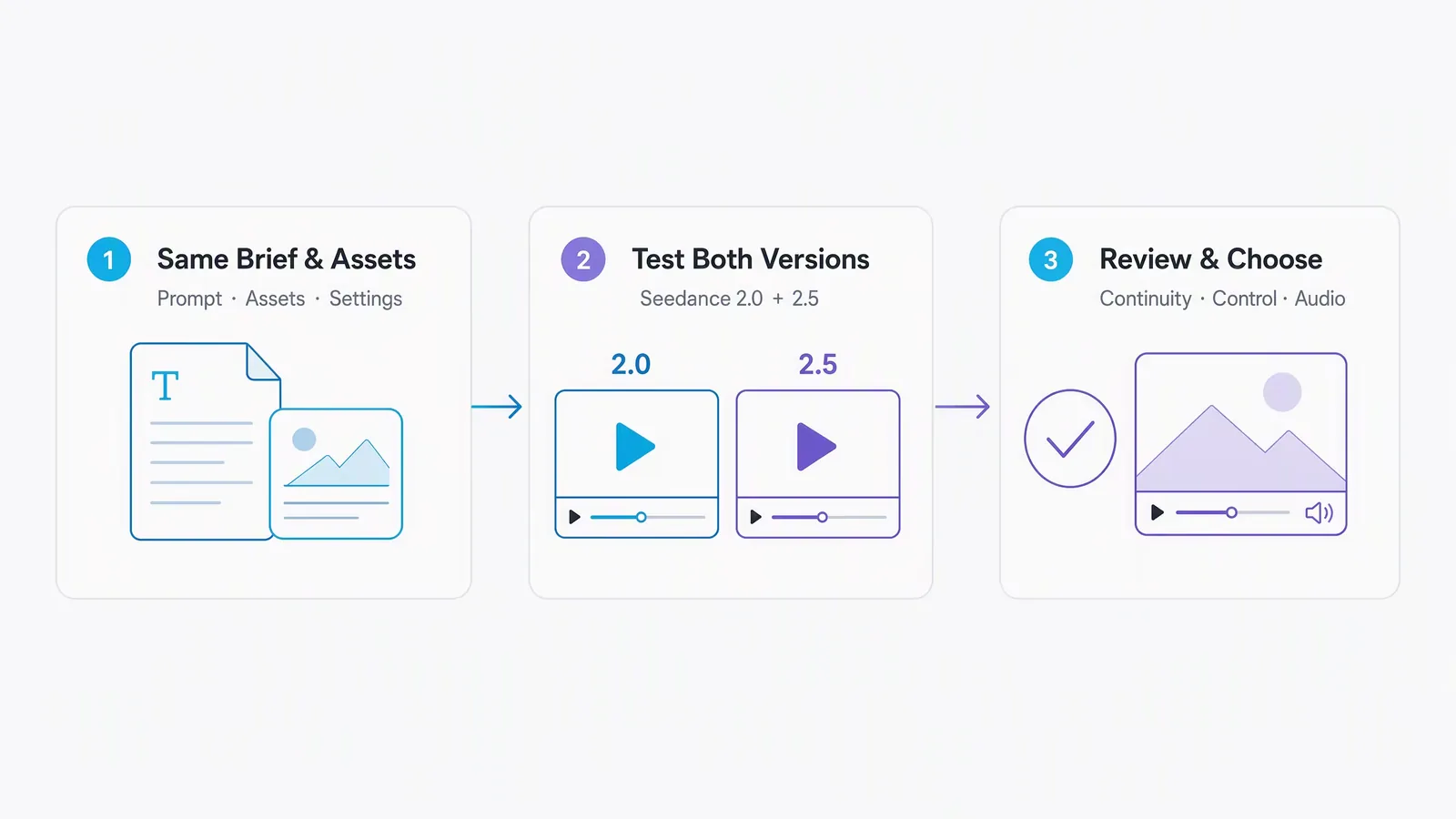
Open Hilight Video Generation, choose the Seedance family, and generate a small comparison batch from the same brief.
Keep the starting conditions aligned:
- Use the same product image or opening frame.
- Keep the core prompt and camera direction consistent.
- List the product and character details that must not change.
- Choose an aspect ratio and duration available for both versions.
- Generate the same number of results with each model.
Then review:
- product shape, color, material, label, and logo placement;
- character appearance, clothing, hands, and body movement;
- whether the camera follows the requested direction and the action finishes;
- whether the setting, objects, and lighting remain coherent;
- whether the audio works for the intended video;
- how many retries and edits are required before you have a usable result.
This gives you a decision based on your product and brief—not a general model ranking.
Final recommendation
Start with Seedance 2.0 when you have a broad direction, want the model to add shots, close-ups, and pacing, and need to compare several creative ideas quickly.
Start with Seedance 2.5 when you have already defined what the person does, how the camera moves, and what each segment needs to accomplish—and you want those directions to hold across a longer video.
When motion or product detail determines whether the result is usable, do not assume either version will win. Test both with the same materials and judge the complete video rather than a selected frame.
For a closer look at the previous version's ecommerce workflow, read Seedance 2.0 in Hilight.
FAQ
Is Seedance 2.5 always better than Seedance 2.0?
No. Seedance 2.5 is more useful when a longer timeline and richer references solve a real production need. Seedance 2.0 remains a practical choice for one short shot or several independent creative variations.
Which version is better for action scenes?
It depends on the type of motion, source material, duration, and camera direction. Generate several clips under the same conditions, then check whether the action is clear, complete, and suitable for your video.
Why can Seedance 2.5 feel harder to use?
A model designed for tighter control also depends more on clear creative direction. With a vague prompt, 2.5 may not add the camera ideas and dramatic rhythm that 2.0 sometimes supplies on its own. Define the character action, framing, camera movement, and goal of each segment before deciding which workflow suits you better.
Can I use both versions in Hilight?
Yes. Both versions currently appear in Hilight's Seedance model selector. Check the live workflow for the duration, input, and output options available when you generate.

