Seedance 2.0 in HiLight: What It Brings to Ecommerce Video Creation
Explore Seedance 2.0 capabilities in HiLight, compare supported video models, and learn how to use the model for product scenes, B-roll, and virtual try-on clips.
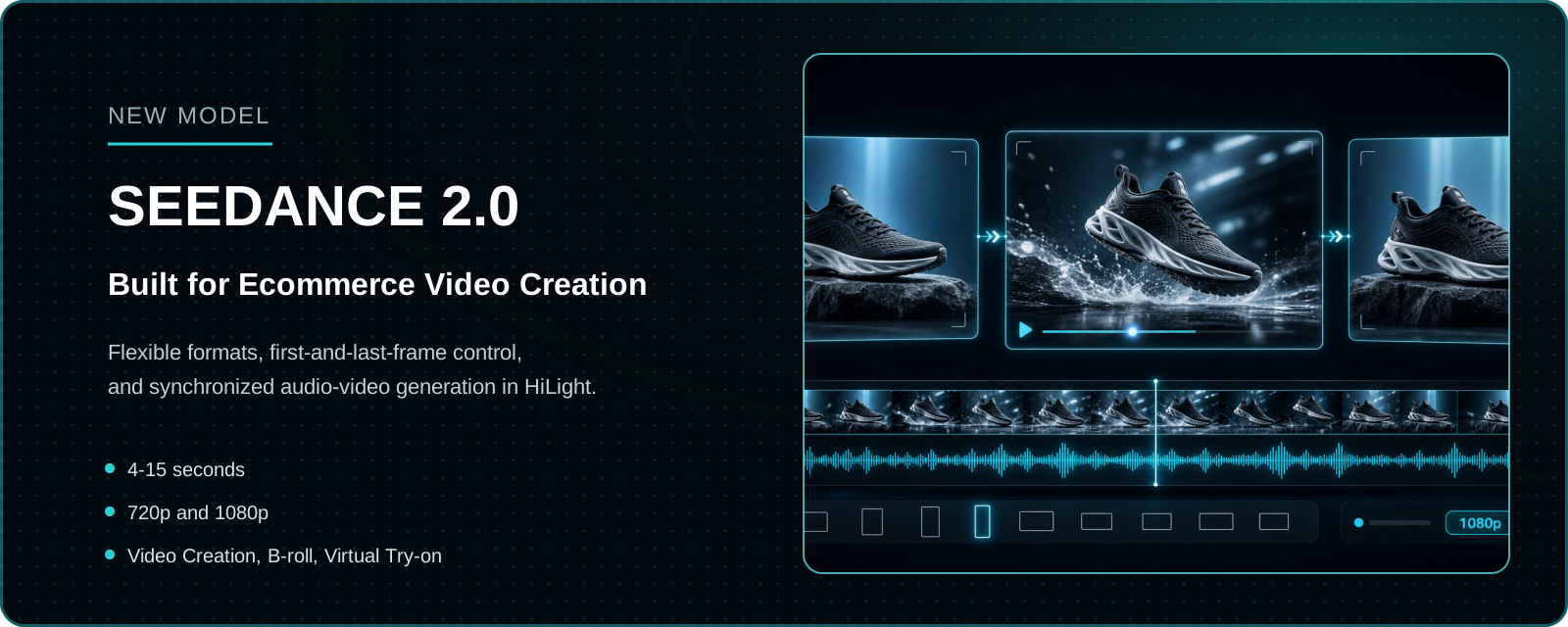
Seedance 2.0 is now available in HiLight Video Creation, B-roll Assets, and Virtual Try-on Clips.
A new video model matters only when it improves the work creators actually need to finish. For ecommerce teams, the Seedance 2.0 update adds more flexibility when creating product demonstrations, ad scenes, social content, and try-on footage without moving between disconnected production tools.
This guide focuses on the Seedance 2.0 options currently exposed in HiLight, where they fit in an ecommerce workflow, and how the model compares with the other supported video models.
Seedance 2.0 at a glance
- 4-15 second video generation
- 720p and 1080p output
- Seven aspect-ratio options including Adaptive
- First-and-last-frame control
- Synchronized audio-video generation
- Available in three ecommerce creation tools
What Is Seedance 2.0?
Seedance 2.0 is an audio-video generation model designed to handle visual motion, camera direction, scene continuity, and sound within the same generation process.
Its practical value is not simply that it can make a scene move. It is suited to prompts that combine how a subject should move, where the camera should travel, how a scene should transition, what lighting to use, and what sound should accompany the visuals.
HiLight brings these capabilities into ecommerce-focused workflows. Creators can choose the appropriate tool, provide product materials and direction, select Seedance 2.0, and generate a scene for review or further refinement.
Seedance 2.0 Capabilities Available in HiLight
| Setting | Current support |
|---|---|
| Aspect ratios | 16:9, 4:3, 1:1, 3:4, 9:16, 21:9 and Adaptive |
| Resolution | 720p and 1080p |
| Duration | 4-15 seconds |
| First and last frames | Supported |
| Synchronized audio and video | Supported |
| Reference image | Not specified in the current product sheet |
| Available tools | Video Creation, B-roll Assets and Virtual Try-on Clips |
Available options may vary slightly by HiLight tool and creation mode. Check the settings shown in the current interface before generating.
How Seedance 2.0 Compares with Other Video Models in HiLight
There is no single model for every creative brief. Some tasks depend on native audio, while others prioritize resolution, duration, reference-image input, or cinematic presentation.
Each model has different strengths. The right choice depends on the intended use, aspect ratio, audio requirements, control method, and output resolution.
| Model | Aspect ratios | Resolution | Duration | First/last frames | Audio-video sync | Suitable strengths |
|---|---|---|---|---|---|---|
| Seedance 2.0 | 16:9, 4:3, 1:1, 3:4, 9:16, 21:9, Adaptive | 720p, 1080p | 4-15 sec | Yes | Yes | Integrated audio-video generation; stable visuals and efficient generation |
| Seedance 1.5 Pro | Not specified | Not specified | 4-12 sec | Yes | Yes | Balanced generation speed and commercial production cost |
| Kling v3 Omni | 16:9, 9:16, 1:1 | 720p, 1080p, 4K | 3-15 sec | Yes | Yes | Character consistency, motion control and complex cinematic scenes |
| Happyhorse 1.0 | 16:9, 9:16, 1:1, 4:3, 3:4 | 720p, 1080p | 3-15 sec | No | Yes | Multiple subjects and continuous, story-driven scenes |
| Wan 2.6 | 16:9, 9:16, 1:1, 4:3, 3:4 | 720p, 1080p | 5, 10 or 15 sec | No | No | Chinese instruction following and natural visual styles |
| Veo 3.1 Quality | 16:9, 9:16 | 720p, 1080p, 4K | 8 sec | Yes | Yes | Realistic visuals, cinematic camera language and brand content |
Seedance 2.0 is worth trying first when the brief needs coordinated visual movement and sound, or when the creator wants to define both the beginning and ending of a shot. Another model may suit a task better when 4K output, reference-image input, Chinese instructions, or a particular cinematic style is the priority.
Where Seedance 2.0 Fits into an Ecommerce Workflow
The same model can play different roles depending on whether the team is exploring an idea, filling a missing shot, or producing a task-specific fashion asset.
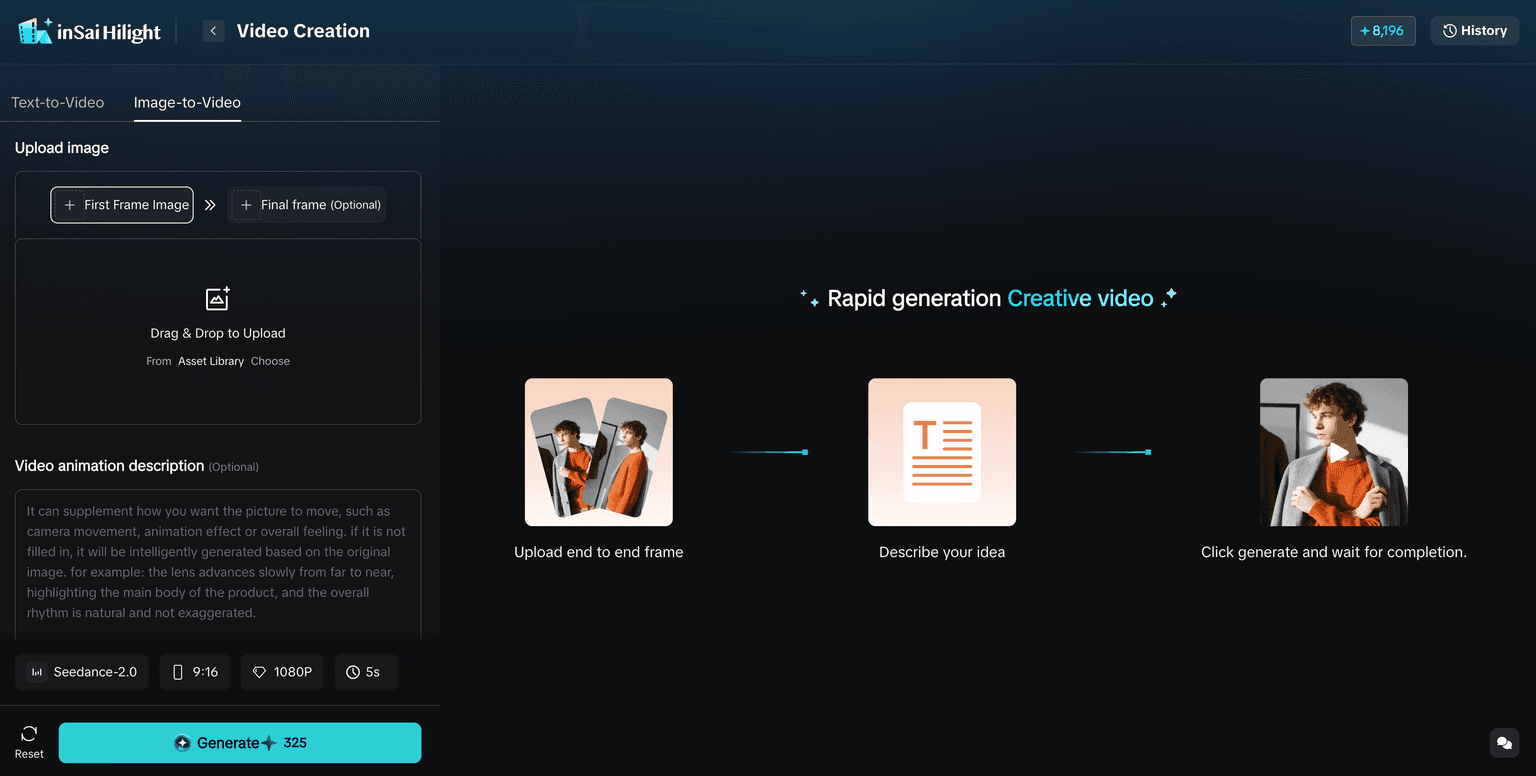
1. Explore product video ideas in Video Creation
- Test one clearly defined product scene before developing a full advertisement.
- Describe the subject, motion, camera, environment, lighting, and sound in one prompt.
- Use first and last frames when the desired opening and ending compositions are already clear.
B-roll Assets can fill transitions and atmosphere around the main product story. Examples include ingredients floating around skincare, fabric moving in natural light, packaging details, city context, or close-up transitions between benefits.
Creating a supporting shot separately is often more efficient than regenerating an entire advertisement because one transition feels weak.
Create Virtual Try-on Clips for Fashion Products
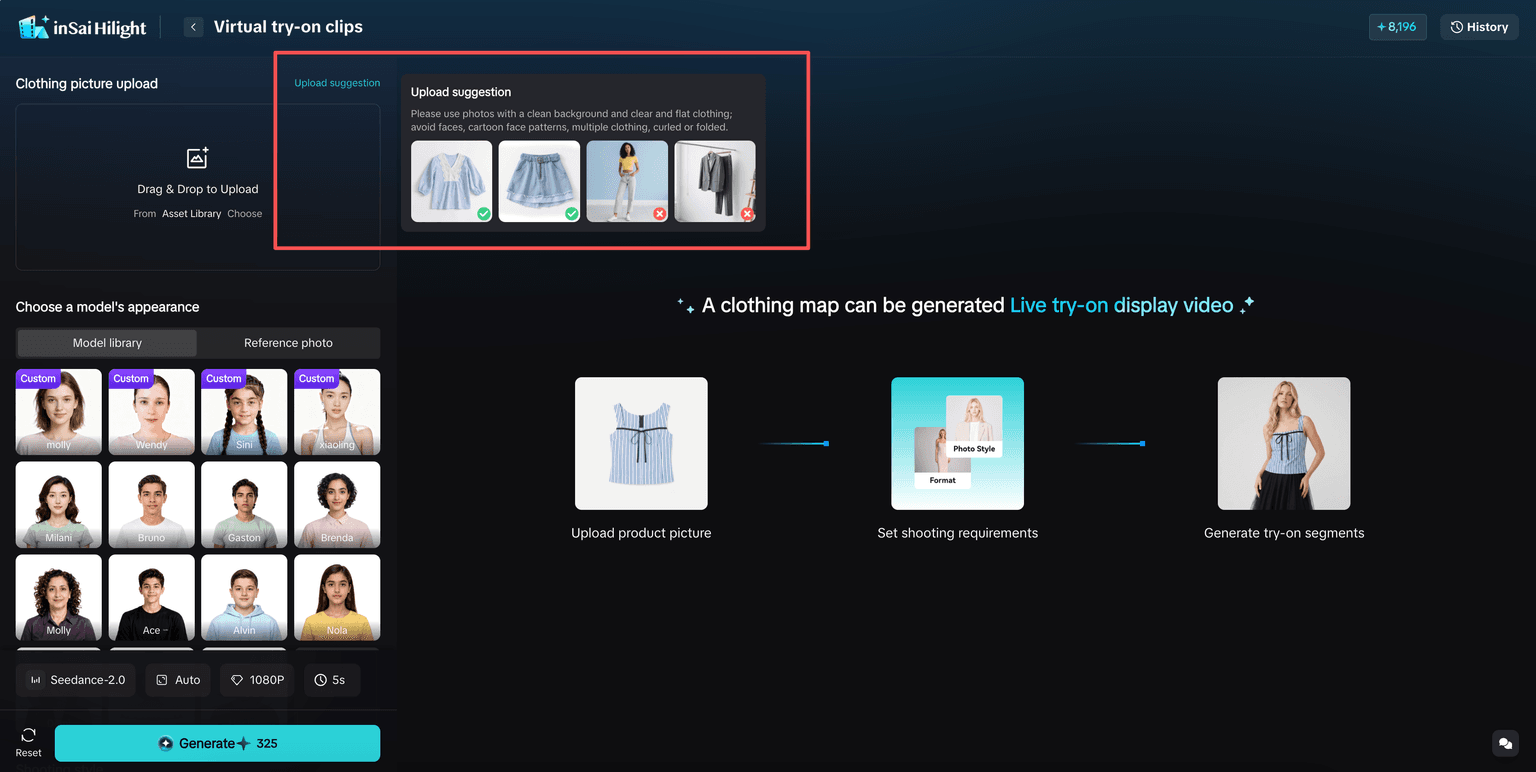
Virtual Try-on Clips are designed for fashion ecommerce. A seller can begin with a garment image and generate a short clip showing a person wearing or presenting the item.
These clips can support product launches, detail pages, social posts, advertising tests, and Smart Video projects. Review garment shape, details, movement, and framing before campaign use.
Choosing the Right Ratio, Duration and Resolution
Choose the output settings for the final publishing channel. Use 9:16 for vertical platforms, 16:9 for websites and YouTube, 1:1 for square placements, and 21:9 for wide cinematic scenes.
A longer clip is not automatically better. One advertising shot often needs to communicate only one idea. Four to eight seconds may be enough for a product reveal, movement, setting, or transition.
Use 720p for early creative tests and 1080p for more polished assets. Resolution cannot fix an unclear prompt, unsuitable source material, or an overloaded scene.
A Practical Prompt Structure for Ecommerce Video
A useful structure is: subject + action + camera + environment + lighting + audio + constraints.
Example: A white running shoe lands on a dark studio platform, releasing a light cloud of dust. The camera tracks forward at a low angle and ends on a close-up of the sole. Cool blue rim lighting, high-contrast commercial style, subtle impact sound, no extra products, no text or logo distortion.
Avoid asking one short clip to introduce the product, demonstrate several features, change locations, add multiple people, and finish with a complex logo animation. Split a complicated idea into separate shots and assemble the strongest results later.
Using First and Last Frames with Synchronized Audio
First-and-last-frame control is useful for moving from a wide product view to a detail close-up, transitioning from packaged clothing to a try-on result, or matching the end of one shot with the start of the next.
Keep the subject recognizable and the framing compatible. Large simultaneous changes in position, angle, background, and lighting force the model to solve too many problems at once.
Synchronized audio-video generation is useful for product landings, fabric movement, liquid pours, package openings, footsteps, and environmental sound. Teams should still review timing, volume, speech accuracy where applicable, and brand fit.
Review Before Publishing
- Check product shape, color, labels, and important details.
- Review hands, faces, clothing, and body movement.
- Confirm the product remains visible in the selected aspect ratio.
- Check first-and-last-frame continuity and audio timing.
- Correct generated text, logos, or packaging details when needed.
- Make sure the clip communicates one clear selling point.
- Confirm compliance with the publishing platform's advertising and disclosure requirements.
When a result is close but not ready, describe the exact issue. “The camera moves too quickly” or “the label changes in the final two seconds” is more useful than saying the clip simply feels wrong.
FAQ
Yes. It is currently available in Video Creation, B-roll Assets, and Virtual Try-on Clips.
The current supported range is 4 to 15 seconds.
Yes. It supports 9:16 along with 16:9, 4:3, 1:1, 3:4, 21:9, and Adaptive ratios.
Yes. These inputs can guide the opening composition, ending composition, and transition direction.
Seedance 2.0 supports synchronized audio-video generation in the current HiLight configuration.
No. Choose according to the task, output settings, control requirements, language, and visual style.
Conclusion
Seedance 2.0 expands the ecommerce video ideas that can be created inside HiLight. Flexible aspect ratios, 4-to-15-second generation, first-and-last-frame control, and synchronized audio-video output make it useful for product scenes, B-roll, social assets, and virtual try-on footage.
The benefit is not simply access to another model. It is the ability to use that model inside a broader ecommerce workflow. Start with one product, one selling point, and one clearly described scene. Once the direction works, build the rest of the video around it.

