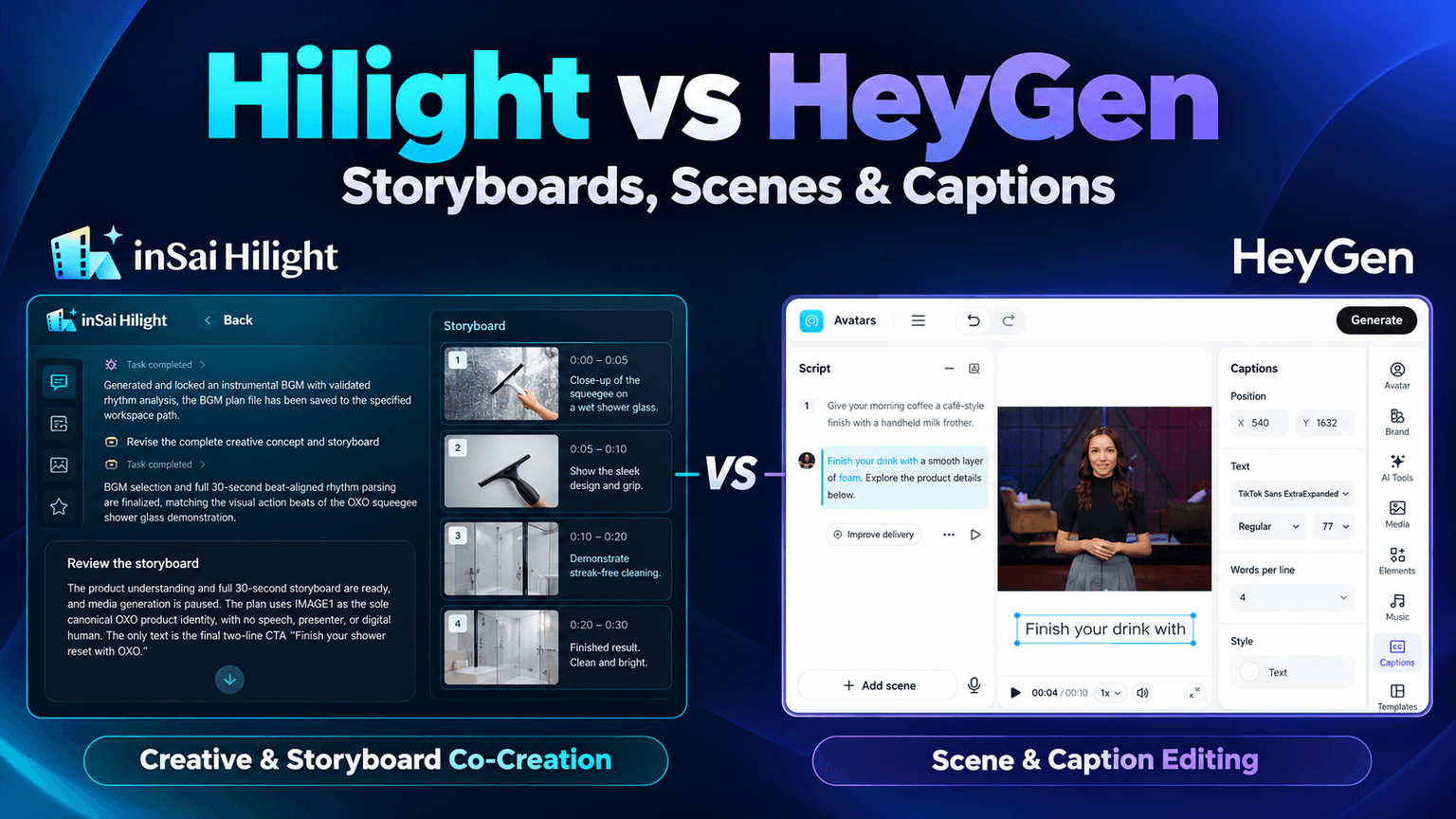
Generating a product ad is often followed by another round of decisions: change the opening, add a supporting shot, or move a caption away from the product. Both Hilight and HeyGen can help produce the video. If you are considering HeyGen alternatives, it is worth looking closely at how each product handles those revisions.
Consider Hilight when you want an Agent to keep developing the ad idea, revising the shot plan, and organizing asset production. HeyGen's AI Studio is more direct when you want to edit a particular line, scene, or caption yourself. HeyGen also has Video Agent for creative planning and production, so the choice comes down to how you prefer to shape and revise the work.
Which approach makes script and shot revisions easier?
Hilight: work out how the product demonstration should unfold
As an AI marketing agent, Hilight develops an idea from product materials and a marketing goal, then builds it into a script and storyboard. Its collaborative mode gives you a chance to review the direction before visuals are generated, so you can explain what should stay or change without preparing the entire shot plan yourself.
An existing 30-second squeegee ad illustrates the process. Its first plan used ten shots with frequent changes of angle. After review, that became six five-second shots, with the two middle shots showing one downward wipe from the same camera position. The production plan then combined that action into a single ten-second clip to reduce the need to match the hand, tool direction, and water state across separately generated segments.
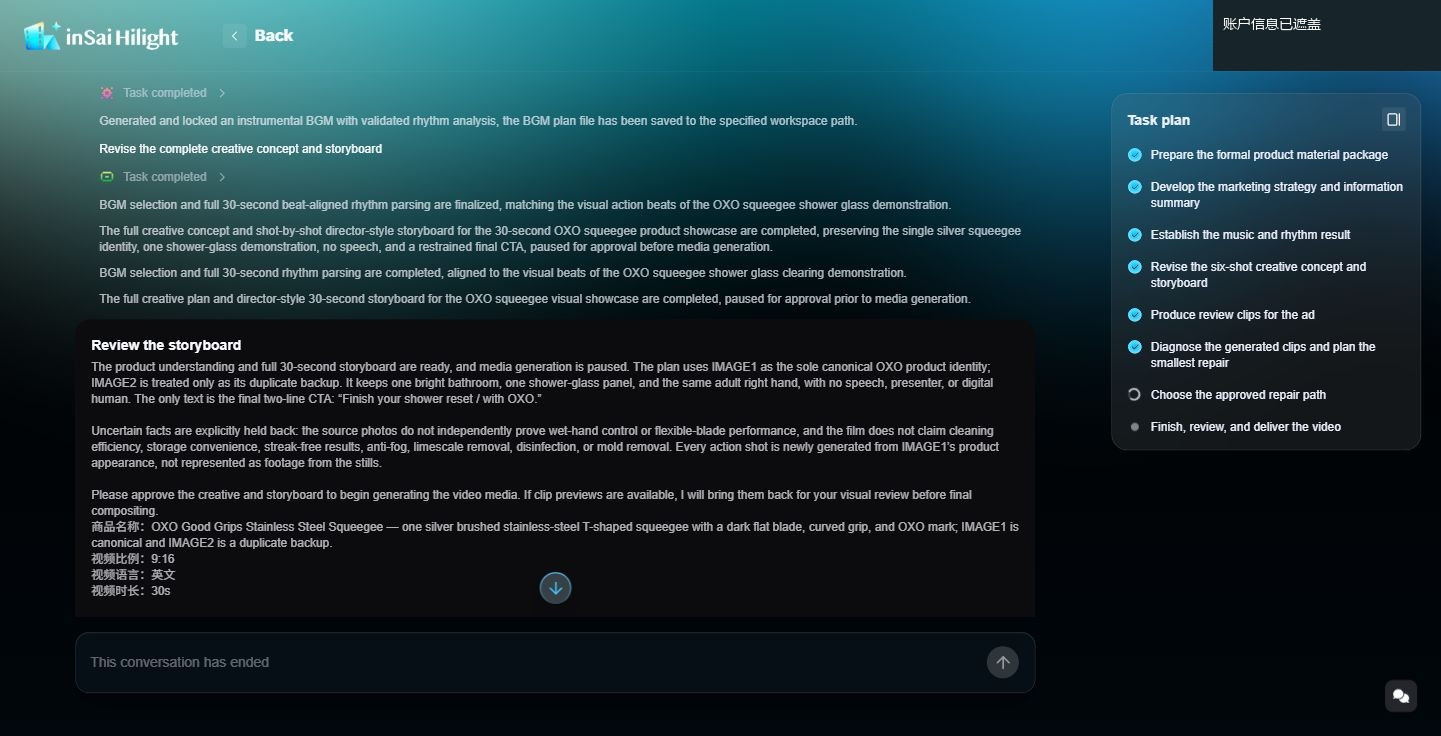
The revision addressed how the whole demonstration would work: when the product contacts the glass, how the water changes, and where the next shot picks up. Settling those relationships in the storyboard gives production a clearer direction.
Hilight's product-video creation also has a quicker mode. If you would rather respond to a complete first version, the Agent can advance the main steps before you decide whether the opening and product message need changing.
HeyGen: make the change in the scene itself
In HeyGen, you can work through the video plan with Video Agent, then move to AI Studio to edit individual scenes. Once the direction is settled, changing dialogue and visuals directly can be more convenient than describing each revision in another prompt.
AI Studio organizes the content into scenes, so the opening introduction and closing call to action can be edited separately. If the ending should invite viewers to explore the product rather than list more specifications, you can select that scene, replace its dialogue, and adjust its presenter, voice, and visual settings together.
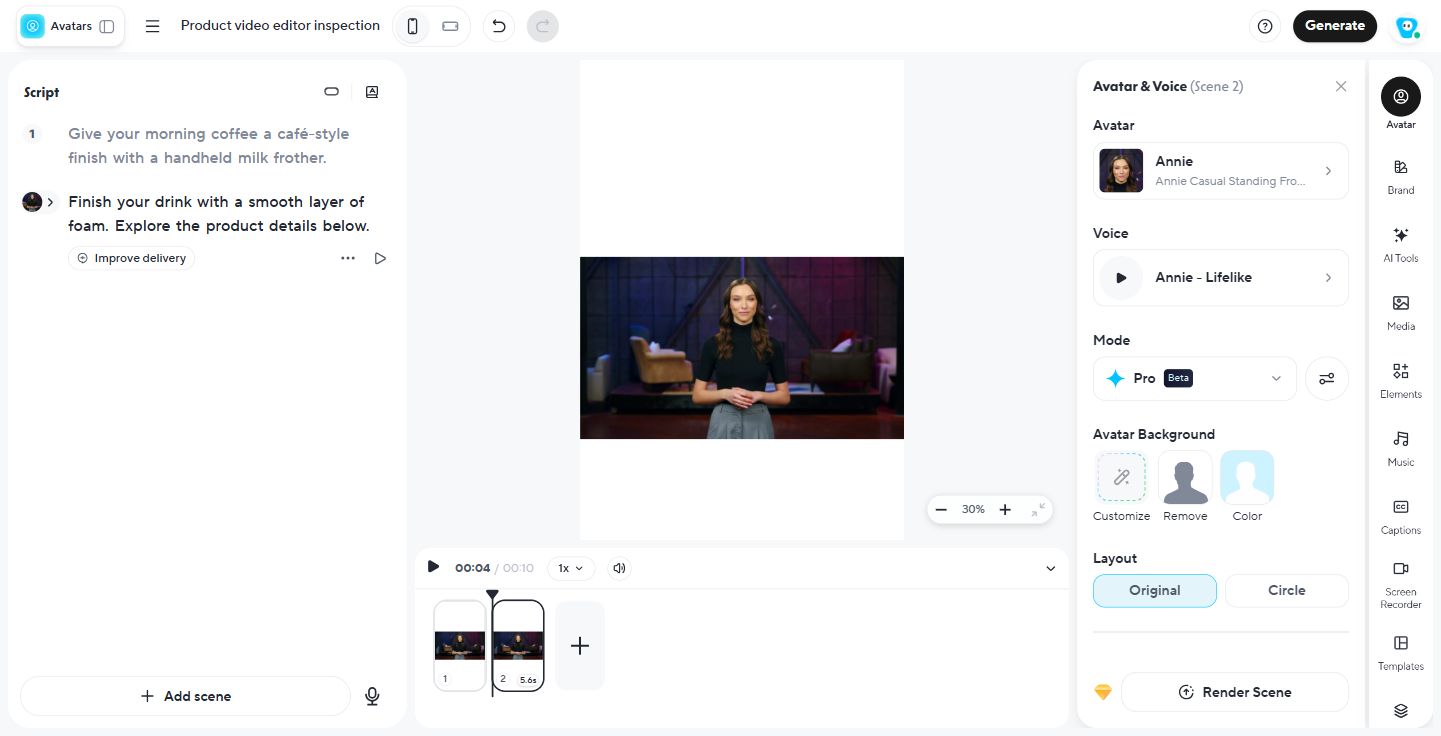
This suits a revision with a clear target: you know which section is too long or which line needs replacing, and want to make the change directly. Questions about narrative or action across several shots can still be worked through with the Agent.
How do assets connect to shots, and how do you add more footage?
Hilight: trace the materials used in each storyboard segment
Hilight's completed-video projects separate the video, assets, and creation settings into Video, Assets, and Config pages. In the milk-frother project's Assets page, each of the two storyboard segments links to a product image, a character image, and a voice file. Used and unused materials are also distinguished.
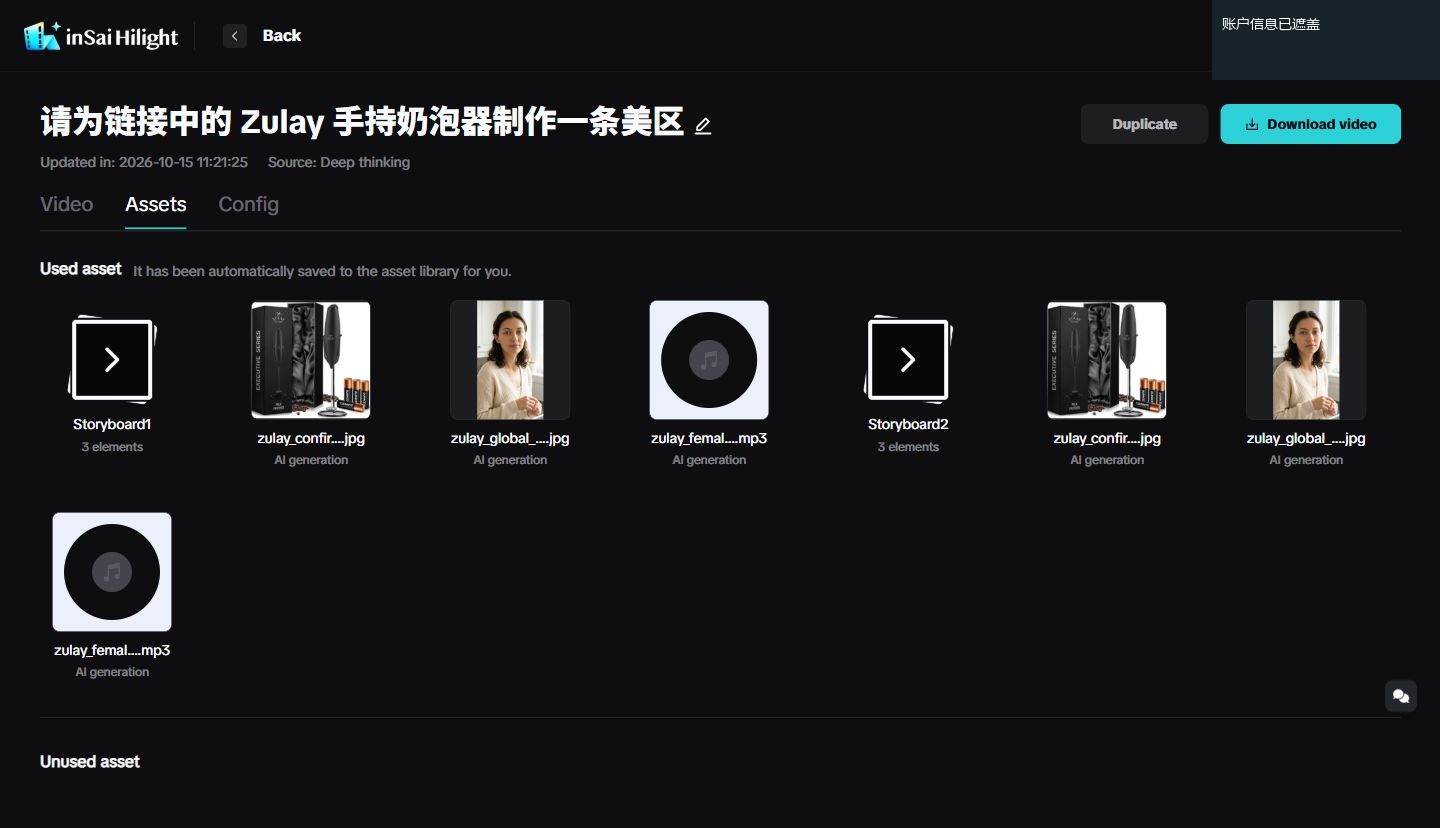
If the product looks different in the second segment, you can inspect the images associated with both. If the voice is unsuitable, you can find the relevant audio file. Keeping materials connected to their segments makes review easier.
HeyGen: find supporting footage while editing a scene
In HeyGen's AI Studio, the Media panel sits within the scene-editing workspace. You can find images or videos, or work with materials in My Media, as you build out the ad.
For example, a presenter is introducing a milk frother and you want a supporting coffee shot. Searching for coffee under Video lets you browse portrait footage while referring to the script and canvas, which makes it easier to judge where a clip might fit.
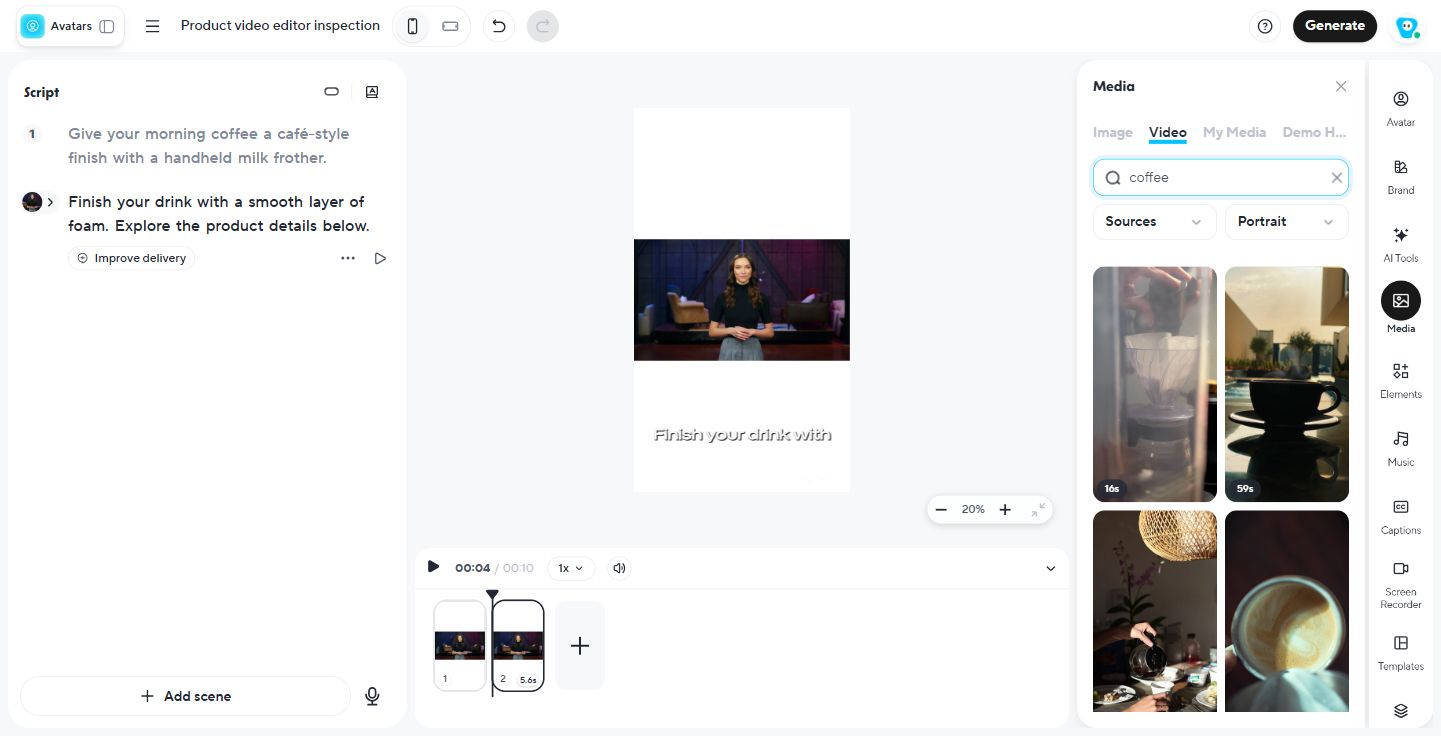
Hilight's Assets page helps answer what a shot already uses. HeyGen's Media panel helps you decide what to add next. For someone who regularly assembles presenter segments and supporting footage by hand, the latter fits naturally into the edit.
For a related look at reference materials and board-based creation, read Topview vs Hilight.
How do you revise footage and captions after the first version?
Hilight: discuss a repair around the specific clip problem
In the squeegee project, review of the generated clips raised two issues: a repeated wiping action and closing text that appeared too early. The Agent's response considered retaining the first action, changing the clip's duration, and checking whether the closing text could be edited as a separate layer.
That feedback referred to particular clips rather than a general request for another version.
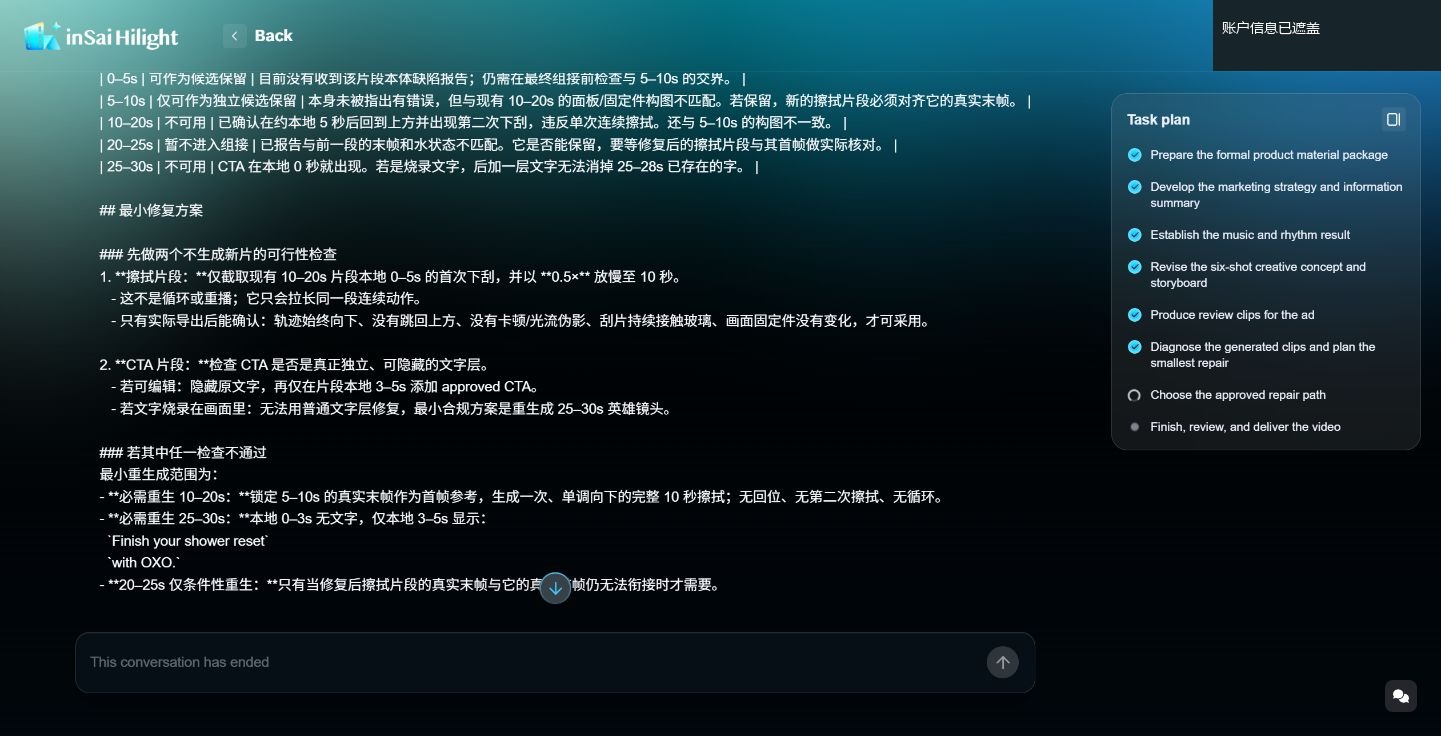
Hilight suits marketers who want to shape the ad through feedback rather than make each editing decision themselves. You can ask for one complete demonstration of the product in use, or for the purchase prompt to appear only at the end, and have the Agent work out which shots and materials need attention. Your focus stays on whether the demonstration is clear and the ad gives viewers a reason to buy.
HeyGen: refine captions and layout once the content is settled
If you already like the ad and only need to move a caption away from the product, AI Studio offers a direct way to do it. Selecting the caption exposes its position, font, and size, along with the number of words per line, so you can judge the text against the image on the same canvas.
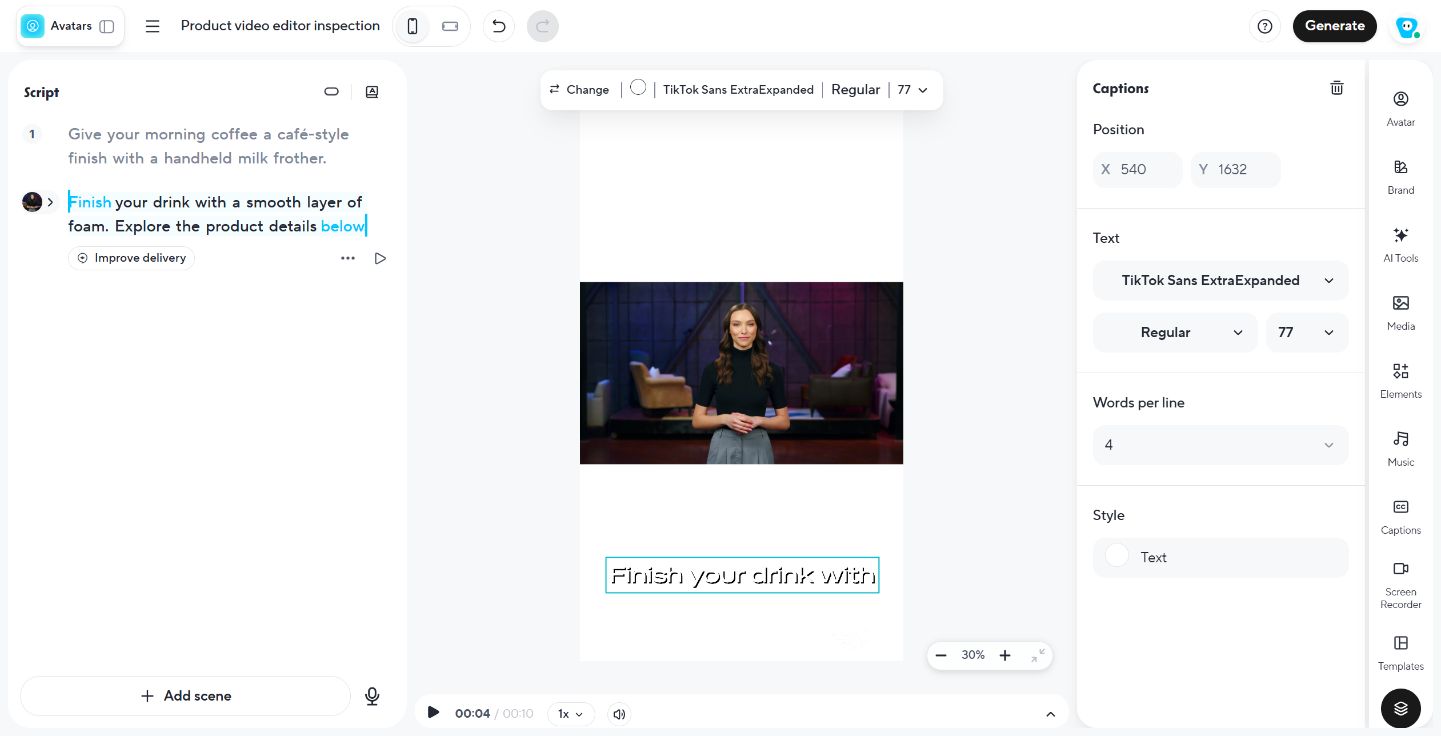
You might move a caption upward to uncover a product detail, or shorten each line to improve the fit. Those changes affect an independent caption element without reopening the discussion about the ad's message.
For generated Video Agent projects, HeyGen also offers Edit a Copy in AI Studio, with controls for media, layout, timing, transitions, and captions. It is useful for the final presentation adjustments. Product deformation, repeated action, or a mismatch between shots still needs attention to the footage itself.
When should you choose Hilight for a product ad?
If you have the product materials but are still deciding how to open the ad, demonstrate its use, or show the selling point, Hilight can take on that creative work. Share the marketing goal and important requirements, and the Agent can develop an ad direction, script, storyboard, and video assets.
In the squeegee example, viewers need to see what happens to the water when the blade touches the glass. Through collaboration, you can cut back on incidental close-ups, give more time to one complete demonstration, and save the purchase prompt for the ending. You decide what the customer needs to understand, while the Agent works out the shot and asset requirements, without requiring you to turn the marketing idea into detailed filming and editing instructions first.
Hilight is worth trying when you want AI to carry the product message, demonstration, and closing call to action through production together. Choose the quicker mode to respond to a complete first version, or collaborative review when you want to settle the idea and storyboard before visuals are produced.
Frequently asked questions about Hilight
Yes. Hilight can propose a creative direction from product materials and a marketing goal, then develop the opening, script, and storyboard. You can start with a selling point and refine the ad with the Agent, without preparing a finished script.

