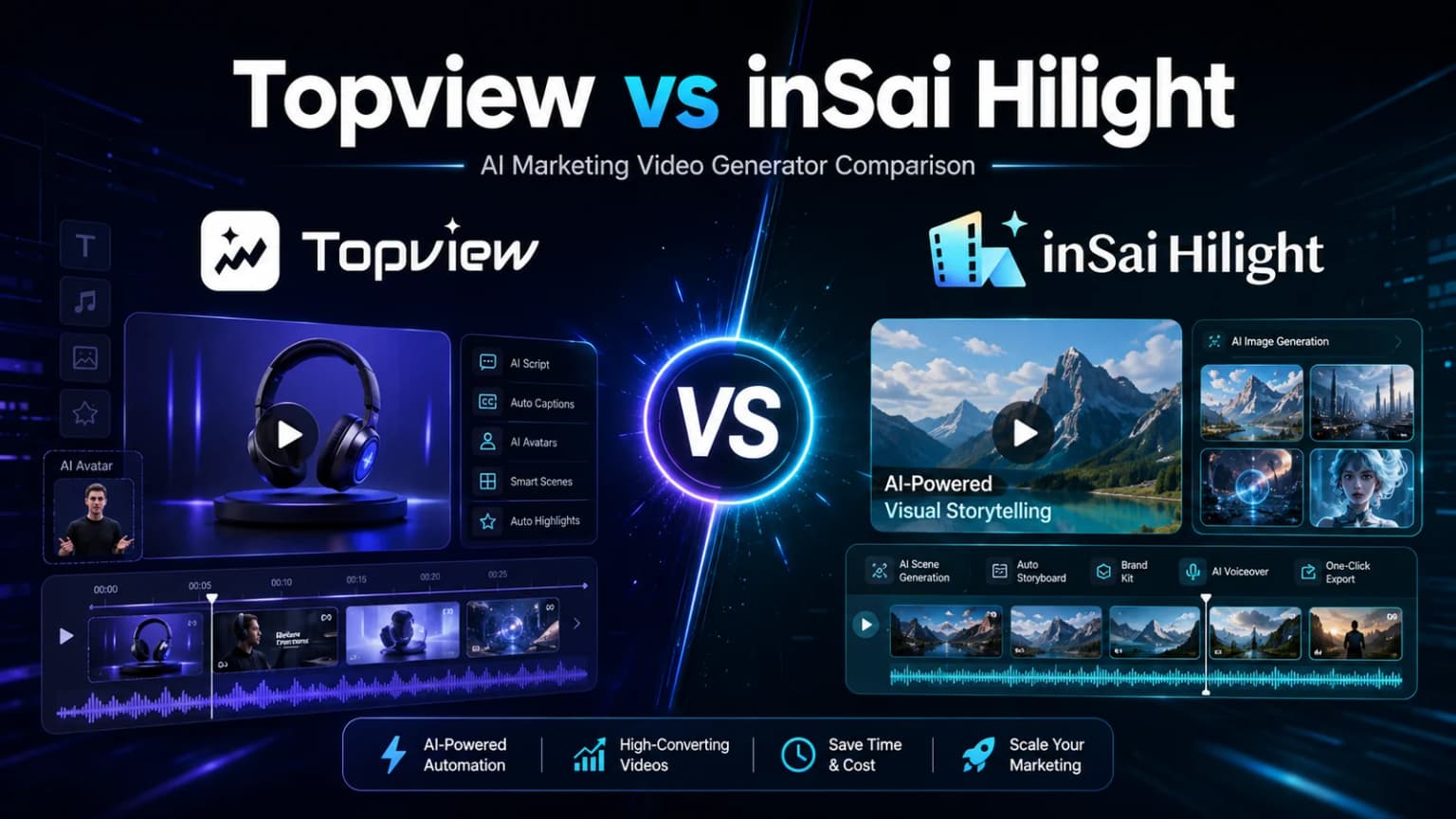
Topview vs Hilight at a glance: which tool fits each use case?
Choose Topview when a reference ad, visual concept, or creator format already defines the direction and the team wants scene-level or canvas-based control. Choose Hilight when the team starts with a product link, product assets, selling points, and channel requirements and wants those inputs to remain connected through the finished video.
Compare product inputs, Video Agent and Smart Video workflows, AI UGC creation, pricing, and ecommerce use cases before choosing a platform.
Public workflows support feature and fit decisions. Output quality, generation speed, return on ad spend, and cost per usable video require a matched test.
Which platform fits the materials you already have?
The most useful question is not “Which platform has more AI tools?” It is “Which platform can make the best use of the material already approved by the team?”
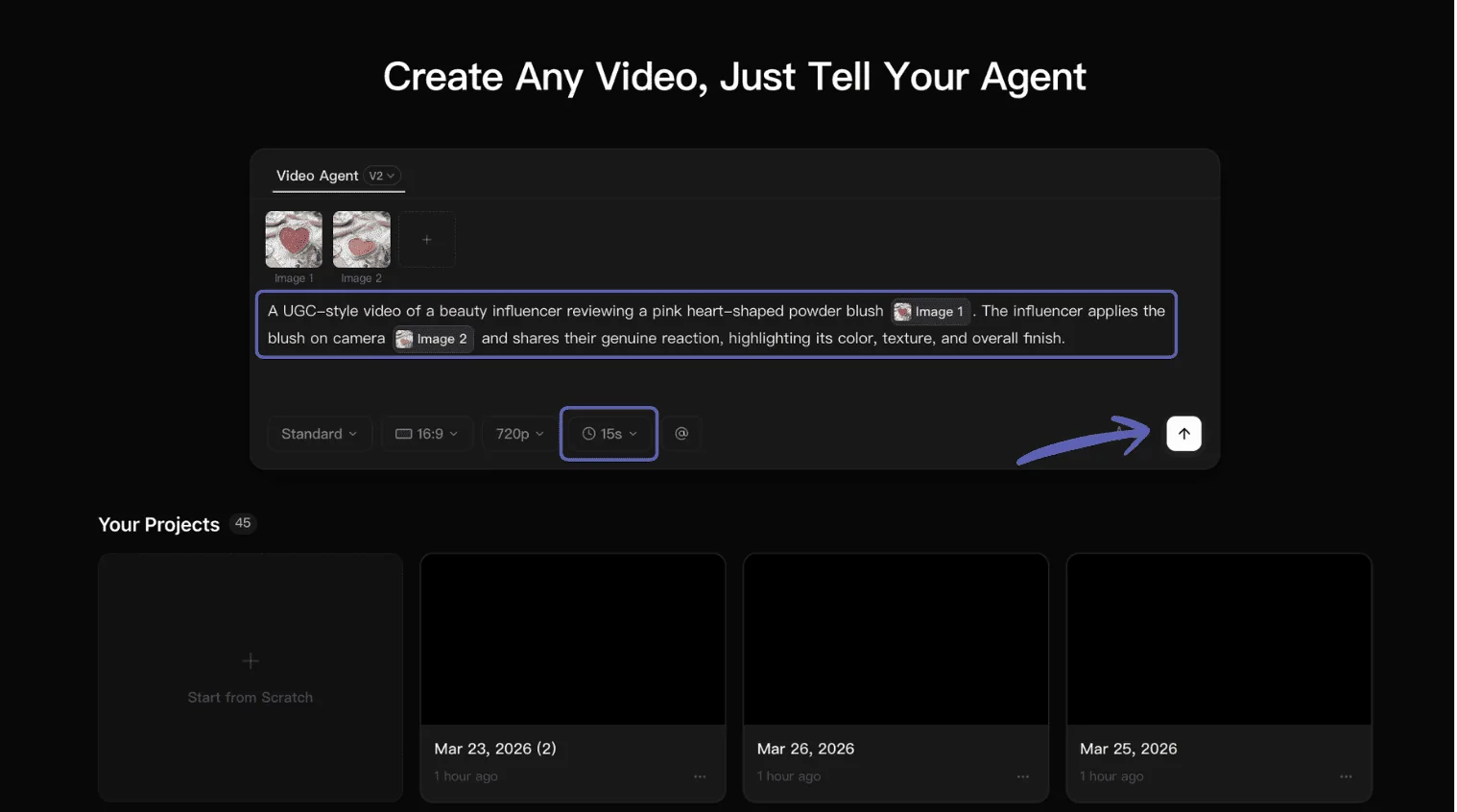
Topview Video Agent V2 asks for product images, an optional reference image or video, and production requirements. This makes the creative reference visible at the point where the team defines the task.
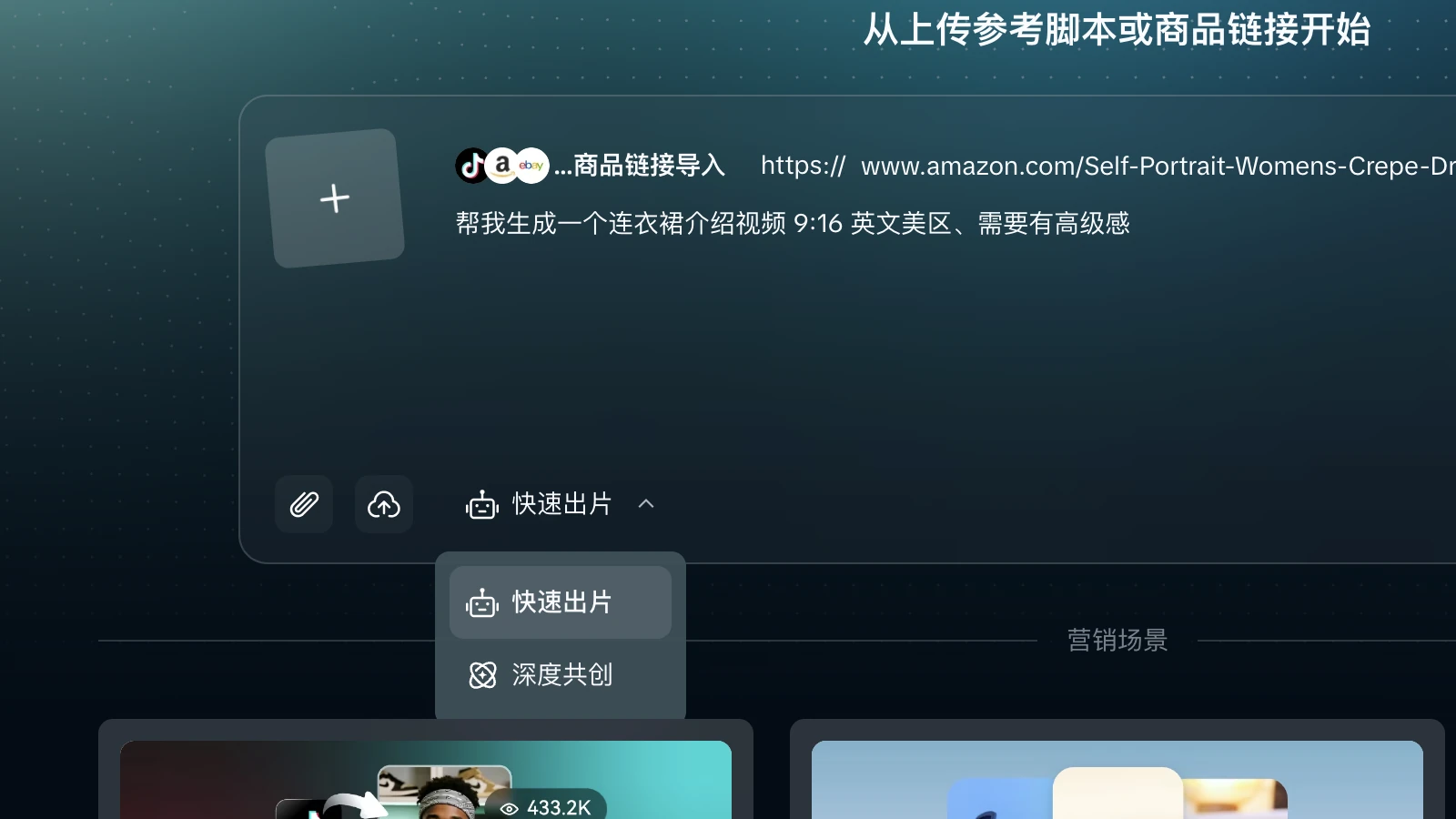
Hilight Smart Video accepts a product link or uploaded material plus a creative request. The task can specify the target platform, ratio, language and market, duration, selling point, audience, and visual style, then continue through Quick Creation or Deep Co-Creation.
How does each workflow turn a brief into a finished video?
Both platforms can begin with product information, but they expose different review points.
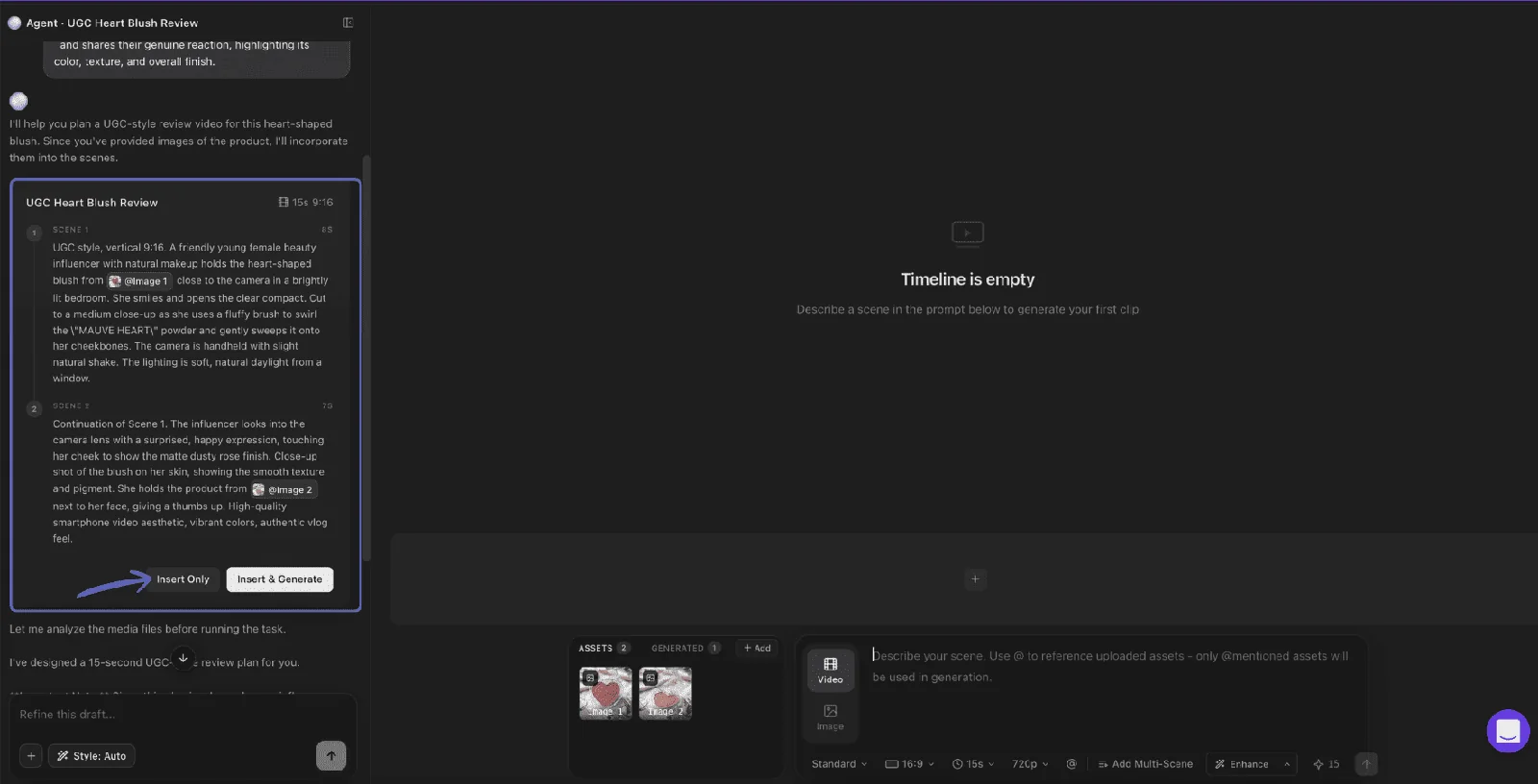
Topview makes its intermediate scene logic especially visible. After the requirements are submitted, Video Agent V2 creates prompts that can be inserted, edited, generated, or expanded with another scene before the timeline is finalized.
Hilight's review logic is centered on the ecommerce brief. Quick Creation is the shorter route when the inputs are clear; Deep Co-Creation is the better route when the team needs to review the direction, script, scene plan, or asset choices before delivery. That distinction is useful for marketers who want the video ad generator workflow to retain product and campaign context rather than treat every clip as an isolated generation task.
Which fits a UGC-style product story?
For UGC video ads, separate two needs: producing creator-style variations and making a presenter explain a specific product.
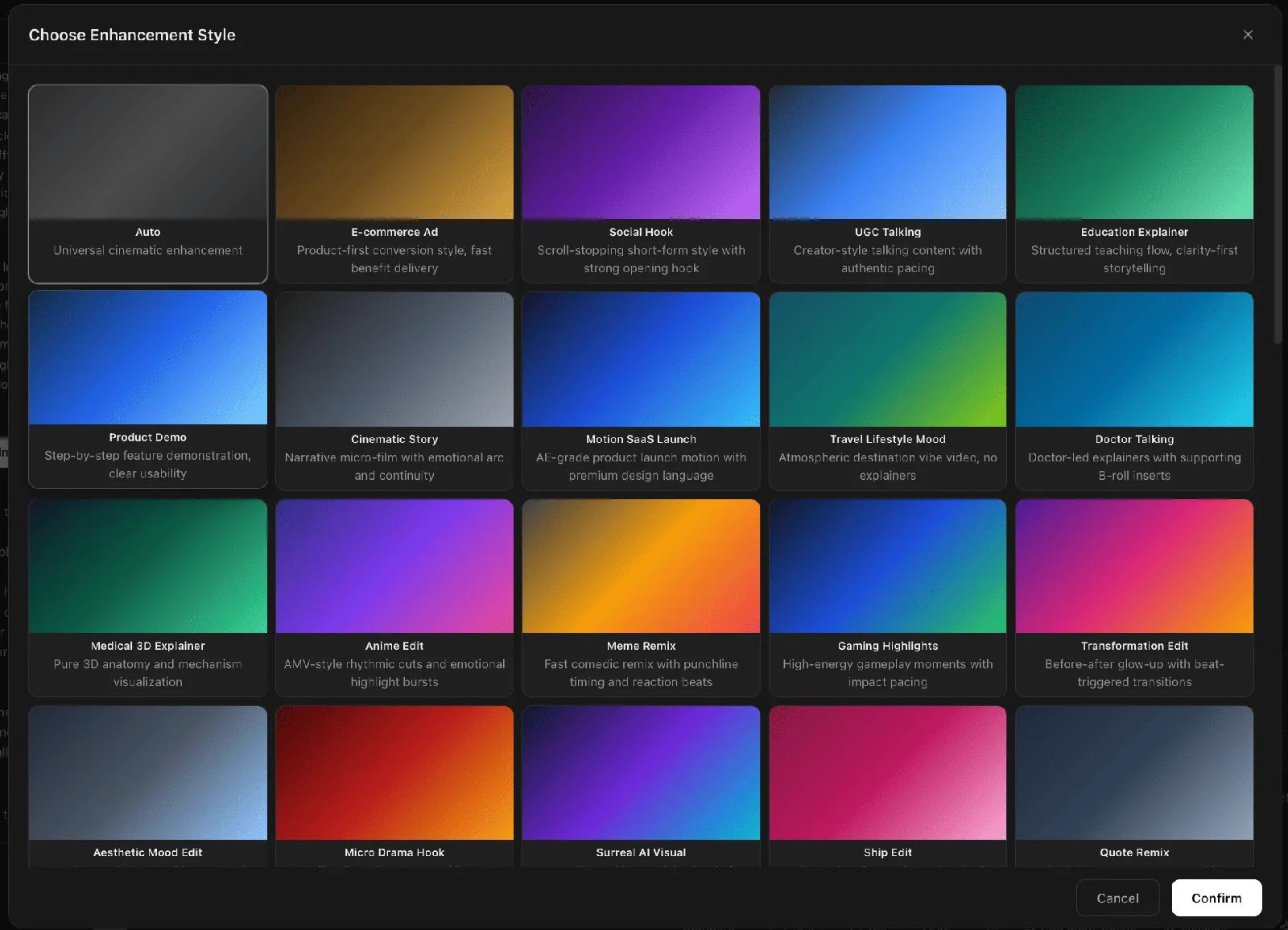
Topview also exposes selectable visual treatments inside Video Agent, including UGC Talking, Social Hook, Product Demo, and ecommerce-ad styles.
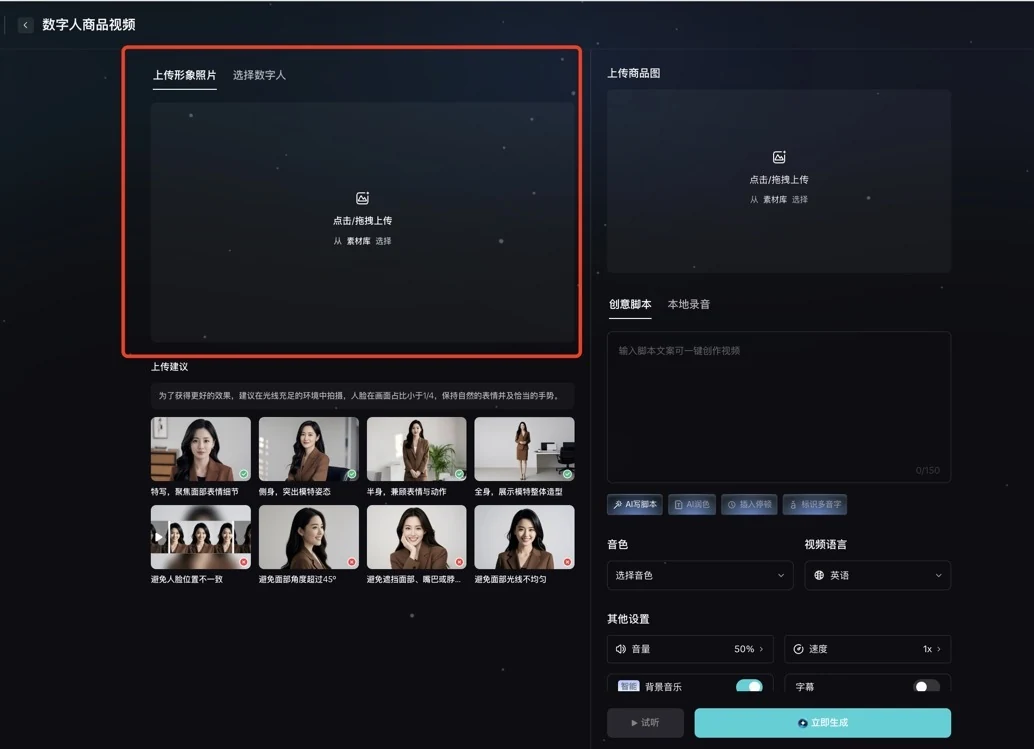
Hilight's Avatar Product Video makes the product-presenter setup explicit on one screen: choose or upload the presenter, add the product image, provide a script or recording, then set voice, language, music, and subtitles.
Whichever route the team chooses, every product claim should come from approved source material. Confirm commercial rights for faces, voices, product images, uploaded clips, and reference videos before publishing.
Whose pricing model matches your production rhythm?
Topview pricing is organized around credit-based subscriptions, annual billing options, and team plans. Hilight pricing uses pay-as-you-go credits, starts from a $10 top-up, and has no monthly fee.
Pricing pages do not reveal the cost of a usable ad for a specific SKU. For a fair trial, keep the product, duration, aspect ratio, language, number of variants, and export requirements the same. Record generations, regenerations, supporting assets, and edits before comparing total cost.
Which team should choose Topview or Hilight?
Make the final call with one controlled SKU test:
Use one controlled product input
Use one product link, the same approved images, one selling point, one audience, and one target channel.
Match the requested format
Request the same language, ratio, duration, presenter requirement, and CTA.
Record each workflow's decisions
Record how each platform handles the hook, product claims, scenes, voice, captions, and review points.
Review the complete export
Check the complete export for product accuracy, opening clarity, scene continuity, and rework.
Compare the full production cost
Compare total credits and human review time—not just the first generation price.
This test can establish workflow fit. It should not be treated as a universal quality ranking because results also depend on the SKU, source assets, brief, selected models, and review choices.
Frequently asked questions about Topview vs Hilight
Is Topview or Hilight better for an ecommerce video ad generator workflow?
Topview is the stronger first shortlist for reference-led creation and a broad multi-asset workspace. Hilight is the stronger first shortlist when product context and campaign requirements need to remain connected through a complete ecommerce video.
Can both platforms start from a product link?
Yes. Topview can use a product URL in Video Agent V1 and its AI UGC workflow. Hilight Smart Video can use a supported product link as the product-information starting point and combine it with a creative request and uploaded assets.
Which platform is better for UGC video ads?
Topview offers a dedicated AI UGC route for creator-style variations. Hilight combines Smart Video with Avatar Product Video when a presenter segment must support a broader product story. The right choice depends on whether variation or product-message continuity is the priority.
Which pricing model is easier for a small ecommerce team?
A regular production schedule may fit Topview's subscription structure. An irregular or project-based schedule may fit Hilight's pay-as-you-go credits. Compare the full cost of a usable export, including regeneration and human review.

