Quick answer
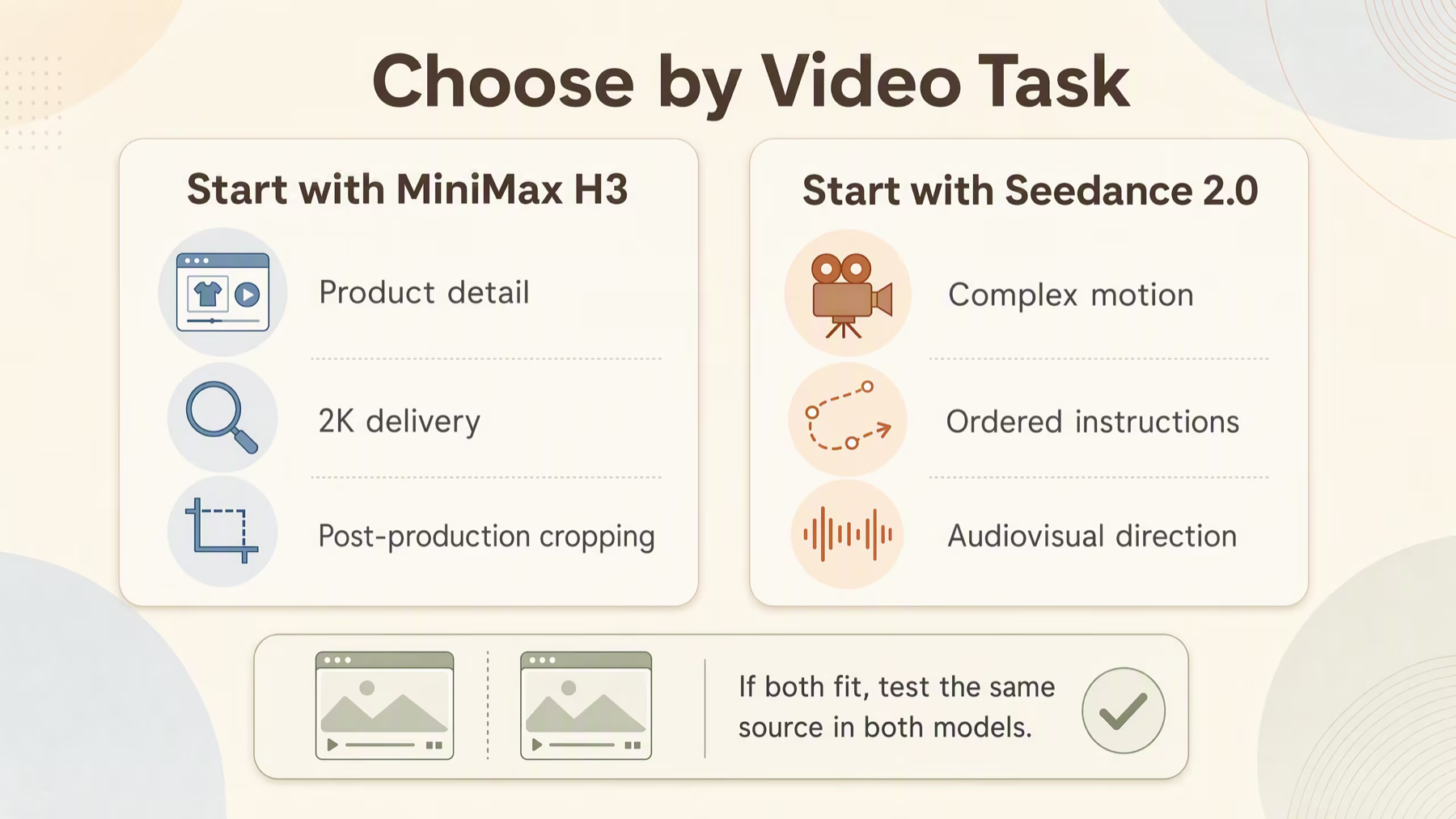
Choose MiniMax H3 first when 2K output, product detail, or cropping flexibility matters most. Choose Seedance 2.0 first when the brief depends on complex motion, ordered actions, multi-shot continuity, or coordinated sound.
There is no universal winner in MiniMax H3 vs Seedance 2.0. In Hilight, keep the source asset and creative goal fixed, test both models, and choose the result that needs less correction before publishing.
MiniMax H3 vs Seedance 2.0 at a glance
The official model profiles above describe the underlying models. The final row describes the current Hilight product boundary. In particular, MiniMax describes video and audio context at the model level, but Hilight currently exposes H3 through text-to-video and image-to-video—not reference-video or reference-audio upload.
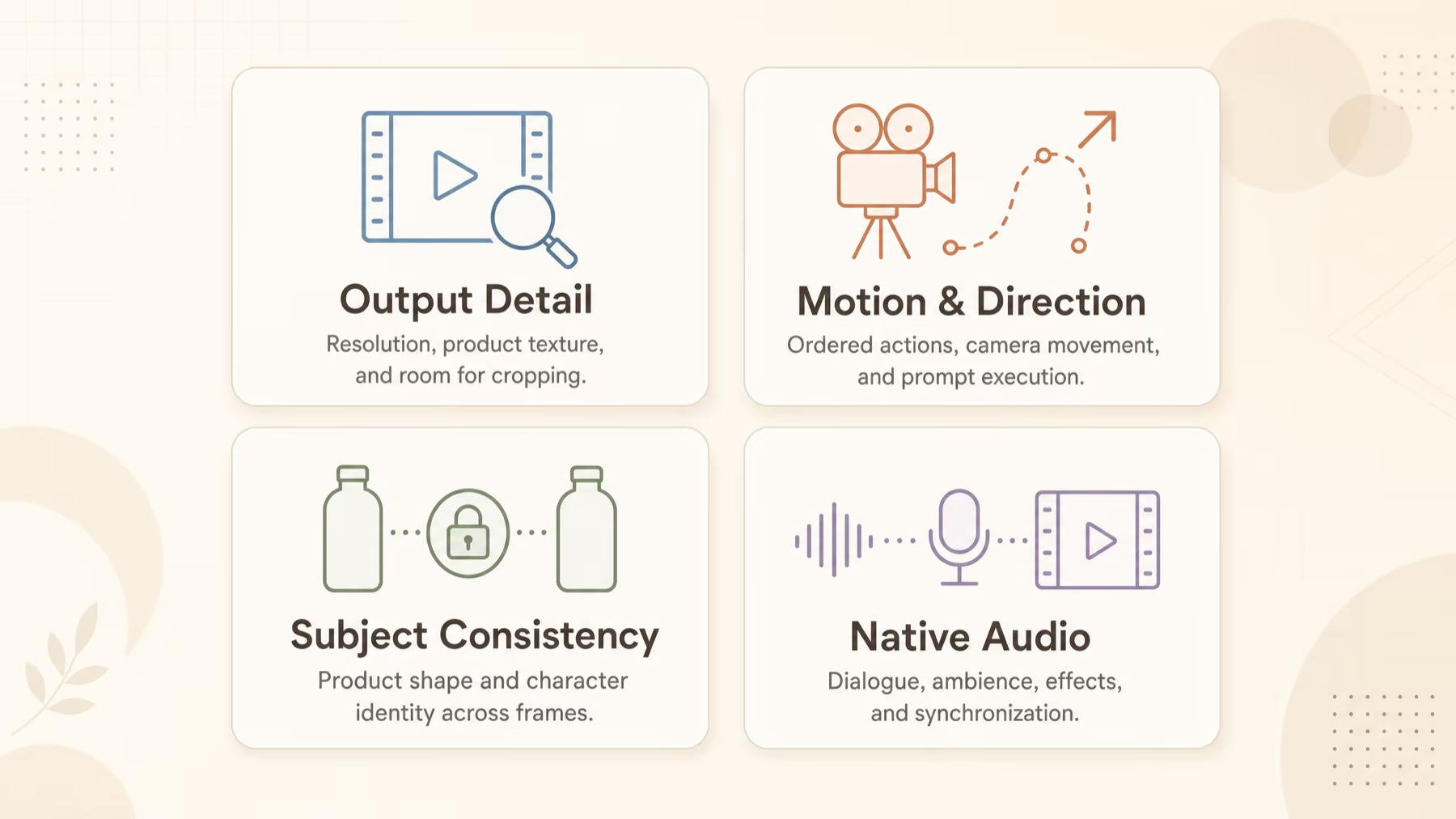
What are these two models designed to do?
MiniMax H3: commercial output with high-resolution delivery
MiniMax launched H3 on July 31, 2026 and presents it as a general-purpose multimodal video model for advertising, ecommerce, brand content, games, and other production scenarios. Its official release highlights text, image, video, and audio context, native stereo sound, output up to 2K, and clips up to 15 seconds. Read the official MiniMax H3 announcement.
For a commercial team, the clearest differentiator is 2K delivery. Extra resolution can help when a product shot contains small materials, reflective surfaces, packaging details, or footage that needs to be cropped in post-production. Resolution alone does not guarantee better anatomy, motion, brand text, or prompt adherence, but it is a meaningful output requirement when the final asset must hold up beyond a mobile preview.
Seedance 2.0: unified direction across image, motion, and sound
ByteDance released Seedance 2.0 on February 12, 2026. Its official materials emphasize unified multimodal audio-video generation, complex motion, instruction following, subject consistency, and multi-shot creation. At the model level, it accepts text plus image, video, and audio references and generates clips from 4 to 15 seconds at native 480p or 720p. See the official Seedance 2.0 launch and technical report.
That design makes Seedance 2.0 especially relevant when a prompt includes a sequence of actions, camera direction, character performance, sound cues, or relationships between shots. ByteDance also acknowledges remaining challenges in areas such as fine-detail stability, text rendering, and occasional audio distortion. Those limitations are useful reminders that an official demo is not a substitute for testing your own products and subjects.
Five differences that matter in real video production
1. Start with the input workflow, not the model name
Both models are multimodal at the model level, but the input workflow available to you depends on the platform you use.
In Hilight, MiniMax H3 currently supports text-to-video and image-to-video. You can start from a brief or a product image, then choose the H3 resolution and duration options exposed in the creation interface. Reference-video and reference-audio inputs described in MiniMax's model materials are not part of the current Hilight integration.
Seedance 2.0 is also selectable in Hilight's current video model selector. Its broader official multimodal capabilities should not be assumed to appear as identical controls in every interface. Before planning a reference-heavy workflow, check the inputs and settings available on the creation page.
If your task starts with one approved product photo, both models can be evaluated as image-to-video candidates. If it depends on motion transfer from a reference clip or exact sound guidance, confirm platform support before committing the storyboard.
2. H3 has the clearer resolution advantage
MiniMax H3 supports output up to 2K, and Hilight currently offers H3 at 768p and 2K. Seedance 2.0's published native output is 480p or 720p.
That gives H3 a specification advantage for product close-ups, premium landing-page visuals, large-format previews, and post-production reframing. It does not establish a universal quality ranking. A technically sharper clip can still fail if a logo changes, a hand deforms, or the intended action does not happen.
For social ads, judge the final placement. A short vertical clip viewed on a phone may benefit more from a clear hook and stable subject than from additional pixels. For detail-sensitive deliverables, render and review the full-resolution file rather than comparing compressed previews.
3. Motion, prompt adherence, and consistency need a task-specific test
Seedance 2.0's official positioning strongly emphasizes complex motion, instruction following, and continuity. H3 emphasizes precision, multimodal creation, and commercial scenarios. These claims point to useful starting hypotheses, not a controlled head-to-head result.
Test the difficult part of your own brief. For a fashion clip, inspect body mechanics, garment shape, and identity across frames. For an ecommerce product, inspect geometry, color, labels, and how the product interacts with hands or liquids. For a narrative shot, inspect whether the sequence of actions and camera moves occurs in the requested order.
Avoid declaring a winner after one visually impressive generation. Change the seed or run several attempts, then compare the percentage of clips you could actually publish with reasonable editing.
4. Both generate native audio, but sound quality remains brief-dependent
MiniMax H3 generates native stereo audio. Seedance 2.0 generates synchronized audio that can include dialogue, ambience, and sound effects. This can shorten the route from concept to a reviewable ad idea because motion and sound are created together.
Still, “native audio” does not mean every result is ready to publish. Review speech intelligibility, timing, unwanted noise, music rights, brand tone, and the relationship between visible action and sound. If your campaign will replace the original track with licensed music or a recorded voice-over, visual reliability may deserve more weight than generated sound.
5. Commercial suitability is a workflow question
H3's 2K option makes it a sensible first test for product-detail shots, beauty and fashion materials, ecommerce ads, and footage that will be reframed for several placements. Seedance 2.0 is worth prioritizing when the concept relies on a more complex action chain, expressive character performance, multi-shot logic, or carefully directed audiovisual timing.
Neither choice removes the need for brand review. AI-generated packaging text, logos, claims, faces, hands, and product geometry should be checked frame by frame before publication.
Which model should you choose for each use case?
These are starting recommendations, not benchmark rankings. A five-generation test using your actual source asset will usually be more informative than a broad model leaderboard.
A fair same-input AI video comparison
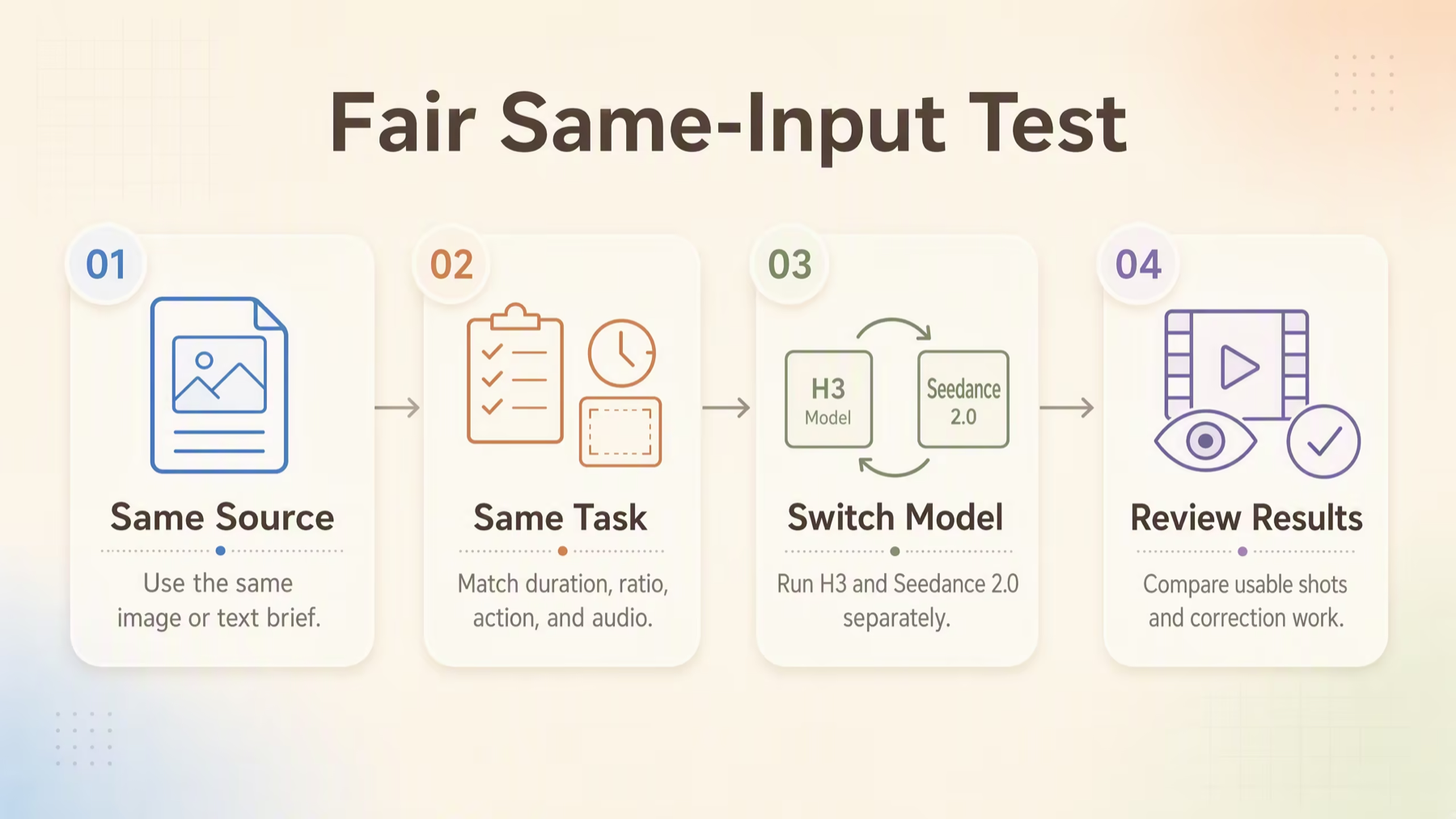
Community comparisons show that creators want to see MiniMax H3 and Seedance 2.0 run against the same prompt. That is useful, but “same prompt” alone does not make a fair test. Use the following protocol:
1. Use the same approved input. Start from the same product image, character reference, or text brief. 2. Match the deliverable. Keep duration, aspect ratio, and output destination consistent. If resolutions differ, evaluate both a normalized preview and each original file. 3. Write a neutral prompt. Describe subject, action, camera, setting, and sound without using model-specific syntax. 4. Run several generations. One result can be an outlier. Record how often each model produces a usable clip. 5. Score production criteria. Review prompt adherence, subject identity, product fidelity, motion continuity, camera behavior, text and logo stability, audio synchronization, and visible artifacts. 6. Count correction work. Note whether a clip needs regeneration, retouching, sound replacement, cropping, or editorial assembly.
A simple scorecard turns a subjective “which looks cooler?” discussion into a decision about which model completes your task with less risk and rework.
How to compare both models in Hilight
Hilight's current video model selector includes both MiniMax H3 and Seedance 2.0. This lets a team keep the brief and source asset in one workflow while changing the generation model.
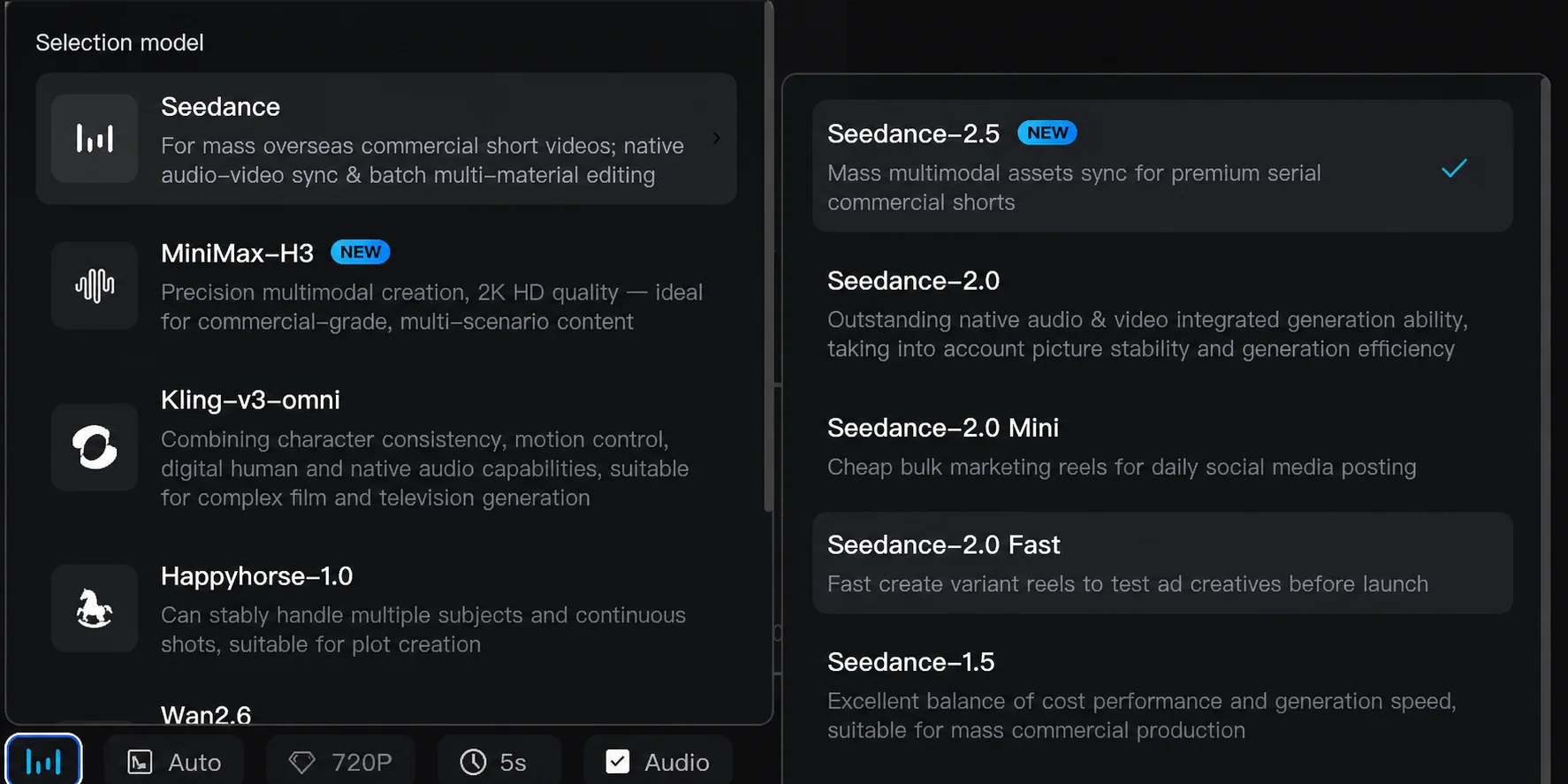
For H3, the current Hilight integration supports text-to-video and image-to-video with 768p and 2K output options. For Seedance 2.0, select the model and use the inputs, duration, resolution, and audio controls shown in the current interface. Because integrations evolve, treat the creation page—not a third-party capability list—as the source of truth for available controls.
For a useful A/B test, duplicate the creative brief, keep the source image and target format fixed, and change only the model where possible. Export the results, review them at full size, and save the prompt plus settings beside each file. This makes the decision repeatable for future campaigns.
You can open Hilight AI Studio to review the currently available models and start a video generation task. If your decision is between H3 and the newer Seedance 2.5 instead, read the separate MiniMax H3 vs Seedance 2.5 comparison.
Common mistakes to avoid
- Comparing official model features with a platform integration as if they were identical. Always check which inputs and controls are currently exposed.
- Treating 2K as proof of better overall generation. Resolution is only one part of a publishable result.
- Using different source assets or durations in an A/B test. The comparison becomes difficult to interpret.
- Judging from a compressed social-media upload. Inspect the original files and frame-level defects.
- Ignoring text, logos, faces, and product geometry. These are often the highest-risk details in commercial use.
- Choosing from one generation. Compare consistency and usable-shot rate across several attempts.
Frequently asked questions
Is MiniMax H3 better than Seedance 2.0?
Not for every task. The useful question is which one gives you a higher usable-shot rate under the same production requirements. H3 has the clearer advantage when 2K output and high-resolution product detail matter. Seedance 2.0 is a strong candidate for complex motion, detailed instructions, multi-shot continuity, and directed audiovisual creation. Test both on the hardest part of your real brief before standardizing a workflow.
Do MiniMax H3 and Seedance 2.0 both support image-to-video?
Yes at the model level, and both are available as video-generation choices in Hilight. The exact inputs and settings exposed by a platform can differ from the model's complete capability set, so verify the current creation interface before planning reference-heavy production.
Which model is better for ecommerce product ads?
Start with H3 when the priority is 2K product detail, close-ups, or multiple focused short-form variants. Test Seedance 2.0 when the ad depends on complex human-product interaction, a sequence of actions, or more directed motion and sound. In both cases, manually verify packaging, logos, color, shape, and claims.
Can both models generate video with sound?
Yes. H3 supports native stereo audio, while Seedance 2.0 generates synchronized audiovisual content. Audio quality varies by brief, language, and scene, so review dialogue, timing, artifacts, and brand suitability before publishing.
Final verdict
The most useful answer to Seedance 2.0 vs MiniMax H3 is not a single winner. It is a decision rule.
Choose MiniMax H3 first when 2K output, product detail, cropping flexibility, and focused commercial shots define success. Choose Seedance 2.0 first when the creative depends on complex motion, ordered instructions, connected shots, or audiovisual direction. When both appear suitable, run a controlled same-input test and choose the model with the higher usable-shot rate and lower correction burden.
Both models are currently available in Hilight's video model selector. Bring one real brief and one approved source asset, keep the test conditions consistent, and let the finished deliverable—not the model name—make the decision.
Note: Official model capabilities and Hilight availability in this article were reviewed on August 11, 2026. Product integrations and selectable settings may change; refer to the current creation interface for the latest options.

