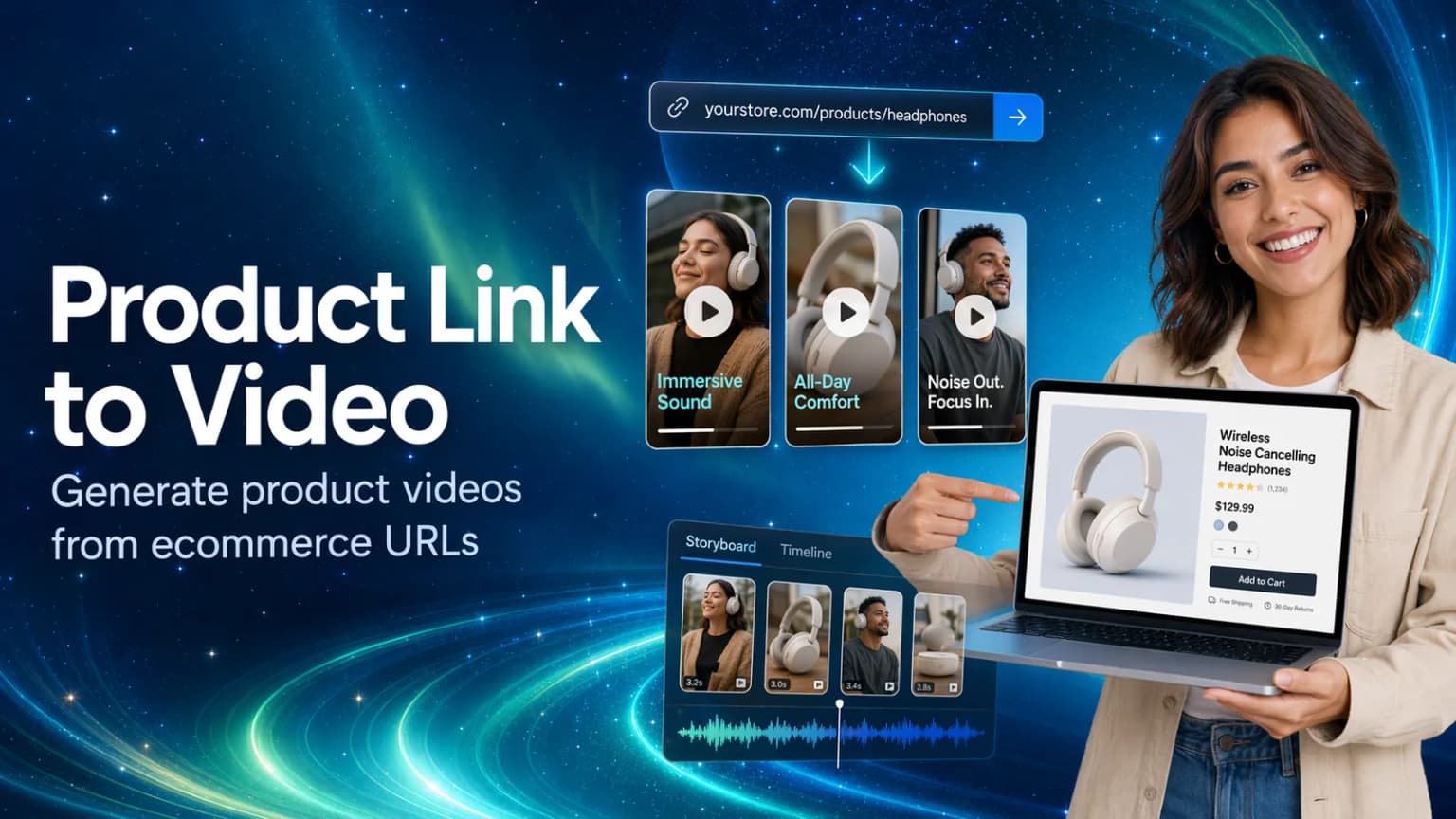
Quick Answer
Product link to video is not just a shortcut for turning a URL into a video. For ecommerce teams, the stronger use case is turning a product page into a video ad idea.
With Hilight Smart Video, you can add a product link, upload or write a brief, and describe the campaign context. Hilight can parse product information from the link, then help organize the product title, images, descriptions, selling points, audience, promotional details, and creative requirements into a video script, scene flow, and complete product video.
Many ecommerce teams already have product pages, but the video still stalls at the first blank script.
The useful shift is to treat the product page as a source of ad angles, not just a page to summarize. Hilight Smart Video can read the product context, then use the brief to shape hooks, selling points, scenes, and the first complete product video.
Why Product Video Ads Keep Getting Delayed
Most ecommerce teams do not start from zero.
They already have product pages. They have product photos, titles, descriptions, specifications, selling points, and sometimes reviews or FAQs. The product is ready to sell.
But when the team needs a TikTok video ad, Meta Reel, YouTube Shorts asset, marketplace video, or product page video, the work still slows down.
What should the first second say? Should the ad lead with a problem, a benefit, or the product itself? Which selling point deserves the most attention? How should the same product change between a TikTok ad, a Meta ad, an Amazon product video, or a Shopify product page video?
The blocker is not always a lack of product information. It is often the lack of a clear video direction.
That is where product link to video becomes useful. Instead of staring at a blank script, the team can start from a product URL and let the product page provide the raw material for the video idea.
For teams that do not yet have footage, the ecommerce video marketing without filming guide explains how the same product link and images can become the starting point for a complete video without first building a production setup.
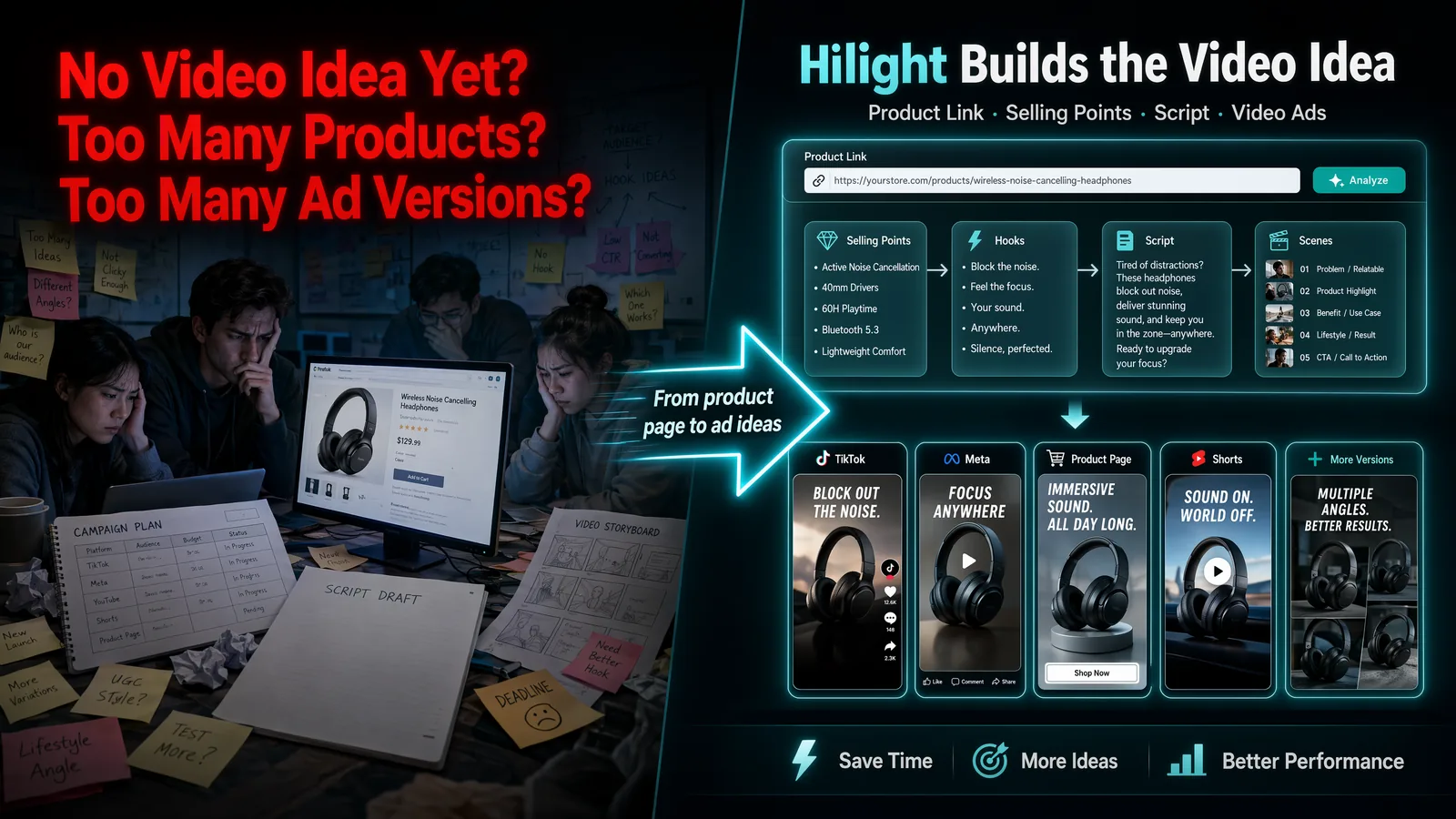
Plan the Campaign Before Making Creative Assets
If a team jumps straight into video generation, the result may look like a video but still miss the real marketing job: which platform it serves, which audience it speaks to, which selling point leads, and what campaign goal it supports.
A stronger workflow starts with the campaign context. Is this video for a new product launch, a promotion, a product page, or paid social testing? Once the job is clear, Hilight can use the product link as structured product context and turn it into a more actionable video direction.
Product Links: A Clear Video Script Starting Point
A product link is more than a URL. For ecommerce video creation, it can be the starting script source.
A product title can suggest the video topic. Product images can become visual assets. Descriptions can reveal benefits and use cases. Specifications can support proof and explanation. Customer reviews can become trust signals. FAQs can become objections to answer in the video. Campaign details can shape the offer, timing, and call to action.
This is why a strong product page can act like a video script source.
A generic link to video converter may turn page content into a quick video. Hilight Smart Video goes further by combining the product link with your brief, audience, platform, selling points, marketing timing, promotional offer, and supporting materials. The goal is not only to generate a video, but to shape a stronger ecommerce video ad idea from the product page.
How Hilight Extracts Video Selling Points
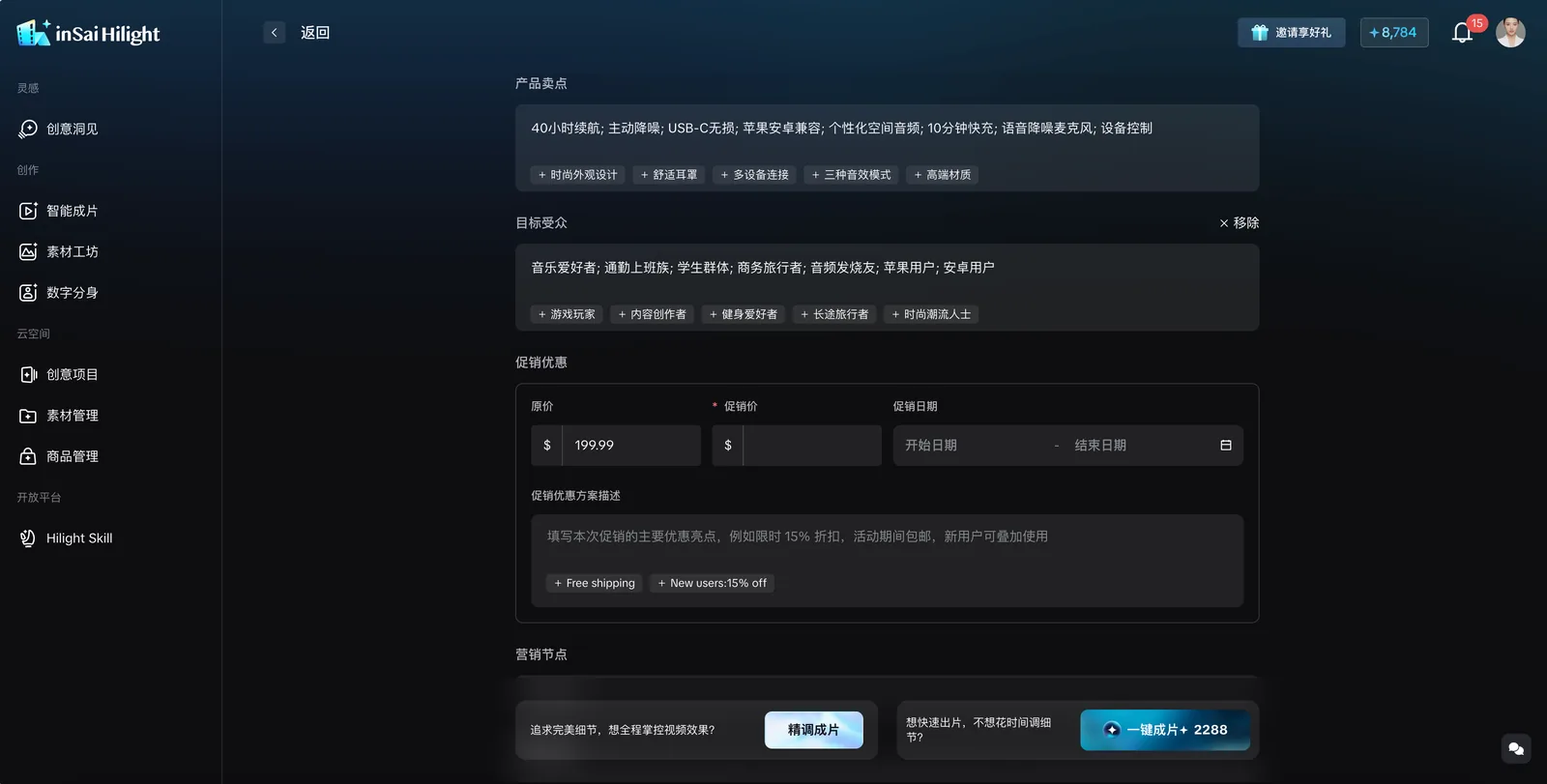
Hilight does not need the product page to become the video word for word.
After you add a product link and enter your creative requirements, Hilight can parse the product information and organize it into fields that are easier to check before generation. Product information can often be imported from the link, while selling points, target audience, materials, marketing events, and promotional offers can be added or corrected before the video is generated.
A short ecommerce video usually needs one main message, not every detail from the page.
The product link provides the raw material. The brief and confirmed inputs guide what Hilight should emphasize.
How Hilight Smart Video Adds the Marketing Idea
A product video does not work just because it contains product information. It works when the information becomes a clear marketing idea.
Here, a marketing idea means a practical video direction: who the video is for, what the first second should show, which selling point should lead, what format fits the platform, and how the script, captions, voiceover, scenes, and product visuals should work together.
For example, the same product page can support several different ideas:
- A TikTok-style hook that shows the product in the first second.
- A Meta ad that leads with a practical benefit.
- A product page video that explains usage and builds purchase confidence.
- A YouTube Shorts version that turns one benefit into a short product story.
- A marketplace video that focuses on function, proof, and comparison.
Hilight Smart Video uses the product link as product context, then uses your brief and confirmed fields to guide the video direction. That is the difference between Hilight and a basic url to video tool: Hilight is not only packaging page content into a video. It helps turn product context into an ad idea that can become a script, scene flow, and complete product video.
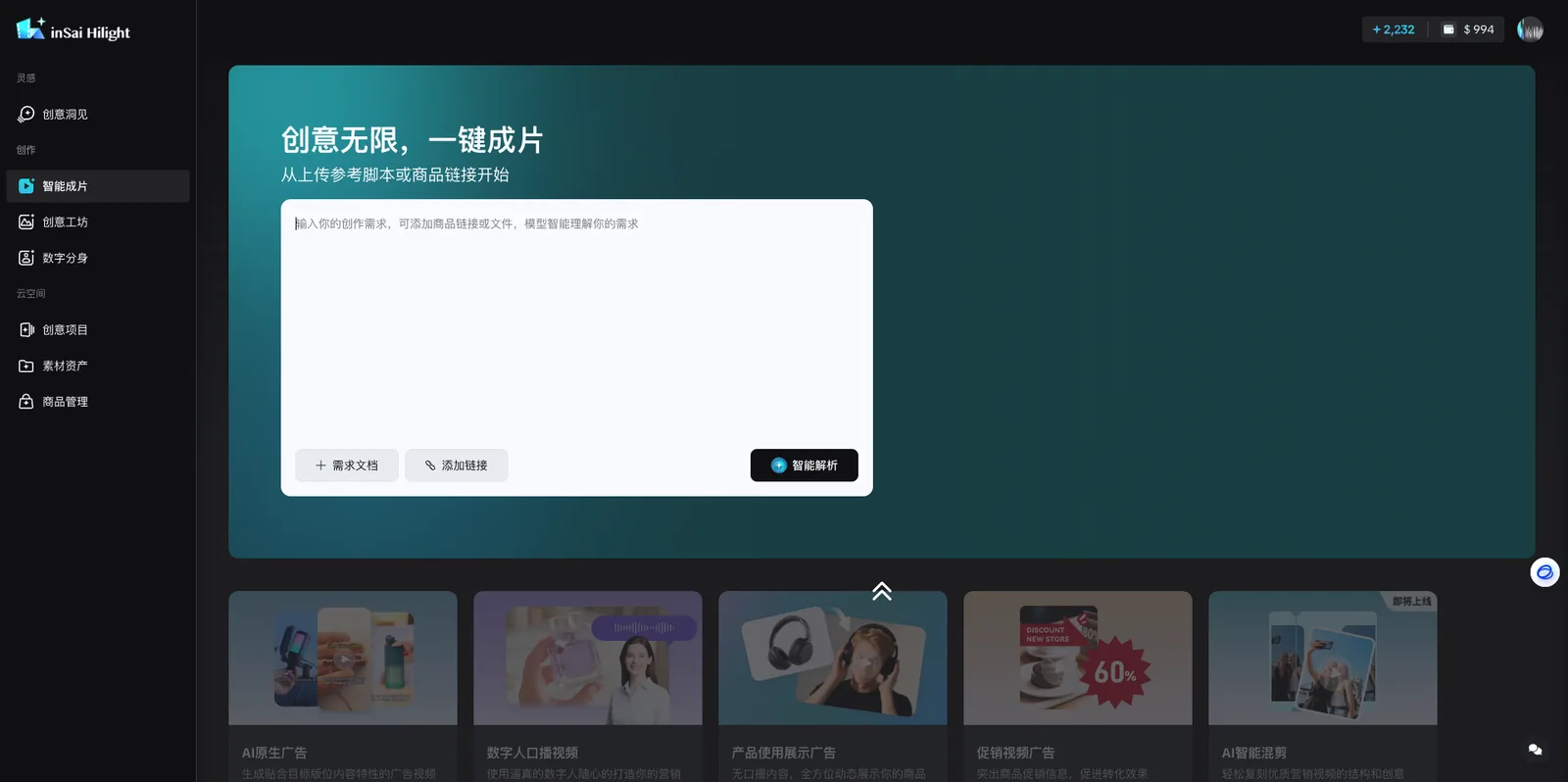
Generate a Complete Product Video from a Link
A practical product link to video workflow looks like this:
Add the product link or brief
Start with a specific product detail page. You can also upload a script or brief file, or enter your creative requirements directly.
Let Hilight parse the requirements
Hilight can analyze your input, summarize the requirements, and move the information into a structured form.
Check and complete the form
Review product information, product images, selling points, target audience, materials, marketing events, promotional offers, and other campaign details.
Confirm the useful suggestions
Hilight may recommend selling point or audience tags. Confirm the inputs that should guide the next generation step.
Generate the product video
Use One-Click Generation to create a complete product video with script direction, scenes, captions or voiceover direction, and video structure.
The point is not just to convert link to video. The point is to turn product-page information into a structured ecommerce video ad.
Built for Diverse Ecommerce Ad Scenarios
Hilight product link to video is useful across different ecommerce platforms and advertising contexts. The value is not only parsing a link; it is helping teams turn product-page information into platform-ready video ad directions.
If the destination is an Amazon listing, see our Amazon product video guide to learn how a product link, images, or a reference script can move from listing context into creative development and a complete video.
This does not mean every page produces the same quality of result. A single, complete product detail page is still the best starting point. Homepages, category pages, search results, or thin pages are less reliable.
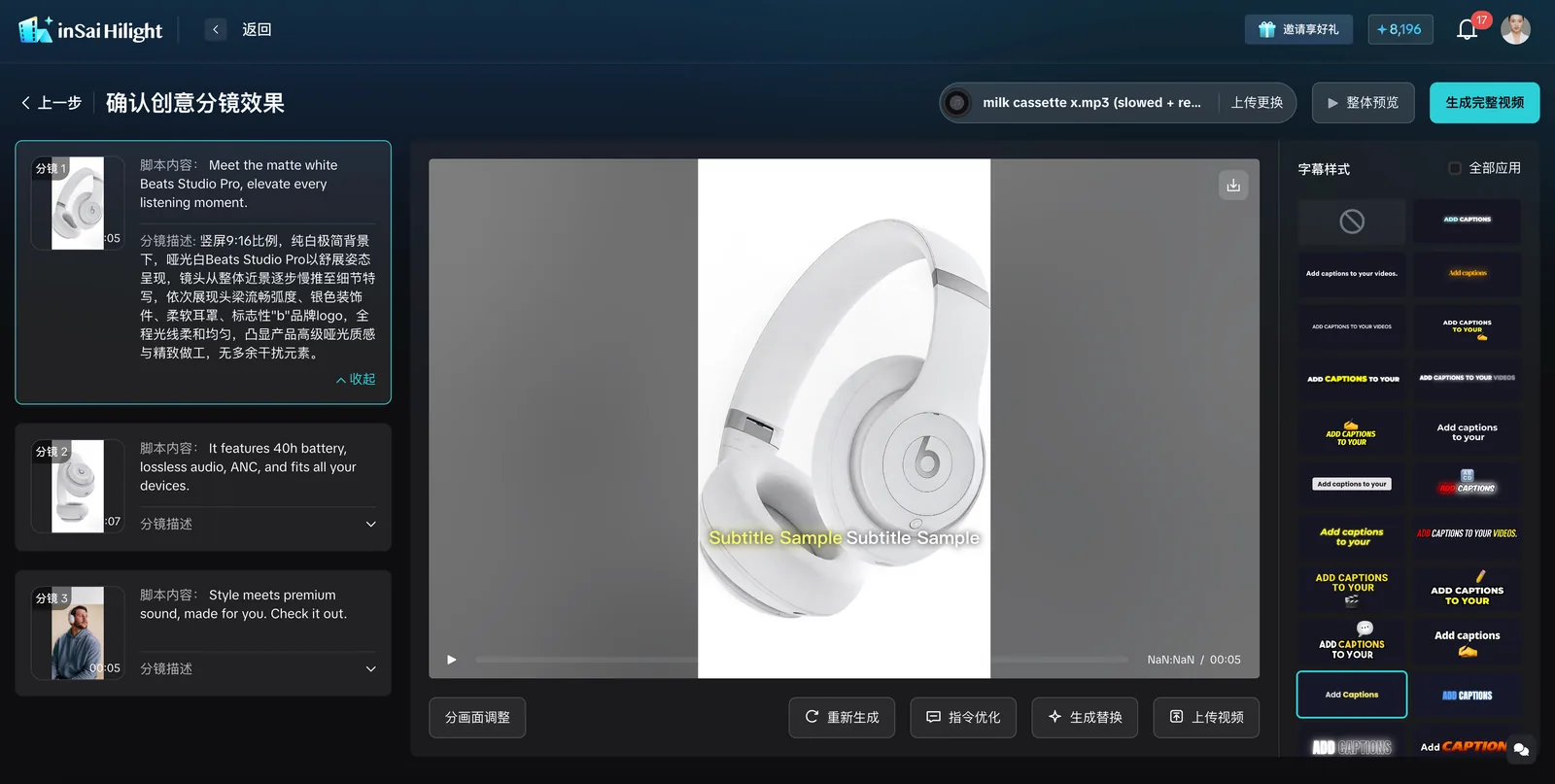
More Than URL-to-Video: Building the Ad Idea
A basic url to video tool asks: how do we turn a page into a video?
Hilight asks a more useful ecommerce question:
How do we turn this product page into a video ad idea that can sell the product?
That difference matters.
If a tool only combines page text and images, the output may look like a video but still lack ad logic. Ecommerce video ads need a hook, a selling point, a scene order, captions, voiceover direction, pacing, and platform context.
Hilight Smart Video connects the product link with your brief, selling points, target audience, marketing timing, promotional offers, and supporting materials, then helps generate the marketing idea, script, scene flow, and complete product video.
FAQ
What is product link to video?
Product link to video means using a product detail page as the starting point for video creation. Hilight can parse product page context, then combine it with your brief, audience, platform, and selling points to generate a product video direction and complete ecommerce video.
Is product link to video the same as URL to video?
They are related, but product link to video is more ecommerce-specific. URL to video can mean turning many types of pages into videos. Product link to video focuses on product pages, product information, selling points, and ecommerce video ads.
Can I create TikTok video ads from a product link?
Yes. A product link can provide product information, while the brief defines TikTok-specific direction such as hook, pacing, audience, language, and the selling point. This helps Hilight create a TikTok-style product video ad instead of a generic product slideshow.
What kind of product URL works best?
A single product detail page works best. It should include product title, images, descriptions, specifications, benefits, reviews, FAQs, or use-case details. Homepages, category pages, and search result pages are less reliable.
Do I need a video script before using Hilight?
No. You can start from a product link and a short campaign brief. Hilight can help generate the marketing idea, script direction, scene flow, captions or voiceover direction, and complete product video.
Final Thoughts
Product link to video is not only about converting a URL into a video.
For ecommerce teams, the stronger use case is turning a product page into a structured video ad idea. The product page already contains product facts, visuals, benefits, reviews, and use-case clues. Hilight Smart Video helps organize those clues into hooks, selling points, scripts, scenes, and complete product videos.
If your product page is ready but the video ad idea is still stuck, starting from the product link can make the first version much easier to create.

