HiLight Fine-tune Mode: More Creative Control for AI Marketing Videos
A practical guide to reviewing storyboards, improving individual scenes, and refining an AI-generated ecommerce video without starting over.
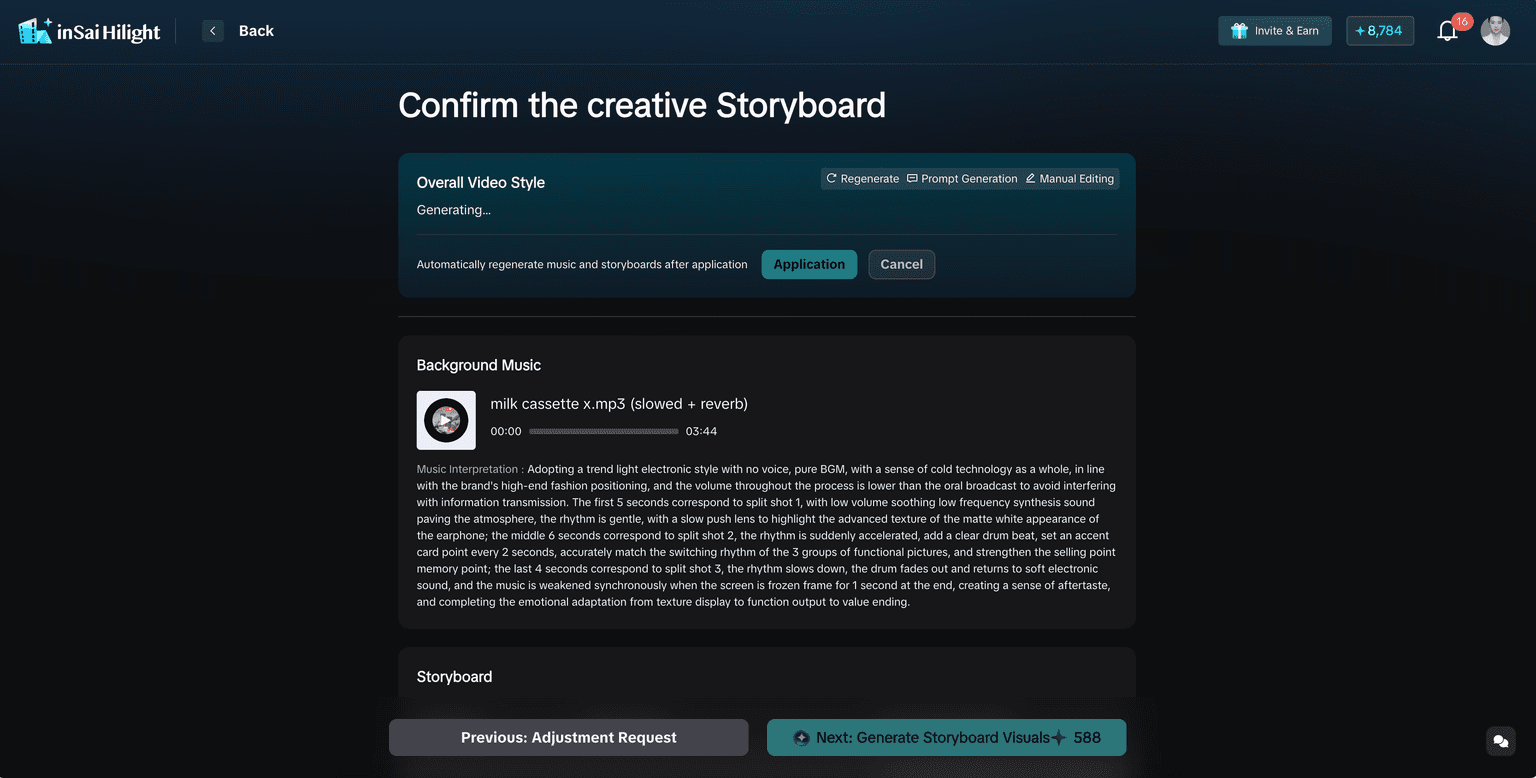
HiLight Fine-tune Mode helps teams review the creative direction before adjusting individual scenes.
An AI-generated product video can be surprisingly close on the first try. The structure works, the main selling points are there, and most scenes may already be usable. But a cross-border seller may still need a stronger TikTok Shop opening, a DTC brand may want tighter control over product presentation, and an agency or performance team may need to adjust individual scenes before testing the creative.
These changes do not require a completely new video. When every small issue triggers full regeneration, usable scenes are replaced as well. One version may have the better opening while another contains the more accurate product shot, leaving the team with more versions but no clear draft to continue refining.
HiLight Fine-tune Mode is designed for this stage. It helps teams correct the message and improve individual scenes while keeping the parts that already work. Fine-tuning cannot guarantee campaign performance, but it can produce a more accurate, focused, and review-ready creative for testing.
Who This Guide Is For
- Cross-border ecommerce sellers creating product videos without a traditional production team.
- DTC and global brands that care about brand tone and product accuracy.
- TikTok Shop, Shopify, and Amazon sellers adapting videos for different channels.
- Performance marketers, growth teams, agencies, and ecommerce operators testing or delivering multiple creatives.
Why the First AI Video Draft Still Needs Review
The first draft has one main job: make the creative direction visible. Once you can watch a complete version, it becomes easier to judge the opening, selling-point order, visual accuracy, pacing, subtitles, and music.
Most usable drafts are not completely right or completely wrong. They are often close, with a few specific problems. These are editing decisions, not reasons to discard the whole draft.
Common issues include:
- the script starts too slowly or the strongest selling point appears too late
- one visual does not match the product claim
- the product is too small or unclear in an important shot
- a generated scene looks unnatural
- subtitles or the digital avatar cover a key product detail
- the background music does not fit the intended tone
When to Use Fine-tune Mode
The simplest rule is this: if you can clearly explain what needs to change, Fine-tune Mode is probably the right next step. If you only want to explore another overall idea, revise the brief or generate a first version instead.
| Your current situation | Recommended action | Why |
|---|---|---|
| You have not seen a first version | Use One-Click Video Creation | A complete draft helps you judge the direction |
| The first draft is broadly right | Use Fine-tune Mode | Improve details without restarting |
| The script or selling-point order is wrong | Edit the storyboard first | Better visuals cannot fix the wrong message |
| Only one or two scenes are weak | Fix those scenes locally | Keep the rest of the video |
| The whole concept targets the wrong audience | Return to the brief | The problem starts before scene generation |
| The source assets are poor | Improve the assets first | Generation cannot recover missing product detail |
A Two-stage Fine-tuning Workflow
HiLight separates fine-tuning into two review stages. This order matters: if the script is wrong, polishing the visuals only makes the wrong message look more finished.
Confirm the creative storyboard
Check what the video is saying, how the selling points are ordered, and whether the style and music fit the goal.
Confirm the storyboard visuals
Check whether each scene shows the product clearly and choose the right action for any weak shot.
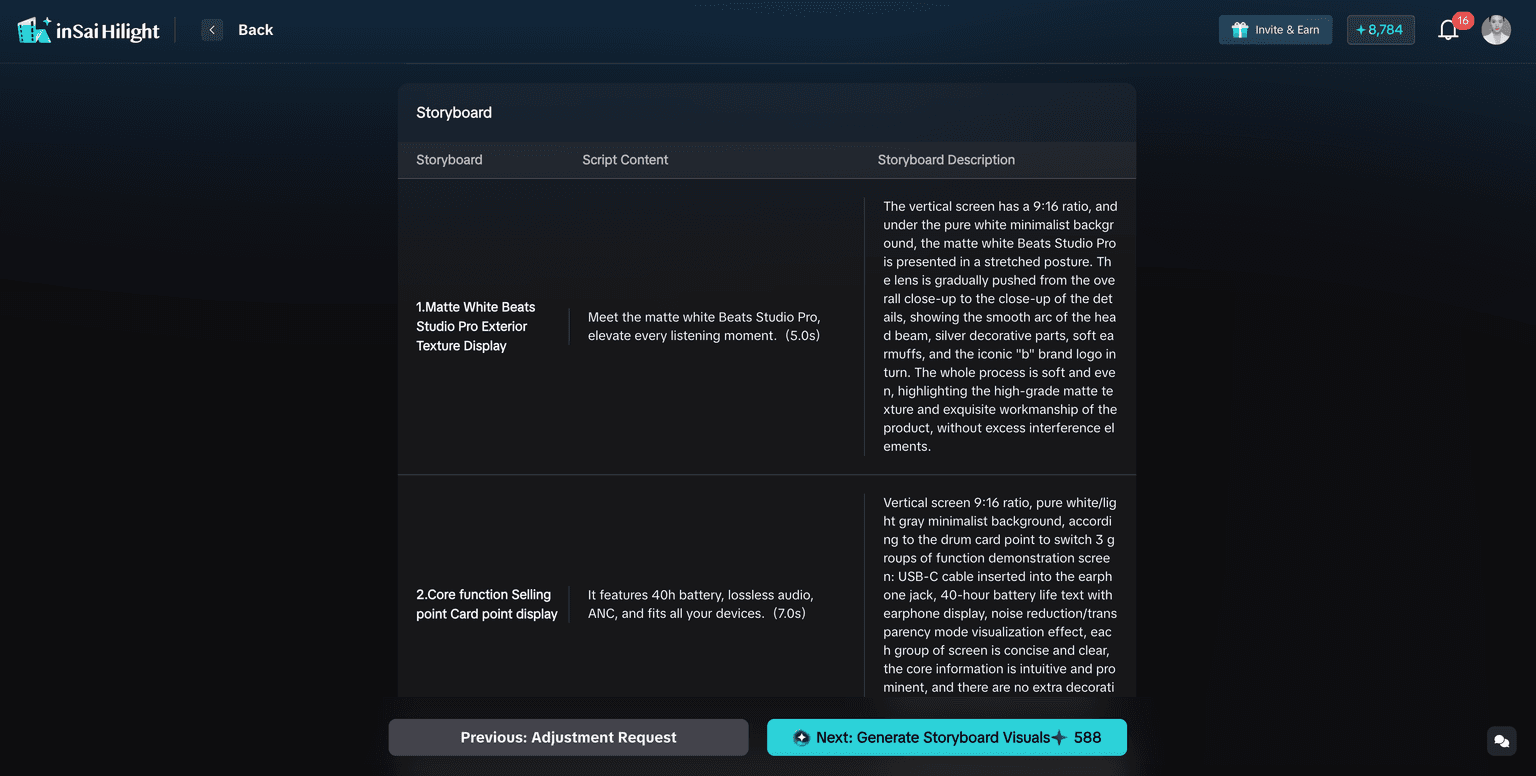
Step 1: Review the Storyboard Before Editing Visuals
Start with the whole story, not a single frame. Review the overall style, background music, storyboard script, and sequence of selling points.
If the video is intended as a high-converting ad concept, give the opening extra attention. High conversion is a creative objective, not a guaranteed result. The script still needs a clear audience, a relevant problem, a specific benefit, and a natural next step.
When the entire selling-point order is wrong, revise the script or brief before moving on. When only one line or scene description is unclear, make the local correction and continue.
Check whether:
- the opening introduces a real customer need or product value
- the core selling point is easy to identify
- claims are accurate and supported by the product information
- each scene moves the story forward
- the music supports the intended pace and brand tone
Step 2: Review the Visual Result Scene by Scene
After the story is correct, switch from “Is the message right?” to “Is the scene usable?” Watch the full preview before opening individual scenes so you can check coherence, transitions, product visibility, and pacing.
The aim is not to remove every trace of AI generation. It is to make the product, message, and viewing experience clear enough for human review and creative testing.
For each scene, check:
- whether the visual matches the script
- whether the product is clear and correctly represented
- whether the subject is distorted, missing, or inconsistent
- whether subtitles or the digital avatar block the product
- whether a real local clip would communicate the point better
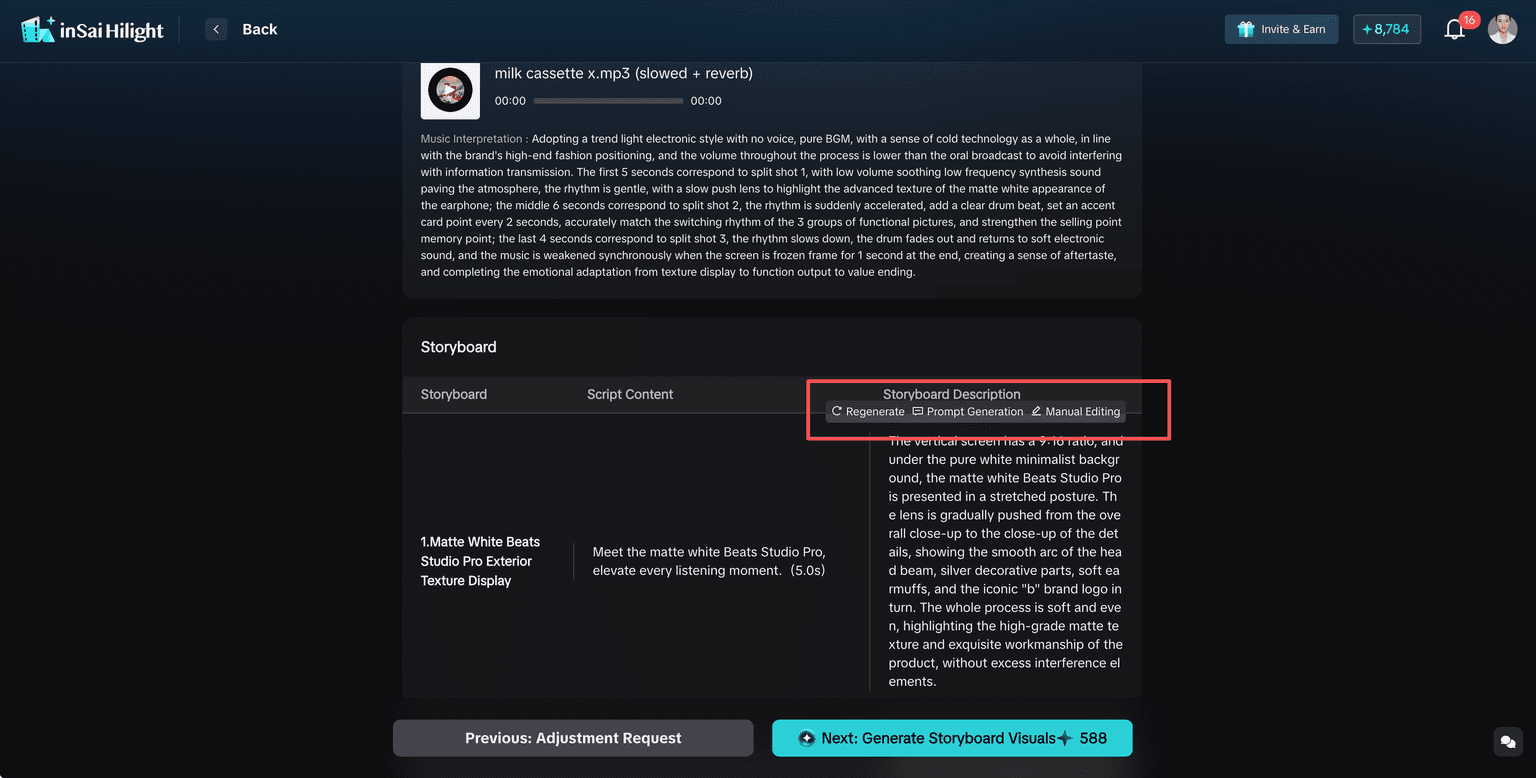
Regenerate, Optimize, Replace, or Upload?
The most useful fine-tuning decision is choosing the correct action for the problem. Describe the visible change you need: “Make the product larger and reduce background movement” gives a clearer target than “make it better.”
| Action | Use it when | Example |
|---|---|---|
| Regenerate | The direction is right, but this result is weak | Try another version with the same purpose |
| Instruction Optimization | The scene is close and needs a precise adjustment | Make the product clearer or movement more natural |
| Generate Replacement | One scene is clearly unsuitable | Replace a weak lifestyle or product shot |
| Upload Video | You already have a better real clip | Use an approved product demonstration |
| Edit the script | The message or selling-point order is wrong | Rewrite the scene before generating again |
Better Source Assets Lead to Better Fine-tuning
Sometimes the source material is simply not strong enough. If the product is too small, blurry, partly hidden, or missing an important angle, scene-level adjustments may continue to produce unstable results.
Improve or supplement the product images and clips first. HiLight AI Studio can help prepare clearer product assets and supporting visuals before you return to the video workflow.
Final Review Checklist
- The storyboard follows the intended creative direction.
- The main selling points are correct and easy to understand.
- The overall preview is coherent and key scenes show the product clearly.
- Subtitles and the digital avatar do not cover important details.
- Product claims, brand assets, usage rights, and platform requirements have been reviewed.
Fine-tune Mode helps move the draft closer to a review-ready state. Final publishing or ad approval should still involve human judgment.
Common Fine-tuning Mistakes
- Regenerating the whole video for one weak scene.
- Polishing visuals before correcting the script.
- Treating an asset problem as a generation problem.
- Using vague instructions instead of describing the visible change.
- Skipping the full preview before generating the complete video.
FAQ
Not necessarily. Use it when the first draft has a workable direction and you can identify specific changes.
Yes. You can handle a weak scene locally instead of regenerating the entire video.
It can improve clarity, product presentation, pacing, and message control, but it cannot guarantee conversion performance.
Check the script and source assets first, then optimize, replace, or upload an accurate real clip.
Yes. Review claims, visual accuracy, subtitles, permissions, brand assets, and platform requirements before publishing.
Conclusion
The best way to edit an AI-generated product video is not to keep requesting a completely new version. First identify whether the problem belongs to the story, a specific visual, the source assets, or the final layout.
HiLight Fine-tune Mode turns that judgment into a clear workflow: confirm the message, review the complete flow, fix only the scenes that need attention, and generate the full video after the key details are ready for human review.

