
Quick Answer
The best free AI video generator in 2026 depends on what your marketing team needs to test: text-to-video ideas, avatar explainers, product assets, social clips, Sora-style model experiments, or ecommerce product ads.
Free access is useful for early testing, but a marketing team should understand the boundary before building a content workflow around it. Hilight helps when a promising product direction needs to keep moving from AI Studio assets into Smart Video, so product links, images, briefs, and selling points can become an executable video workflow.
A free AI video tool is tempting when the team needs more video ideas but does not want to commit budget too early. The trap is that free can mean a short trial, limited credits, watermarked exports, lower resolution, noncommercial use, or a model that looks impressive but does not understand the product.
This guide looks at free AI video generators from a marketing-team perspective: what each kind of tool is good for, where the free plan usually hits limits, and when Hilight can connect product assets, script direction, and complete video production.
What “Free AI Video Generator” Really Means in 2026
A free AI video generator can be a good place to start. It lets a team test whether AI video can help with campaign ideas, product visuals, social clips, or early creative exploration.
The problem is that free plans rarely mean unlimited production. A tool may let you generate a few clips, but still limit the parts that matter for real marketing work: credits, watermark, resolution, export format, commercial rights, or how much control you have over the output.
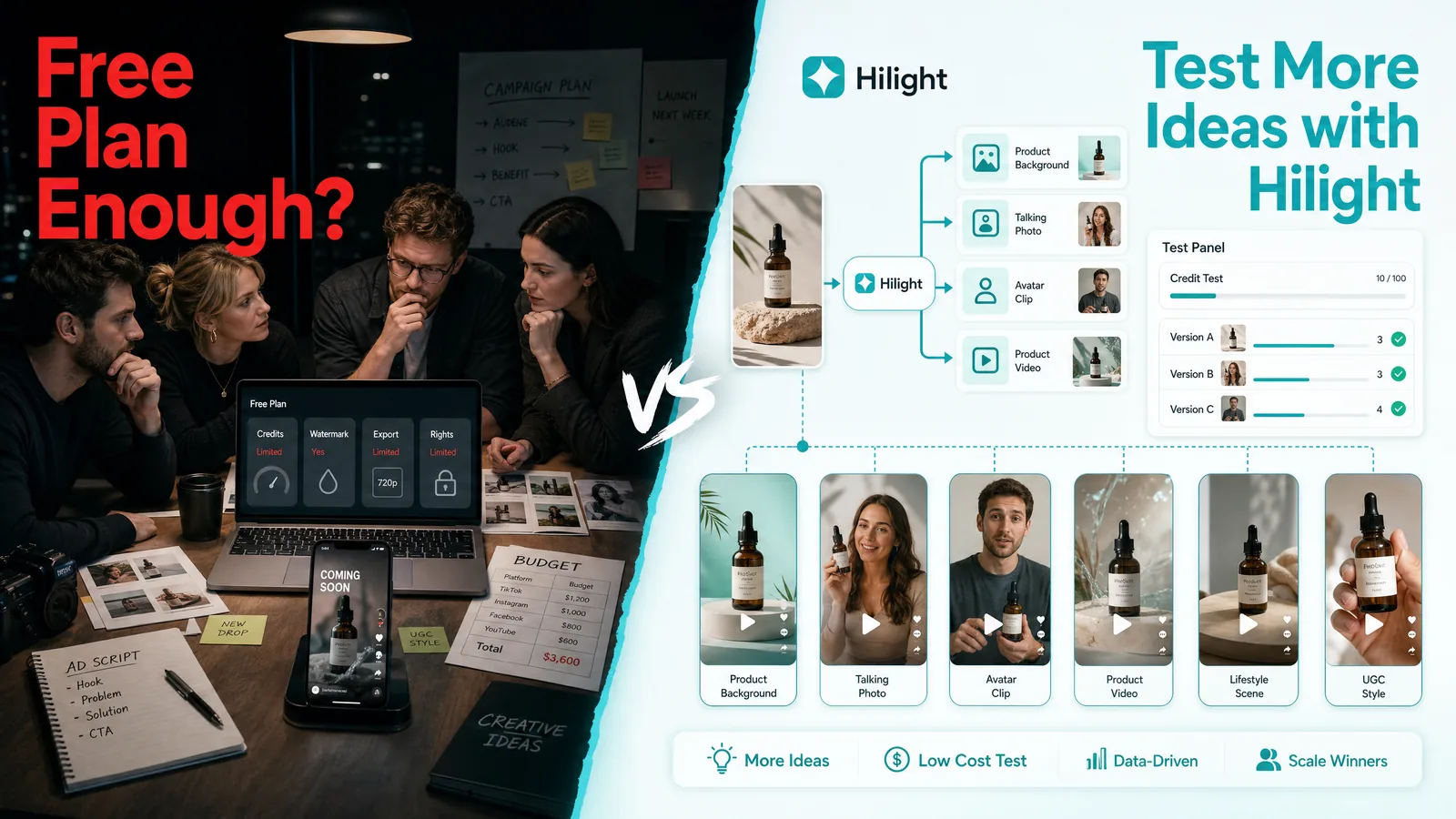
That is why the useful question is not only “which AI video generator is free?” It is: can this tool help the team test real marketing ideas without creating extra cleanup work?
How AI Video Tools Describe Their Free Plan Limits
Most AI video platforms do offer a free entry point, but they describe the boundary differently. As of July 2026, public pricing and help pages commonly frame the free tier around credits, video quota, watermark, tool access, output length, and export quality.
Source note: Competitor free-plan details are based on public pricing or help pages from Creatify, HeyGen, JoggAI, and Topview AI, checked in July 2026.
This comparison shows why “free” should not be treated as one category. A free plan can be a trial quota, a credit system, a watermarked export path, a limited tool sandbox, or an asset-testing entry point.
Best Free AI Video Generators by Marketing Use Case
Different AI video tools are good at different jobs. A team comparing the best free AI video generator should first decide what kind of marketing output it needs.
For a simple experiment, a generic video generator AI can be enough. For ecommerce work, the better test is whether the tool can move from product information to a usable marketing video direction.
Should You Use Sora-Style Video Models for Product Videos?
Sora-style video models are useful when the team wants to explore motion quality, cinematic scenes, atmosphere, product B-roll, or visual inspiration. They can help marketers see what new video models are capable of.
They are less complete when the job is product marketing. A strong product ad needs the product to stay clear, the message to match the audience, and the video structure to support a selling point. A beautiful clip is not automatically a useful product video.
Marketing teams can use model-first tools for exploration, then bring the stronger ideas into a workflow that understands product context, campaign goals, assets, scripts, and platform formats.
How Marketing Teams Should Choose an AI Video Generator
Before choosing a free AI video generator from text, an avatar tool, or a model-first video tool, use a real marketing task as the test.
Define the job first
Are you testing a hook, creating a product demo, making a social post, building a product page video, or exploring visual style? The right free tool depends on the job.
Test with a real product
Use a real product image, product link, or campaign brief. If the tool only works with vague prompts, it may not be reliable for ecommerce work.
Check the free boundary
Look at credits, watermark, export quality, commercial use, resolution, clip length, and whether generated assets can be reused.
Review the workflow after generation
Ask what happens after the first clip. Can the team edit the script, create more versions, reuse assets, or connect the result to a larger campaign?
Decide whether you need a generator or a workflow
If you only need one visual experiment, a free generator may be enough. If you need product assets, video scripts, scene structure, and multiple marketing versions, the workflow matters more than the word “free.”
When Hilight Makes More Sense Than Another Free AI Video Generator
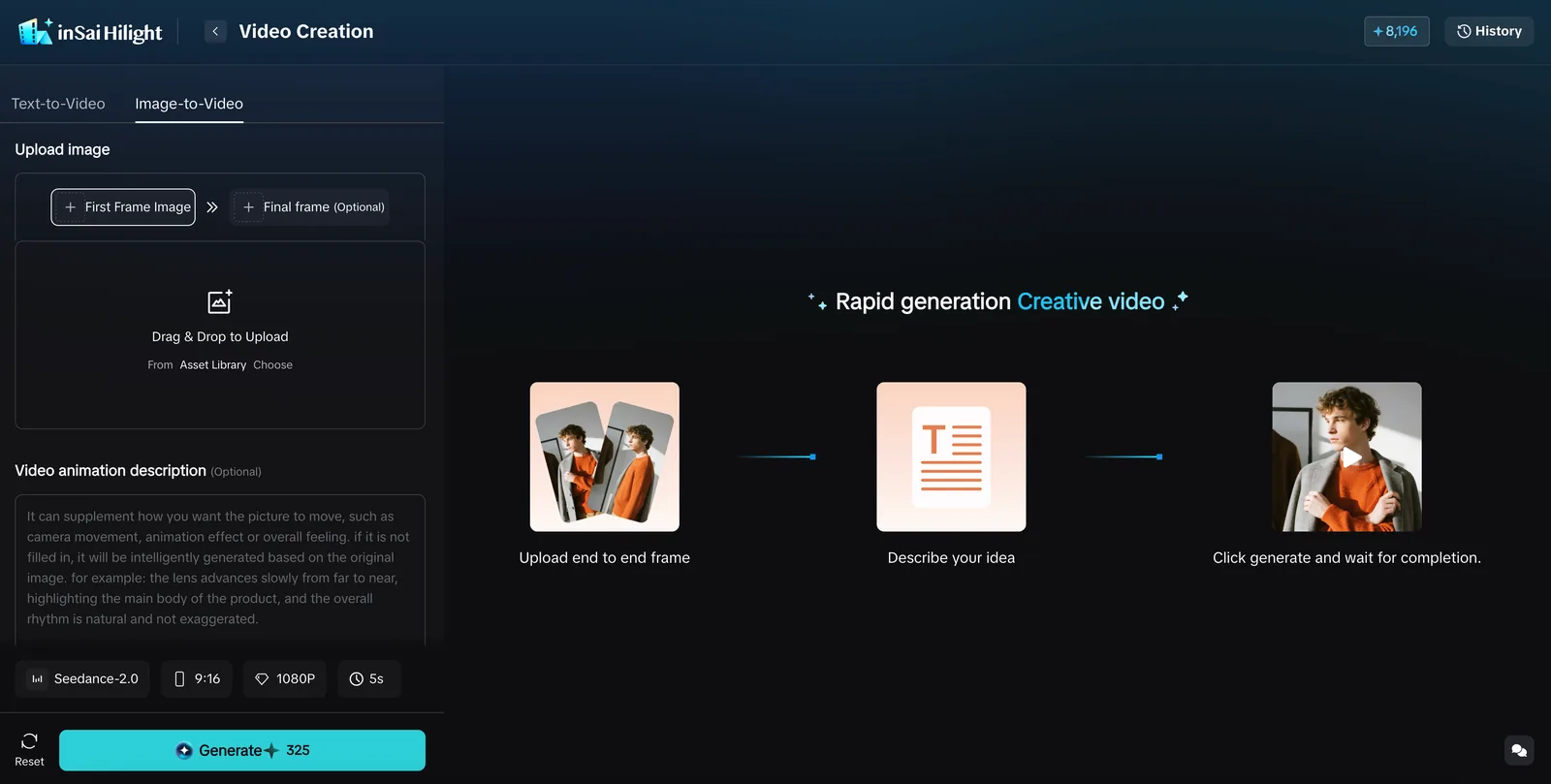
With Hilight, marketing teams can start from common ecommerce content tasks: creating product assets, improving product visuals, making talking-photo assets, generating supporting clips, and then continuing into a complete product video workflow when the campaign needs a fuller video.
For example, when a small-appliance team is preparing a new product launch, it can use free testing to compare visual directions and selling-point angles, then bring the stronger direction into Hilight: prepare product images, scene assets, and talking-photo material in AI Studio, and use Smart Video to organize the product link, selling points, audience, and script into a more complete ecommerce video.
For early testing, eligible new users can earn up to 1,400 Gifted Starlight Points through first login, Smart Video tasks, and referrals. Gifted points can be used for Smart Video creation. Product backgrounds, talking photos, and other AI Studio tasks use Purchased Starlight Points, with the current cost shown on the creation page.
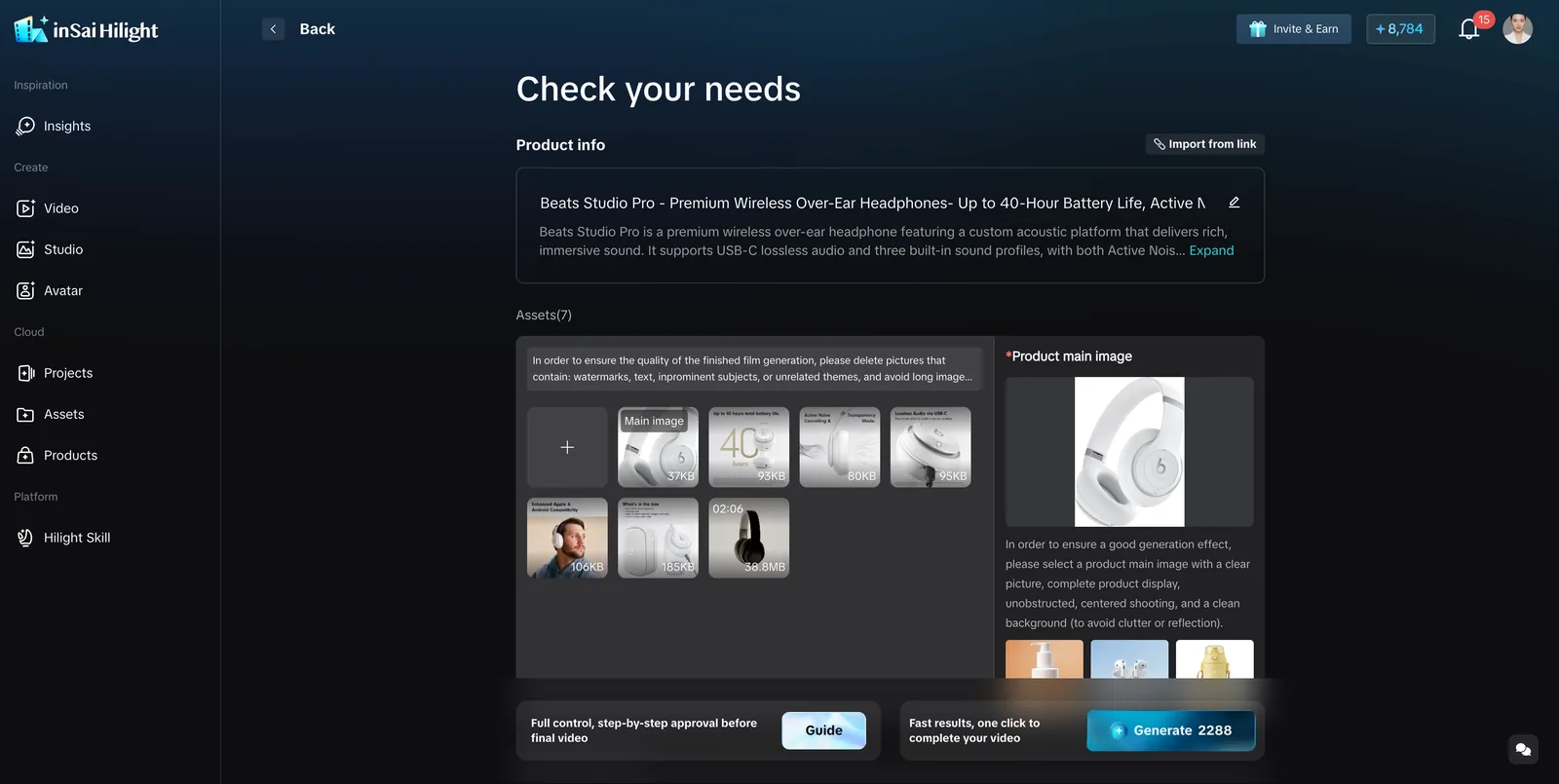
When the product assets and campaign direction are clearer, Smart Video can organize product links, images, briefs, scripts, and selling points into the video message, scenes, captions, and a complete product video. That makes early testing more than a one-off experiment; it becomes a reusable production path.
Common Mistakes
The easiest mistake is choosing the tool with the most impressive demo instead of the tool that fits the marketing job.
- Comparing only model quality, while ignoring commercial use and export limits.
- Testing with fantasy prompts instead of real products.
- Treating one good-looking clip as a complete ad workflow.
- Ignoring whether the tool can support product pages, paid social, and multiple versions.
- Choosing a free plan without checking watermark and credit limits.
- Forgetting that ecommerce videos need product clarity, not only motion.
FAQ
What is the best free AI video generator in 2026?
It depends on the job. For visual exploration, a model-first tool may be best. For avatar explainers, an avatar tool may fit better. For ecommerce product videos, compare whether the tool can use product context, assets, selling points, scripts, and platform formats.
Can I use a free AI video generator for product ads?
You can use free tools to test ideas, but check watermark, commercial rights, export quality, and whether the generated clip keeps the product clear. If the goal is a real product ad, the workflow after the first clip matters.
What should I check before using an AI text to video generator free plan?
Check how many credits you get, whether the clip has a watermark, what resolution you can export, whether commercial use is allowed, and how much control you have over the product, message, audience, and style.
Are Sora-style video models enough for ecommerce marketing?
They can be useful for visual exploration and B-roll ideas, but ecommerce marketing usually needs more structure: product context, a clear benefit, script direction, captions, scene order, and platform fit.
How can Hilight help if I am still testing for free?
Use Hilight to test the pieces that usually block ecommerce video production first: product backgrounds, talking-photo assets, product visuals, presenter clips, and short supporting materials. Once the useful direction is clear, Smart Video can use product links, images, briefs, scripts, and selling points to build a more complete product video.
Final Thoughts
Free AI video tools are useful when they help a marketing team learn quickly. But for ecommerce teams, the best tool is not simply the one that generates the flashiest clip. It is the one that helps turn product context, campaign direction, and creative testing into usable video assets and product videos.
Hilight is worth including in the comparison because it connects early asset testing with a broader ecommerce video workflow.

