Arcads vs Hilight at a glance
Quick verdict: Arcads and Hilight can both create AI-assisted ad content, but they organize the work differently. Arcads is a flexible creation surface built around AI actors, image and video models, editing tools, presets, and node-based Workflows. Hilight is more guided around the ecommerce marketing task: give it a product link, images, clips, a script, or a brief, then carry the product context through creative planning and complete video production.
Choose Arcads when your team wants to assemble its own production system, switch among models, and scale actor-led variations. Choose Hilight when the starting point is a product and the harder problem is turning product information, selling points, audience, and campaign requirements into a coherent ad. Neither is simply a talking-head generator in its current form.
How Arcads and Hilight differ from input to final ad
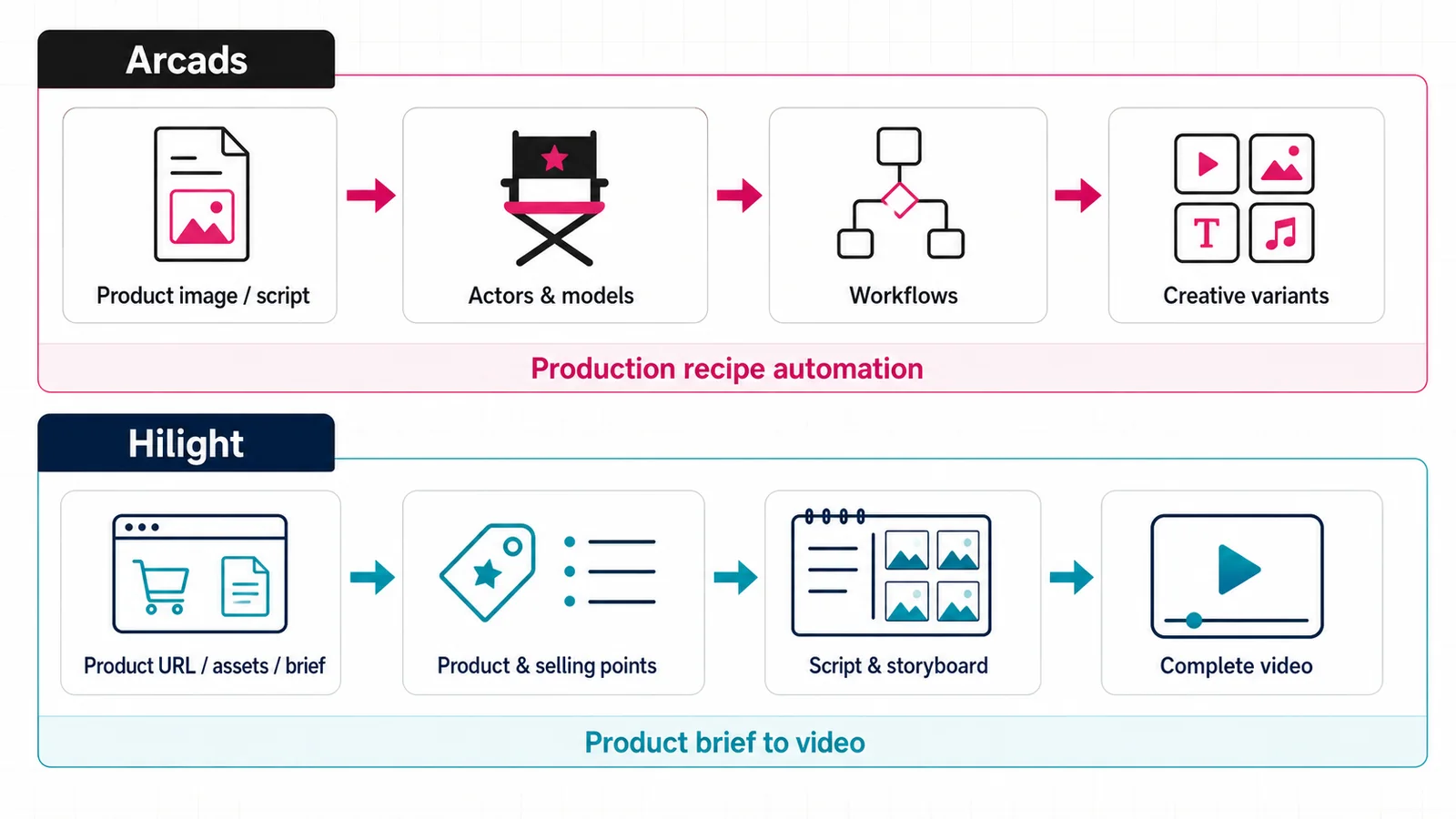
Arcads begins like a creative workspace.
A team can import a product image, generate new scenes, turn a character into a talking actor, add B-roll, use tools such as captions or translation, and connect steps in Workflows. Its official documentation also describes presets for product showcases and unboxing, plus multiple image and video models. That makes Arcads useful when a creative team wants to decide which model performs each step and then reuse the resulting pipeline.
Its current platform supports custom actors, product-focused imagery, video tools, and automated sequences. A team that already knows the concept it wants to test can build variations around actors, scripts, languages, scenes, and supporting clips. Review the current Arcads platform guide before relying on older comparisons that describe it as a talking-head-only product.
Hilight starts closer to an ecommerce brief.
Smart Video can accept a product link, product images, existing clips, a reference script, or written requirements. The workflow then uses product information and campaign context to organize selling points, creative direction, script, scenes, assets, post-production, and final delivery. Quick Creation is designed for getting a complete first version with fewer decisions; Deep Co-Creation is for teams that want more involvement in the direction and details.
When the ad needs a presenter, Hilight’s Avatar Product Video combines a presenter image or platform avatar with product images and a short script or local recording. Voice, language, speed, background music, and captions can be set before generation. This presenter workflow can sit inside a broader product-video plan instead of becoming the entire ad strategy.
The practical difference is where each product puts the organizing layer.
Arcads gives teams a broad set of models, tools, presets, and workflow nodes. Hilight gives product context, campaign requirements, and the complete marketing-video task a more explicit place at the beginning. Arcads can still work from products, and Hilight can still work from prepared scripts; the choice depends on which layer your team wants the platform to organize.
Which platform fits your team?
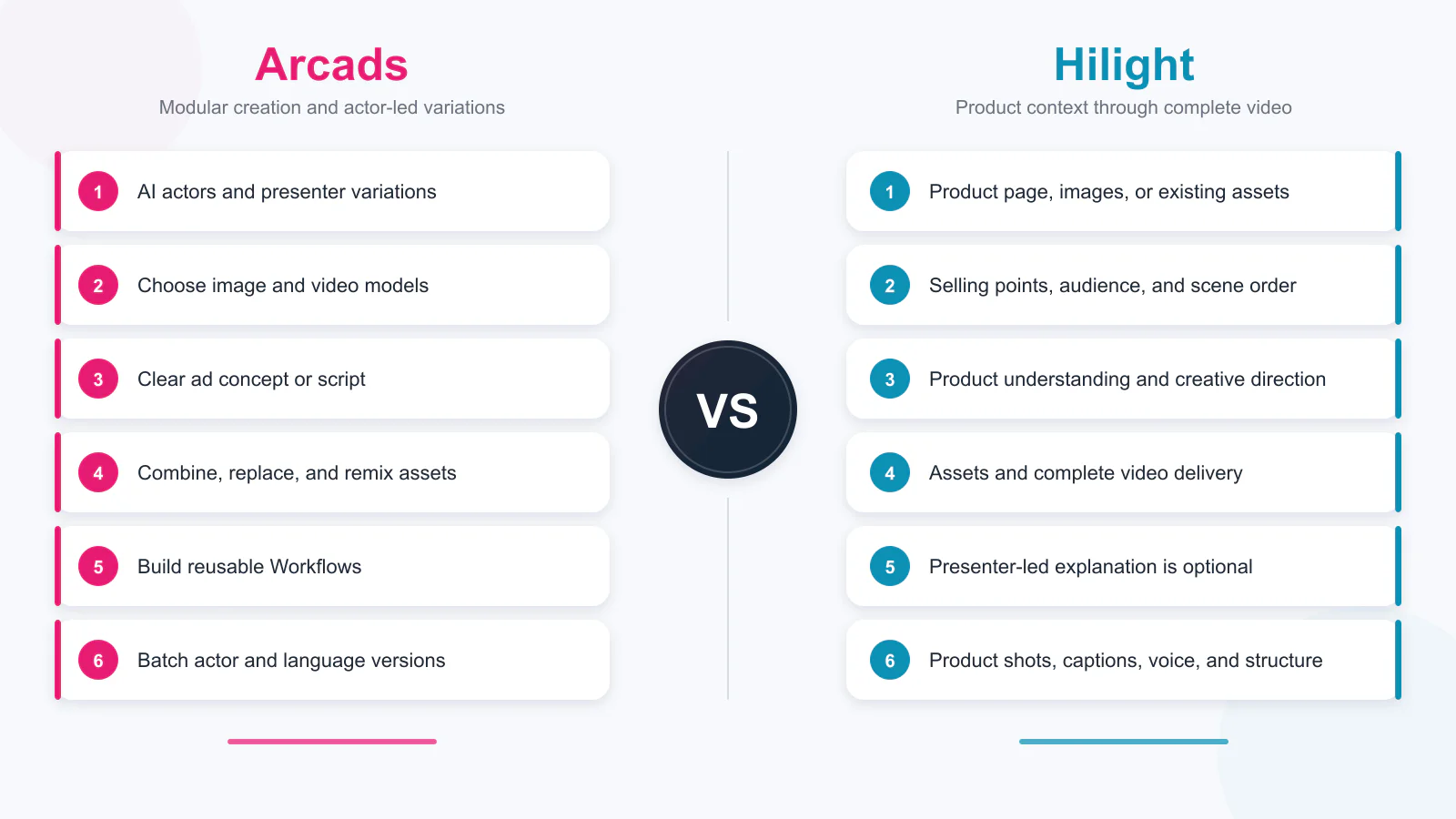
Choose Arcads When
- AI actors and presenter variation are central to your production plan.
- Your team wants to choose among multiple image or video models and connect its own reusable workflow.
- You already have a clear ad concept or script and want hands-on control over how the assets are generated and remixed.
- Batch variations across actors or languages matter more than having the product brief guide every step.
Choose Hilight when
- You usually begin with a product page, product images, existing clips, or a campaign brief.
- The selling-point angle, audience, hook, or scene order still needs to be organized before generation.
- You want one workflow to connect product understanding, creative planning, asset production, and complete ecommerce video delivery.
- A presenter-led product explanation is one possible format, not the only output you need.
A fair test uses the same task in both products: one SKU, one audience, one primary selling point, one target platform, and one desired duration. Compare how much useful input each platform extracts, how easily you can change the creative direction, and how close the first output is to the file your team actually needs.
FAQ
Is Hilight an Arcads alternative?
Yes, when the job is creating AI-assisted product or UGC-style ads. The difference is the workflow emphasis: Arcads offers a modular creative system with actors, models, tools, presets, and Workflows; Hilight emphasizes turning product context and campaign requirements into a complete marketing video.
Which tool is better for product-link-to-video work?
Hilight is the more direct fit when a product page should become the starting context for selling points, audience, script, scenes, and a complete video. Its Product Link to Video guide explains that workflow. Arcads can work from a product image and build product scenes, but its official getting-started flow is organized more like a creative workspace.
Which tool is better for AI avatar ads?
Arcads is compelling when actor choice, custom actors, gestures, voices, and actor-led variations are the center of the job. Hilight is a stronger fit when the avatar must explain a specific product within a broader ecommerce video workflow. The best choice depends on whether the presenter or the product-marketing process is the main production anchor.

