AI Product Background Replacement for Ecommerce Ads and Videos
Learn how to turn clean product images into scene-based assets for ecommerce ads and product video drafts with HiLight.
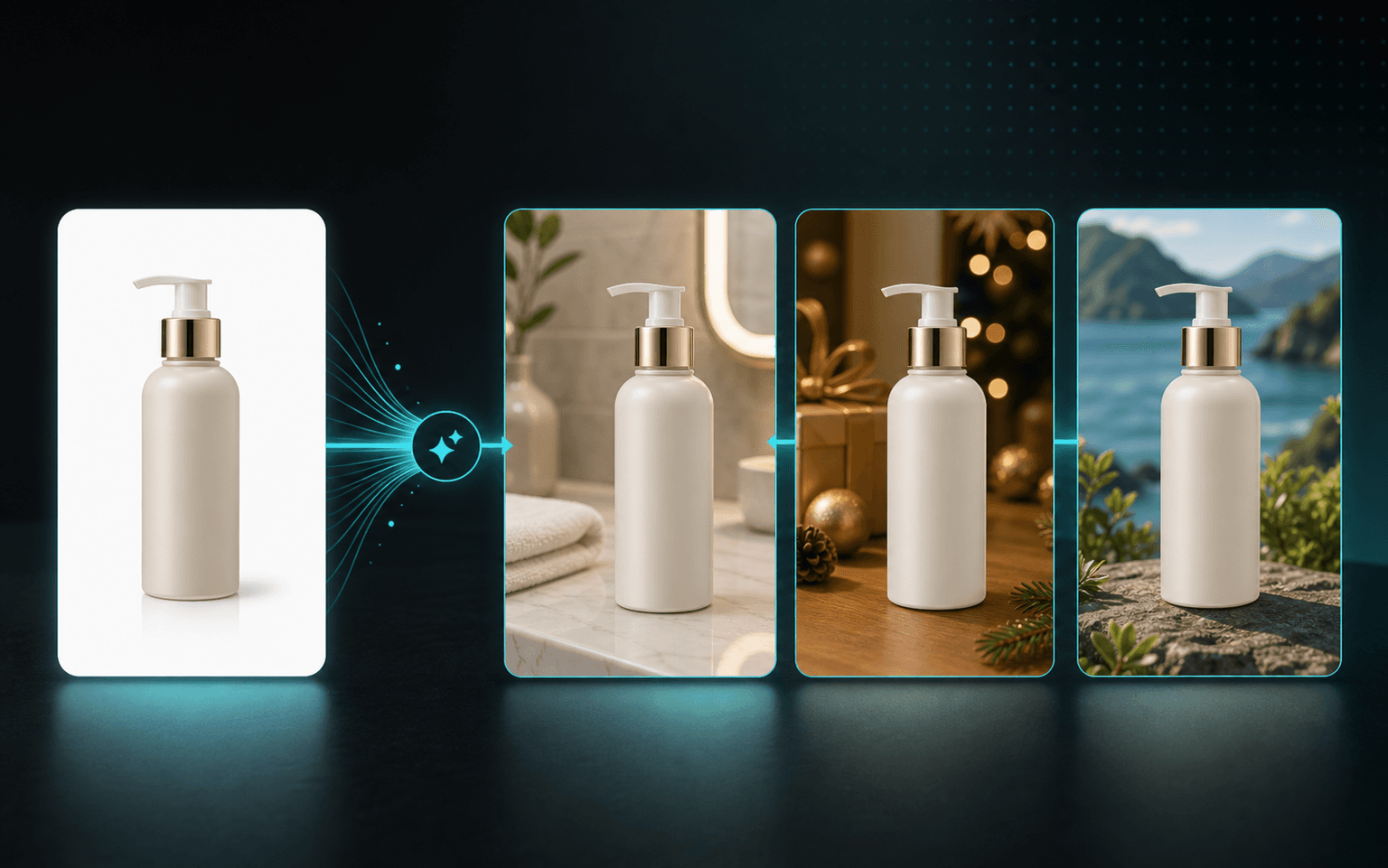
One clear product image can support several campaign scenes while the product remains the visual focus.
A white-background product photo is useful for showing details, but it may not be enough for every marketing channel. The same item may need a lifestyle scene for a social ad, a seasonal setting for a campaign, and several vertical visuals for a short-form video.
Rebuilding and photographing every scene can slow ecommerce production. AI product background replacement offers a more flexible workflow: keep the product as the main subject, create a relevant environment around it, and turn the reviewed result into a reusable marketing asset.
The goal is not to change the product. Color, shape, packaging, logos, labels, and functional details still need to remain accurate and should be checked before publishing.
Key Takeaways
- Start with a clear, complete product image.
- Choose AI Generation, a reference photo, or a creative description based on how defined the scene is.
- Review product details, packaging text, edges, lighting, and scene credibility.
- Use approved scene images with product information, selling points, or a brief in the HiLight video workflow.
Why Ecommerce Teams Need More Scene Images
The problem is often not a complete lack of product photos. It is the lack of images that fit different placements, campaigns, and markets.
AI background replacement does not replace every product shoot. It helps ecommerce sellers, DTC brands, creative teams, and social media marketers create more visual options from images they already own.
- A clean listing image may look too plain in an ad.
- One asset library may need to support several regions and seasonal campaigns.
- A video script may be ready while visuals for individual scenes are still missing.
- Multiple SKUs may need fresh creative before another photoshoot can be arranged.
- Existing images may not work equally well in square ads, landscape banners, and 9:16 videos.
| Use case | What it helps create |
|---|---|
| Studio-style advertising | More polished visuals from a simple product photo |
| Seasonal campaigns | Scenes for holidays, launches, and promotional periods |
| Localized marketing | Environments that better fit a target market |
| Social ad testing | Several visual directions for different concepts |
| Product video drafts | Images for hooks, benefit scenes, and transitions |
| Product pages | Lifestyle visuals alongside standard listing images |
Prepare the Product Image First
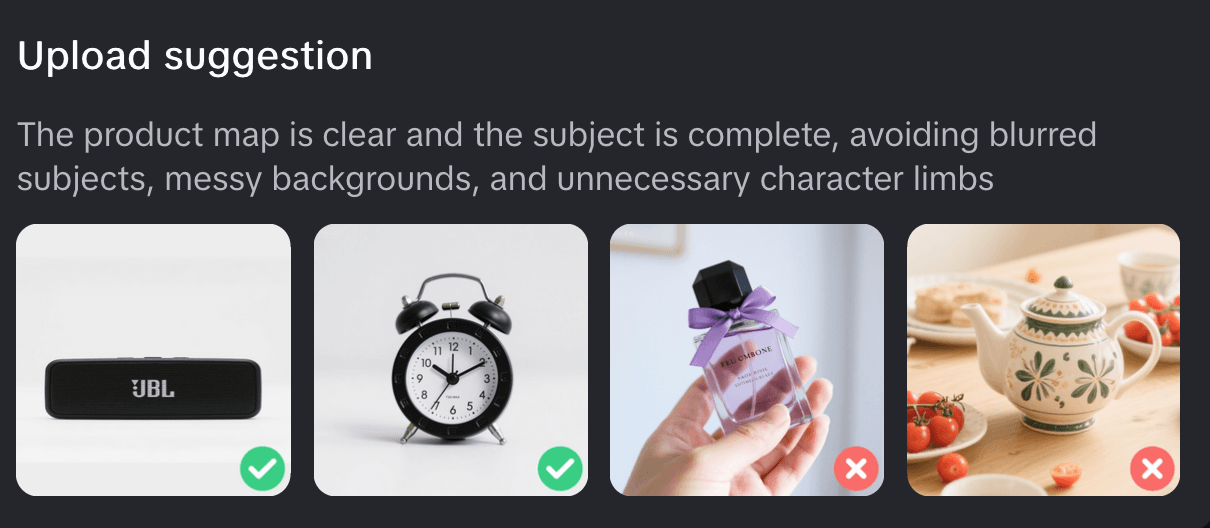
Source-image quality affects subject detection, edge quality, and how naturally the product fits into the new scene. If the product is already blurred, heavily covered, cropped, or distorted, improve the source image first.
Products with transparent packaging, reflective metal, glass, fur, or other complex edges require closer review after generation.
HiLight recommends images that:
- Are between 20KB and 15MB
- Have a resolution above 400 x 400
- Use JPG, JPEG, PNG, or WebP
- Show the complete product clearly without significant blur or noise
- Avoid overly complicated backgrounds and unnecessary obstructions
Choose the Right Background Method
HiLight provides three creative approaches. The best choice depends on how clearly the final scene has already been defined.
Use it when you have a product image but no fixed scene. HiLight identifies product attributes and recommends a suitable direction for early exploration.
Use a clear campaign sample or preferred environment to communicate composition, material, color, and mood. Confirm the right to use third-party references.
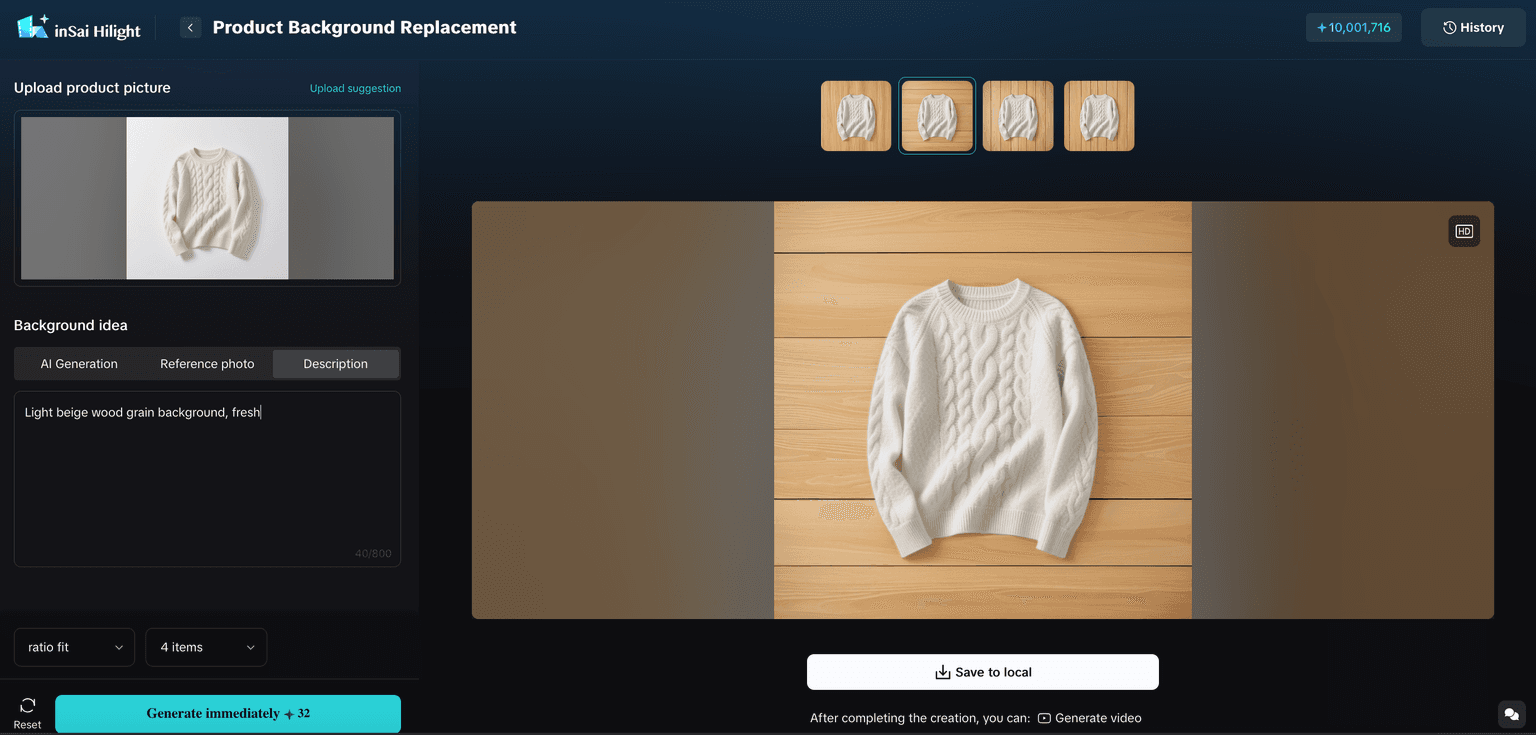
Use it when the scene is already clear. Describe the location, surface, lighting, palette, required elements, and copy space.
Write a More Useful Background Description
Concrete visual information is usually more useful than a long list of adjectives. Describe what should appear in the scene and how the product should be presented.
| Weak description | More useful description |
|---|---|
| Nice skincare background | Place the skincare bottle on a light stone bathroom counter with soft morning light and copy space on the right |
| Make it outdoors | Place the portable speaker on a wooden camping table at dusk with warm ambient lighting |
| Make it premium | Dark marble surface, soft side lighting, subtle gold accents, no text or additional products |
How to Replace a Product Background in HiLight
Generate several options when useful, but do not judge them only by how attractive the background looks. Choose the version that keeps the product accurate and fits the intended placement.
Open Product Background Replacement
Enter Asset Workshop and choose the Product Background Replacement tool.
Add the product image
Upload an image from your device or choose an existing asset from the library.
Choose a creative method
Select AI Generation, Reference Photo, or Creative Description.
Set the output
Use automatic ratio fitting or choose a target aspect ratio, then select the number of results.
Generate and compare
Review the generated options for product accuracy, lighting, edges, and scene credibility.
Save or continue to video
Save an approved image locally or use it as source material for a product video draft.
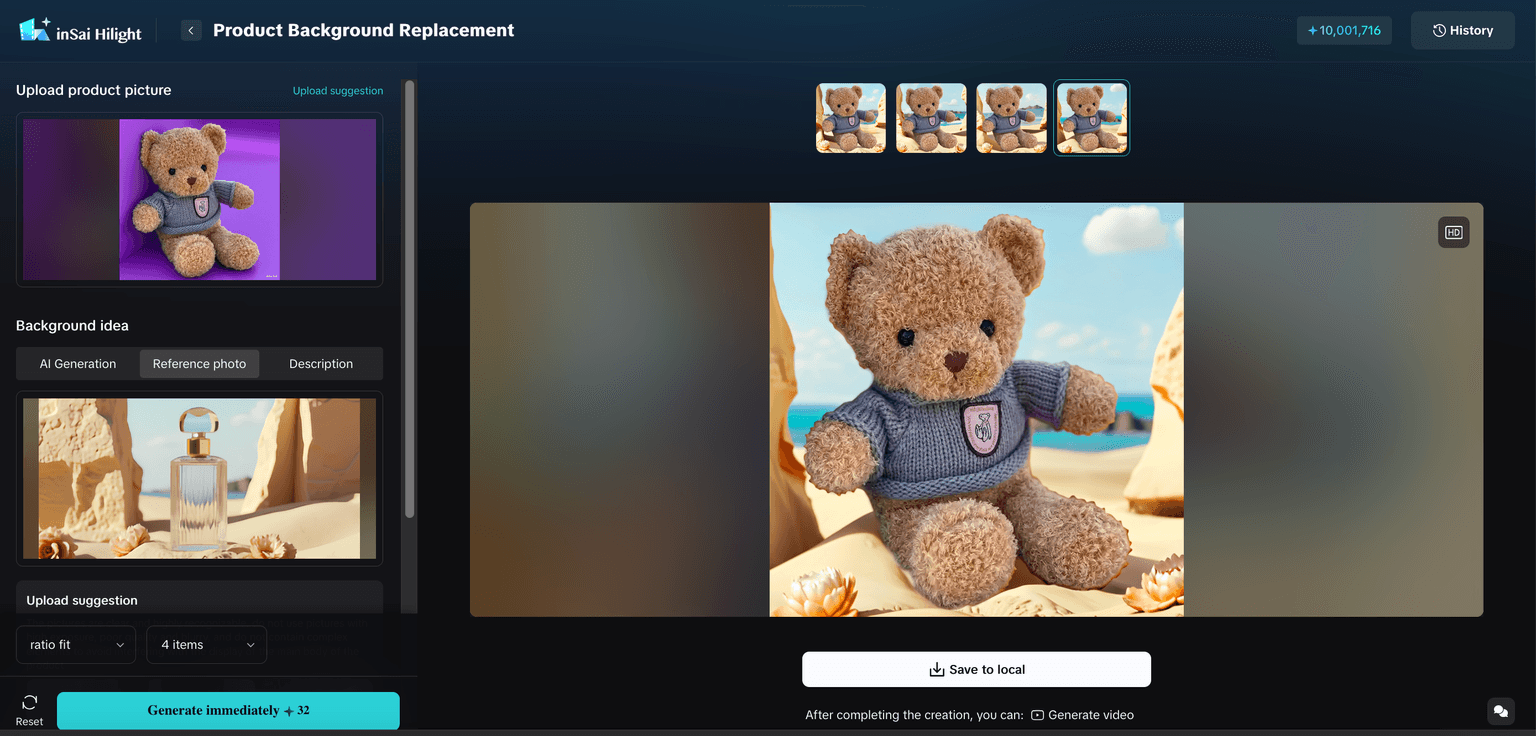
Image Capabilities Supported by HiLight
HiLight supports multiple image-model capabilities with different strengths in composition, stability, generation speed, Chinese-language understanding, and commercial visual design.
The Product Background Replacement guide does not state that every model is manually selectable in this interface. Available models and selection methods should follow the options shown in the current product.
| Creative need | Supported models |
|---|---|
| Commercial design and complex composition | GPT-Image-2, Nano Banana Pro |
| Stable general-purpose commercial images | GPT-Image-1.5 |
| Fast generation and multi-direction exploration | Seedream-5.0, Nano Banana |
| Chinese ecommerce and product marketing | Qwen-Image-2.0, inSai FitVision |
What to Review Before Publishing
Generated scenes still need a product and marketing review before they are used in a listing, ad, or video.
| Check | What to review |
|---|---|
| Product accuracy | Shape, color, material, accessories, and proportions |
| Packaging and text | Brand names, quantities, ingredients, labels, and claims |
| Edges and lighting | Outlines, shadows, reflections, perspective, and light direction |
| Scene credibility | Whether the environment matches the real use of the product |
| Placement | Aspect ratio, product position, interface safe areas, and copy space |
Turn Approved Scene Images into Product Video Drafts
The value of background replacement does not end with a new still image. When a product video lacks a hook, use-case scene, or supporting shot, teams can create several environments in Asset Workshop and use the approved results with a product URL, selling points, brief, or script in HiLight.
This is more than adding motion to one image. HiLight can organize product inputs into a video draft with a script, scenes, subtitles, voiceover, and multiple product visuals. The team can then review the first version and continue refining it.
A portable coffee maker, for example, might appear on a kitchen counter, an office desk, and a camping table. These images can support different parts of the script instead of repeating the same white-background photo throughout the video.
FAQ
Its purpose is to preserve the product while changing the environment. Generative editing may still affect edges, labels, reflections, or small details, so every result should be reviewed.
No. White backgrounds often make subject detection easier, but another image may work when the product is complete, clearly visible, and not heavily obstructed.
The workflow allows users to select an output quantity and compare several results within the same creative direction.
They can become advertising assets after the team confirms source-image rights, product accuracy, platform requirements, and advertising claims.
Yes. An approved scene image can be saved as an asset and used with other product information in HiLight's product video workflow.
Conclusion
AI product background replacement is not about making every image look premium with one click. It gives ecommerce teams a flexible way to prepare visuals for different scenes, formats, campaigns, and markets.
A reliable workflow starts with a clear product image, uses the right creative method, compares several options, reviews product accuracy, and then sends approved assets into product pages, ads, or product video drafts.
For teams producing content across multiple SKUs and markets, background replacement is not an isolated photo-editing task. It is one step in turning existing product assets into usable advertising creative.

